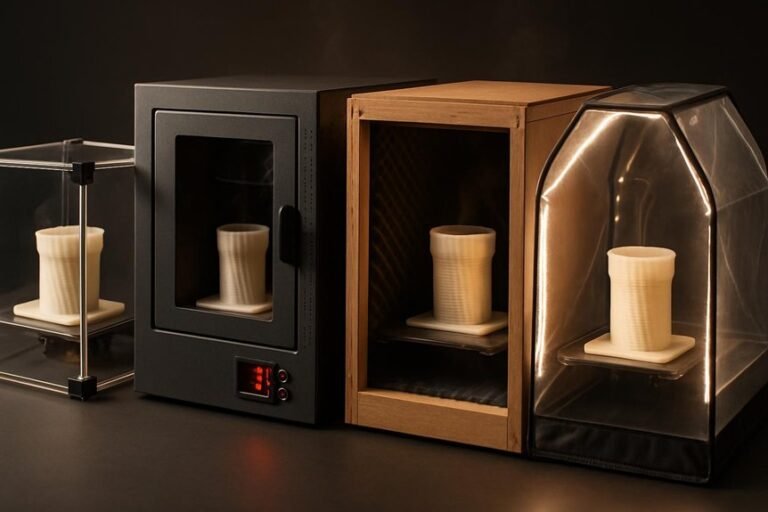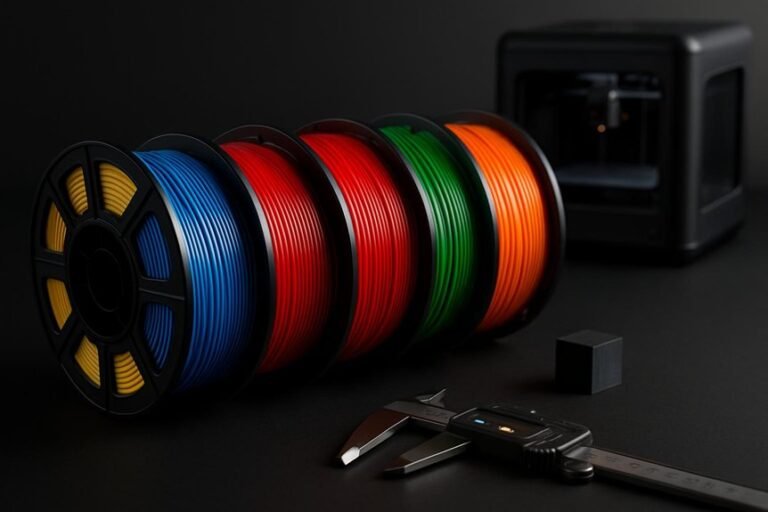
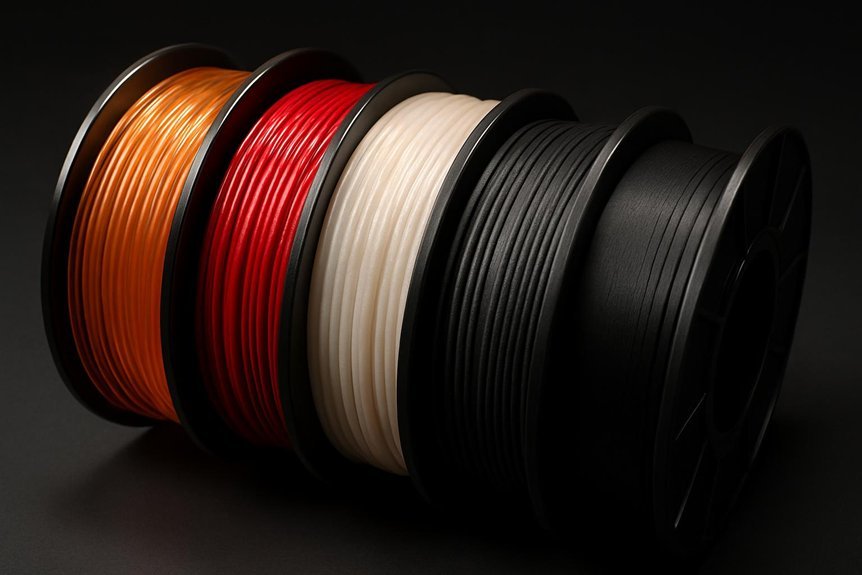
If you want reliable, dimensionally accurate 3D prints, choosing the right filament makes a big difference. You’ll learn about five well-reviewed options—PLA and PETG for ease and low warp, plus ASA for weather resistance—that balance tolerance, strength, and finish. I’ll point out ideal temperature ranges and practical tips from my own prints so you can avoid common issues and get parts that fit together precisely. Stick around to see which might suit your projects best.
Creality 2kg Black & White PLA 1.75mm Filament Bundle for 3D Printing
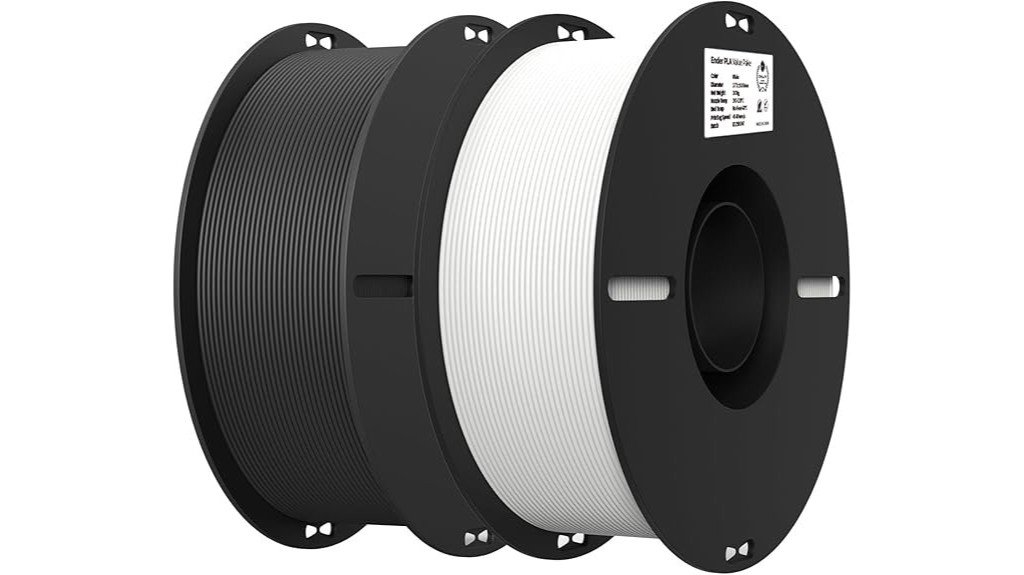
If you print a lot and want a reliable, budget-friendly option, the Creality 2kg Black & White PLA bundle is a smart choice—especially if you like switching between finished-looking parts and pieces you plan to paint. You’ll get two 1kg spools that cut refills and still print smoothly, thanks to a patented, clog-resistant design. Prints stick well when you set the bed and temps right, and the filament stays within +/-0.02mm for consistent layers. Black works for professional-looking parts; white takes paint well. Most users praise its value and durability, though you might tweak settings to reduce stringing.
Best For: Makers and hobbyists who print frequently and want an affordable, reliable PLA bundle that offers both finished-ready black parts and paint-ready white parts.
Pros:
- Cost-effective 2×1kg spools reduce refill frequency while maintaining smooth, clog-resistant printing.
- Consistent diameter tolerance of +/-0.02mm yields reliable extrusion and good print detail.
- Strong bed adhesion and improved toughness make it suitable for functional parts and prototypes.
Cons:
- May require tuning to minimize stringing on some printers.
- Bed adhesion on glass can be less reliable without adhesives or optimal leveling.
- PLA limits high-temperature or long-term outdoor use compared with more heat-resistant materials.
Polymaker ASA 1.75mm Black 1kg 3D Printing Filament
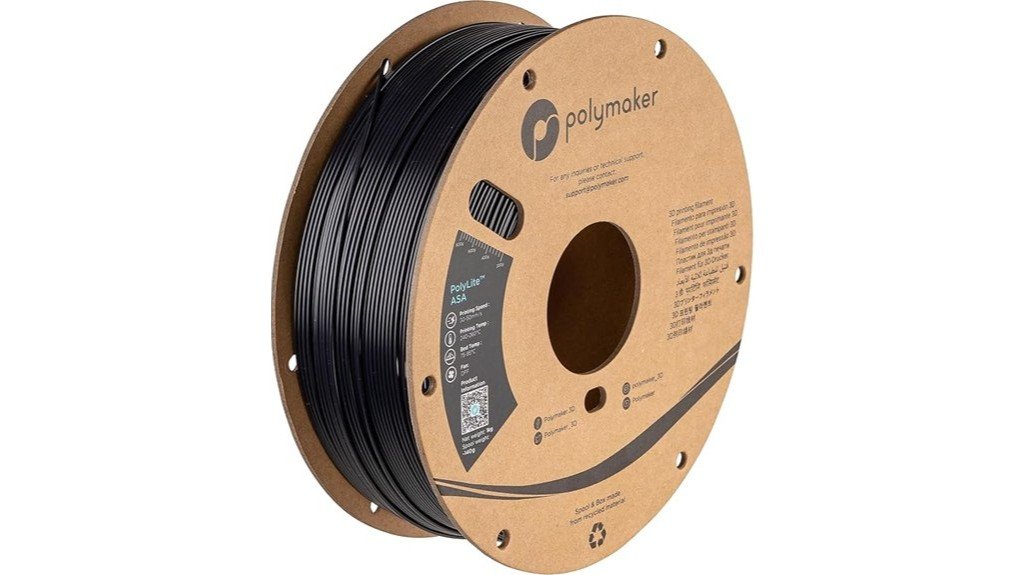
Polymaker ASA 1.75mm Black is a great pick for makers who need durable, weatherproof prints—think outdoor gear, RC planes, or car parts that need to stand up to sun and heat. You’ll get ABS-like strength with added UV and weather resistance, so parts stay tougher and resist cracking from the elements. It handles heat up to 100°C and offers high impact resistance for functional uses. Print best with a 250°C nozzle, 90°C bed, and around 50mm/s, ideally in an enclosed printer to reduce warping. Packaging is recyclable, and lifetime technical support helps if you hit snags.
Best For: Makers and hobbyists needing durable, UV- and heat-resistant outdoor prints such as RC parts, car accessories, and large functional components printed in an enclosed printer.
Pros:
- Heat- and UV-resistant (up to 100°C) for long-lasting outdoor use.
- High toughness and impact resistance suitable for functional parts.
- Recyclable packaging and lifetime technical support.
Cons:
- Requires high nozzle (250°C) and bed (90°C) temperatures, which may not suit all printers.
- Prone to warping without an enclosed/controlled print environment.
- Slightly more challenging to print than PLA; requires ABS-like tuning and experience.
ELEGOO PETG 1.75mm 1KG Black 3D Printer Filament
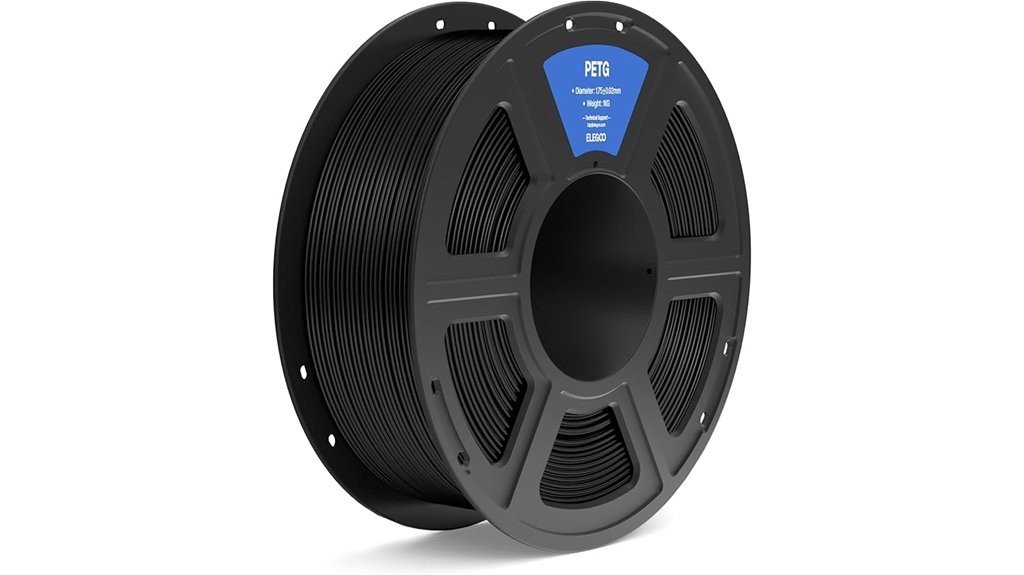
ELEGOO’s PETG 1.75mm Black spool is a great pick when you want a tough, easy-to-print filament that’s ready for real-world parts — think clamps, tool holders, and functional prototypes — and you don’t want to fuss with constant drying or warping. You’ll like its +/-0.02 mm diameter accuracy and neat plastic spool, which keeps the filament tangle-free. Prints show strong layer adhesion, impact resistance, and minimal warping, though you might dial temps a bit higher than PLA. It ships vacuum-sealed and dried to avoid bubbles and clogs. With a 4.6-star average, it’s a reliable, budget-friendly PETG option.
Best For: users who need a durable, easy-to-print filament for functional parts (clamps, holders, prototypes) that offers strong layer adhesion and minimal warping without frequent drying.
Pros:
- High dimensional accuracy (+/- 0.02 mm) for consistent feeding and precise prints.
- Durable with excellent impact resistance and superior layer adhesion for functional parts.
- Vacuum-sealed and pre-dried on a plastic spool to reduce moisture, clogs, bubbles, and tangles.
Cons:
- May require higher nozzle temperatures and tuning compared to PLA.
- Some users report occasional stringing that may need retraction/temperature adjustments.
- Not as rigid as ABS for very high-heat applications (standard PETG heat resistance limits).
Creality PETG 3D Printer Filament 1.75mm 1KG (Black)

Creality’s PETG 1.75mm spool is a great choice for makers who want stronger, more durable prints without wrestling with ABS; think hobbyists and small businesses that need functional parts like brackets, gears, or outdoor fixtures. You’ll like its PLA-like ease and ABS-like strength, glossy finish, and good light transmission. Print at 220–250°C with a 70–80°C bed for best results. The 1.75mm diameter (+/-0.03mm) feeds smoothly, giving accurate layers and minimal stringing when dialed in. It arrives vacuum-sealed with a desiccant, is tangle-free, and works well on most FDM printers for reliable, functional parts.
Best For: Makers and small businesses who need durable, functional 3D prints (brackets, gears, outdoor parts) with PLA-like ease and ABS-like strength.
Pros:
- Smooth, consistent 1.75mm diameter (+/-0.03mm) for reliable feeding and accurate layers.
- Tough, low-warp prints with good layer adhesion and a glossy finish suitable for functional and outdoor parts.
- Vacuum-sealed with desiccant and tangle-free winding to prevent moisture issues and feeding problems.
Cons:
- Requires higher print and bed temperatures (220–250°C; 70–80°C) than PLA, which some printers may need tuning to reach.
- PETG can still string if temperatures and retraction settings aren’t well dialed in.
- Glossy finish may show layer lines or blemishes more visibly than matte filaments.
SUNLU PLA 3D Printer Filament 1.75mm, 1kg Spool (Black)
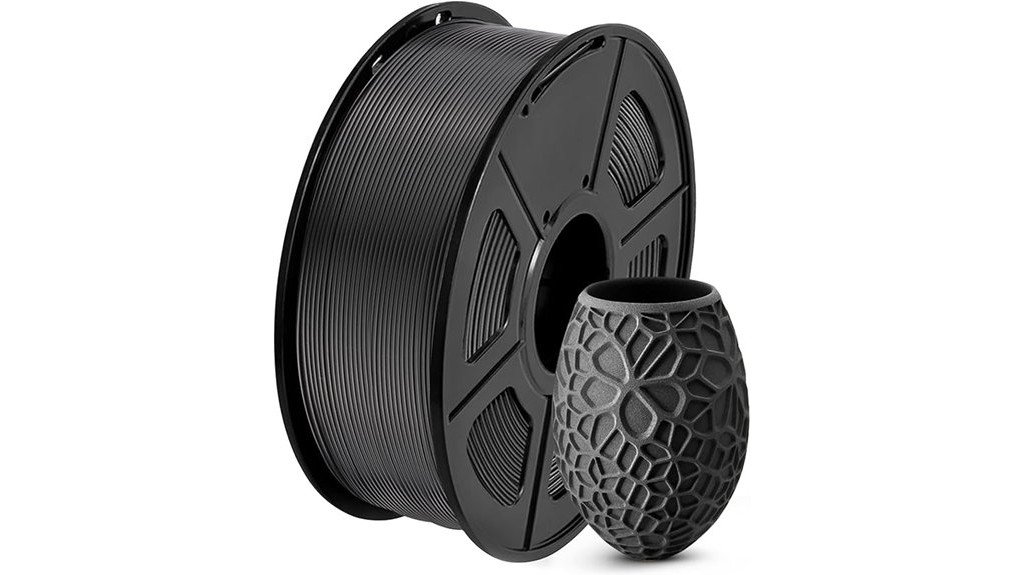
If you want a reliable, beginner-friendly filament that still performs for more advanced projects, SUNLU’s PLA 1.75mm 1kg spool is a solid pick thanks to its tight dimensional accuracy of ±0.02mm. You’ll appreciate smooth prints with excellent layer adhesion and virtually no clogs, bubbles, or tangles, so troubleshooting drops. The neat winding and 100% neat rate cut down jams, and the small diameter error makes it compatible with most 1.75mm FDM printers. Print at 200–230°C with a 50–65°C bed and 50–100mm/s speed. SUNLU also offers dryers, printers, and accessories for a complete setup.
Best For: users seeking a reliable, beginner-friendly PLA filament that also meets the needs of hobbyists and more advanced FDM 3D printing projects.
Pros:
- Tight dimensional accuracy (±0.02mm) for consistent, high-quality prints and wide compatibility with 1.75mm printers.
- Neatly wound spool with a 100% neat rate to minimize tangles, jams, and printing interruptions.
- Excellent layer adhesion and virtually no clogs, bubbles, or tangles, suitable for both beginners and experienced users.
Cons:
- PLA has lower heat resistance compared with materials like PETG or ABS, limiting high-temperature or outdoor applications.
- Spool dimensions (8.00cm diameter, 2.50cm width) may not fit all printer spool holders without an adapter.
- Some users may prefer specialty filaments (flexible, composite, or high-strength) for advanced functional prints.
Factors to Consider When Choosing Highly Rated Filament for Dimensional Accuracy
When you want prints that measure right every time, start by checking a filament’s diameter tolerance and how stable the material is under heat, since both affect layer consistency. You’ll also want to know the manufacturer’s consistency controls and spool winding quality, because uneven winding or poor process control can cause jams and dimension errors. Finally, don’t overlook moisture-resistant packaging—wet filament swells and prints out of spec, so good sealing can save you time and frustration.
Diameter Tolerance Specs
Because consistent filament diameter directly affects how much plastic your printer pushes through the nozzle, paying attention to diameter tolerance specs is one of the smartest moves you can make for better prints. You’ll want filament with a tight tolerance—around +/- 0.02mm is ideal—because it keeps feeding steady and reduces surprises mid-print. If you can get +/- 0.01mm, expect even crisper control and fewer clogs or adhesion hiccups. On the flip side, tolerances near +/- 0.03mm can cause under- or over-extrusion, warping your dimensions and wasting time. Measure a few spots on a new spool, calibrate your slicer to the actual diameter, and combine that with good settings. Doing this makes functional parts more reliable and saves you frustration.
Material Thermal Stability
Although you might think diameter and printer settings are the only things that matter, the thermal stability of your filament plays a huge role in keeping parts dimensionally accurate. You want a material that holds its shape under heat, because filaments that tolerate around 100°C or more resist warping and deformation. When the filament’s thermal profile stays steady, you’ll see fewer problems like stringing and layer separation, which can ruin fine details. Follow the recommended nozzle and bed temperatures for each material — it’s not picky advice, it’s practical. Also look for filaments with minimal thermal expansion so your parts don’t change size with temperature swings. Pick stable materials and you’ll get more reliable, dimensionally accurate prints every time.
Manufacturing Consistency Controls
Good filament starts on the factory floor, and a few tight controls there can make a big difference in how your prints turn out. You want filament with a consistent diameter tolerance—around +/- 0.02mm—so it feeds smoothly and avoids clogs. Precise extrusion and regular quality checks mean each spool behaves the same, print after print. Inspectors catching snags or tangles early save you troubleshooting time later. Moisture control matters too: vacuum sealing and desiccant packs stop water from weakening filament and warping dimensions. Manufacturers who follow proper drying procedures and careful winding give you material that stays true to spec through its life. When you pick filament, prioritize makers with these consistency controls; your prints will thank you.
Spool Winding Quality
Once your filament arrives consistently sized and dry, the way it’s wound on the spool becomes the next thing that can make or break a print. You want neat, even winding so the filament feeds smoothly; messy coils can snag, tangle, or loop, causing jams that ruin dimensional accuracy. High-quality winding methods aim for a 100% neat rate, cutting the chance of line breakage and clogs that throw off consistent extrusion. Also check the spool hub hole diameter and width — if they don’t match your printer, the feed won’t be smooth and precision suffers. When winding and diameter are consistent, your printer maintains a stable feed rate, which helps you hit tight tolerances like +/- 0.02 mm without constant babysitting.
Moisture Resistance Packaging
Moisture-resistant packaging plays a huge role in keeping filament printable and dimensionally accurate, so you shouldn’t overlook it when picking a spool. You’ll want vacuum-sealed bags because they keep humidity out and stop problems like clogs, bubbles, and uneven extrusion that wreck prints. Good spools usually come with desiccant packs inside, and that little packet really helps absorb stray moisture if you aren’t printing right away. Manufacturers run quality checks to make sure the seal and materials actually protect the filament, which extends shelf life and lets you store extra spools without worry. Think of packaging as part of the product: solid seals and desiccants save you time, frustration, and failed prints down the road.
Recommended Print Temperatures
Because print temperature affects how plastic melts and bonds, dialing in the right settings is one of the most important steps for getting accurate, reliable prints. You’ll want to match nozzle and bed temps to each filament: PLA usually prints best at 200–210°C with a 50–60°C bed, PETG needs 220–250°C and about 70–80°C on the bed, and ASA performs well around 250°C with a roughly 90°C heated bed to reduce warping. Consistent temperatures help maintain dimensional accuracy by preventing warping, poor layer adhesion, and defects like stringing or bubbling. Always check the manufacturer’s recommended ranges and run small calibration prints; that quick trial can save you hours and give you the repeatable precision your projects need.
Printer Compatibility Notes
When you pick filament, make sure it actually works with your printer—most filaments will run fine on the common FDM/FFF machines with heated beds, but small mismatches can throw off dimensional accuracy and waste time. Check your printer model’s supported materials, nozzle size, and temperature range before buying. Choose filament with tight diameter tolerance (±0.02mm or better) so extrusion stays consistent. Match filament recommended nozzle and bed temps to your machine; pushing temps outside your printer’s capabilities causes issues. Buy filament sealed against moisture and store unopened spools properly, since damp filament clogs and alters dimensions. Finally, read user feedback for your specific printer; real-world reports often reveal compatibility quirks that product specs omit, saving you trial-and-error.
Dimensional Testing Data
Think of dimensional testing as a quality check that keeps your prints predictable and problem-free: reliable filaments are measured throughout production to hold their diameter within tight tolerances (ideally ±0.02 mm, though ±0.03 mm helps a lot), and that consistency directly affects how smoothly your printer feeds and layers parts. When you choose filament, look for brands that report regular dimensional testing because steady diameter prevents extrusion hiccups, clogs, and layer shifts. Consistent filament helps layer adhesion and strengths while reducing warping, stringing, and weak spots. For detailed or intricate prints, tiny variations can ruin a part’s fit or finish, so testing matters. Ask manufacturers for tolerance certificates or batch reports; they’re a simple way to tell serious producers from hobby packs.
FAQ
How Does Filament Moisture Affect Dimensional Accuracy Over Long Prints?
1. How does moisture affect filament during printing?
Moisture in filament can lead to swelling and bubbling, which disrupts the extrusion process. This inconsistency can cause issues with layer adhesion and overall print quality.
2. What are the consequences of using damp filament?
Using damp filament can result in dimensional inaccuracies, leading to oversized or out-of-tolerance features in the final print. This can ultimately compromise the functionality of the printed object.
3. Can moisture cause warping in prints?
Yes, moisture can contribute to warping during the printing process, particularly in long prints. The instability caused by moisture can lead to uneven cooling and adhesion issues.
4. What signs indicate that filament is too moist?
Signs of moist filament include popping or crackling sounds during extrusion, visible bubbles in the filament, and inconsistent flow. These indicators suggest that the filament may need drying.
5. How can I dry my filament effectively?
Filament can be dried using a filament dryer or a regular oven set to a low temperature. Ensure the drying process is consistent to avoid damaging the filament.
6. What is the best way to store filament to prevent moisture absorption?
Store filament in airtight containers with desiccants to absorb moisture. Vacuum-sealing the filament also helps preserve its quality over time.
7. How does filament moisture affect layer adhesion?
Excess moisture can weaken layer adhesion by causing inconsistent extrusion and surface bubbling. This can lead to layers not bonding properly, resulting in a fragile print.
8. Is the impact of moisture more significant in certain materials?
Yes, some materials, like nylon and TPU, are more hygroscopic and absorb moisture more readily. This makes them particularly susceptible to the effects of moisture on print quality.
9. Can printing temperature mitigate moisture issues?
Increasing the printing temperature can help reduce the effects of moisture to some extent, but it won’t eliminate the underlying problems caused by damp filament. Consistent drying is still crucial for optimal results.
10. What should I do if I suspect my prints are affected by filament moisture?
If you suspect moisture is affecting your prints, try drying the filament and reprinting. Monitor your print settings and storage conditions to prevent future moisture issues.
Can Color Additives Change Filament Shrinkage Rates?
FAQ 1: Can color additives affect filament shrinkage rates?
Yes, color additives can impact shrinkage rates in filament. Different pigments or dyes can lead to slight dimensional shifts.
FAQ 2: How do color additives influence the cooling process?
Color additives can alter the cooling dynamics of the filament, which may result in changes to how the material shrinks as it solidifies.
FAQ 3: What role do pigments play in filament crystallization?
Pigments can affect the crystallization process of the filament, potentially leading to variations in shrinkage rates during cooling.
FAQ 4: Are there any specific additives that have a greater impact on shrinkage?
Certain pigments or dyes may have more pronounced effects on shrinkage, but this can vary based on the material and concentration used.
FAQ 5: How can I ensure accurate prints when using different colors?
It’s crucial to test calibrated prints for each color you plan to use, as this will help you identify any changes in shrinkage.
FAQ 6: Should I account for filler content when using color additives?
Yes, the filler content can also change with the addition of color additives, which may further influence shrinkage rates.
FAQ 7: Is it necessary to adjust print settings for different colors?
You may need to adjust print settings for different colors due to changes in cooling and shrinkage characteristics caused by the additives.
FAQ 8: How does temperature affect the impact of color additives?
Temperature can influence how color additives affect the filament’s cooling and crystallization, leading to variations in shrinkage rates.
FAQ 9: Will all colors have the same effect on shrinkage?
No, each color can have a different impact on shrinkage rates due to the unique properties of the pigments or dyes used.
FAQ 10: Can I predict shrinkage changes based on color?
While you can anticipate some changes based on the color used, testing is essential to accurately determine the effects on specific prints.
Are Tolerance Specs Consistent Between Spools of the Same Brand?
1. Are tolerance specs consistent across different spools of the same brand?
While manufacturers strive for consistency in tolerance specs, variations can arise between spools due to factors like production methods and materials used.
2. What causes variations in tolerance specs between spools?
Variations can result from differences in production batches, the types of colorants used, or even the way spools are stored before sale.
3. Should I assume all spools from the same brand are identical?
No, it’s important to measure each spool individually, as even spools from the same brand can have slight differences in tolerance specs.
4. How can I ensure accurate prints with different spools?
To achieve accurate prints, measure the filament diameter of each spool and adjust your slicer settings based on those measurements.
5. What tools can I use to measure filament diameter?
A caliper is an effective tool for measuring filament diameter accurately. Ensure that your measurements are consistent for the best results.
6. What should I do if I notice significant differences in tolerance specs?
If you find significant variations, consider adjusting your slicer settings or testing print samples to determine the best settings for each specific spool.
7. Do all filament types experience the same level of tolerance variation?
Not necessarily; different filament types (e.g., PLA, ABS, PETG) may have varying levels of tolerance consistency based on their manufacturing processes.
8. Is there a way to minimize spool-to-spool variation?
While you can’t eliminate variations entirely, sourcing filaments from reputable brands with consistent quality control can help minimize discrepancies.
9. How often should I check the tolerance specs of my filament spools?
It’s a good practice to check the tolerance specs of each new spool before starting a project, especially if you’re switching colors or types.
10. Can storage conditions affect filament tolerance?
Yes, the storage conditions of filament can impact its properties, including tolerance. Exposure to moisture or extreme temperatures may cause changes in diameter or consistency.
11. Should I keep records of my measurements for future reference?
Yes, keeping a log of your measurements can be beneficial for future projects, allowing you to quickly adjust settings based on past experiences with specific spools.
How Do Storage Methods Impact Filament Diameter Stability?
FAQs on Storage Methods and Filament Diameter Stability
1. How does humidity affect filament diameter?
Humidity can cause filament to absorb moisture, leading to swelling and altering its diameter. This can result in inconsistent printing and potential clogs in the extruder.
2. What is the impact of heat on filament stability?
Exposure to heat can cause filament to warp or soften, which may change its dimensions. This instability can affect the quality of printed objects.
3. Why is sunlight a concern for filament storage?
Sunlight can degrade filament materials, making them brittle over time. This degradation can lead to dimensional changes and reduced print quality.
4. What storage conditions are ideal for maintaining filament diameter?
Filament should be stored in a dry, cool environment, preferably in a sealed container. This prevents moisture absorption and helps maintain consistent diameter.
5. Can sealed storage containers improve filament stability?
Yes, using sealed containers minimizes exposure to moisture and air, preserving the filament’s original diameter and characteristics.
6. How does temperature fluctuation impact filament?
Frequent temperature changes can lead to expansion and contraction of filament materials, potentially resulting in diameter inconsistencies. Stable temperatures help maintain filament integrity.
7. Is it necessary to use desiccants for filament storage?
Yes, including desiccants in storage containers can absorb excess moisture, further protecting the filament from humidity-related issues.
8. What signs indicate that filament has been improperly stored?
Signs include visible swelling, brittleness, or irregularities when measuring the diameter. Such issues can negatively affect the printing process.
9. How often should filament be checked during storage?
It’s advisable to regularly inspect filament for signs of degradation or moisture. This ensures any potential issues are addressed before printing.
10. What is the best way to handle filament before printing?
Filament should be kept in its protective packaging until ready for use. Minimizing exposure to air and humidity before printing helps maintain its diameter stability.
Do Printing Temperature Fluctuations Cause Measurable Dimensional Variance?
FAQ 1: How do temperature fluctuations affect 3D printing?
Temperature fluctuations can impact the flow rate and cooling of the material, leading to inconsistent extrusion. This can create dimensional variances in the printed part.
FAQ 2: What is over-extrusion in 3D printing?
Over-extrusion occurs when too much material is extruded during printing, often due to higher temperatures. This can lead to thicker layers and dimensional inaccuracies.
FAQ 3: What is under-extrusion in 3D printing?
Under-extrusion happens when insufficient material is extruded, commonly due to lower temperatures. This results in gaps or weak areas in the printed object.
FAQ 4: How does temperature affect layer adhesion?
Inconsistent temperatures can cause variations in layer adhesion, as layers may not bond properly if the temperature is too low. This can lead to weak spots and structural issues.
FAQ 5: What is warping in 3D printing?
Warping is the deformation of a printed part as it cools, often exacerbated by temperature fluctuations. This can cause the finished part to be uneven or distorted.
FAQ 6: Why is it important to maintain stable printing temperatures?
Stable printing temperatures ensure consistent material flow and cooling rates, leading to more accurate dimensions. This is essential for achieving high-quality prints.
FAQ 7: Can temperature fluctuations affect print speed?
Yes, temperature fluctuations can influence print speed. If the material is extruded inconsistently, adjustments may be needed to maintain print quality, potentially slowing down the process.
FAQ 8: What materials are most affected by temperature changes?
Materials like PLA, ABS, and PETG are particularly sensitive to temperature fluctuations. Each material has a specific temperature range that, if not adhered to, can lead to significant issues.
FAQ 9: How can I monitor the printing temperature effectively?
Using a calibrated thermometer or a printer with built-in temperature controls can help monitor and maintain consistent temperatures. Regular checks during the printing process are also advisable.
FAQ 10: What steps can I take to stabilize printing temperatures?
To stabilize temperatures, ensure proper enclosure of the printer, use a temperature-controlled environment, and regularly maintain the heating elements. This will help minimize fluctuations during printing.
Final Thoughts
When it comes to achieving top-notch precision and dimensional accuracy in your 3D printing projects, you have five exceptional filament options at your disposal. Opt for Creality or SUNLU PLA if you seek effortless, reliable printing with impressive results. If you require the strength and weather resistance akin to ABS, Polymaker ASA is your go-to choice. For those who prioritize toughness and minimal warping, ELEGOO or Creality PETG will not disappoint.
To ensure consistent quality and accuracy in your prints, it’s crucial to match filament temperatures and printer settings meticulously. Always keep your filament dry and perform regular calibrations on your machine. This attention to detail will guarantee that your parts come out true to size, every single time.