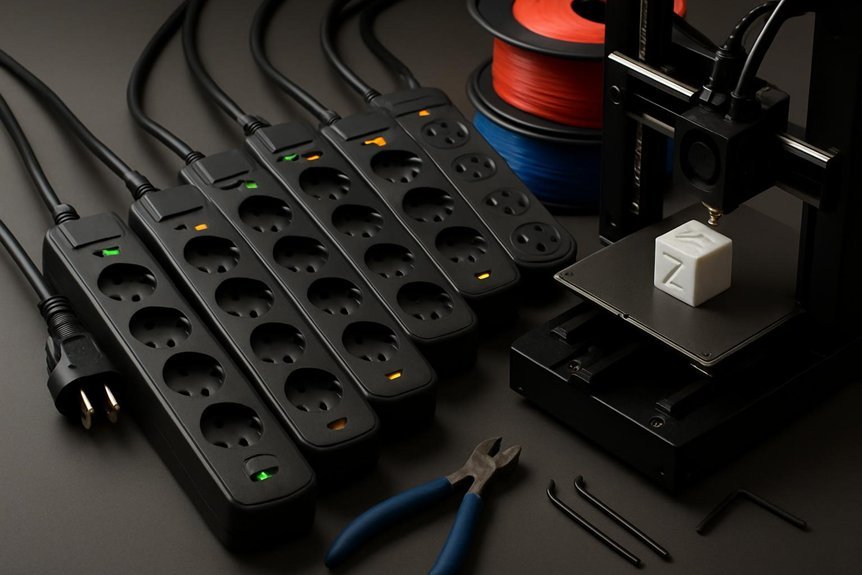
If you run a 3D printer, you know a power spike can ruin a long print or fry electronics, so you’ll want solid surge protection. I’ll walk you through five reliable options—from compact strips for a single printer to whole-home units that protect your workshop—and explain what specs actually matter. Stick around and you’ll learn which protector fits your budget, your setup, and how to stop a small glitch from becoming an expensive disaster.
ECHOGEAR ShockBlocker 8-Outlet Surge Protector Power Strip (3420 Joules)
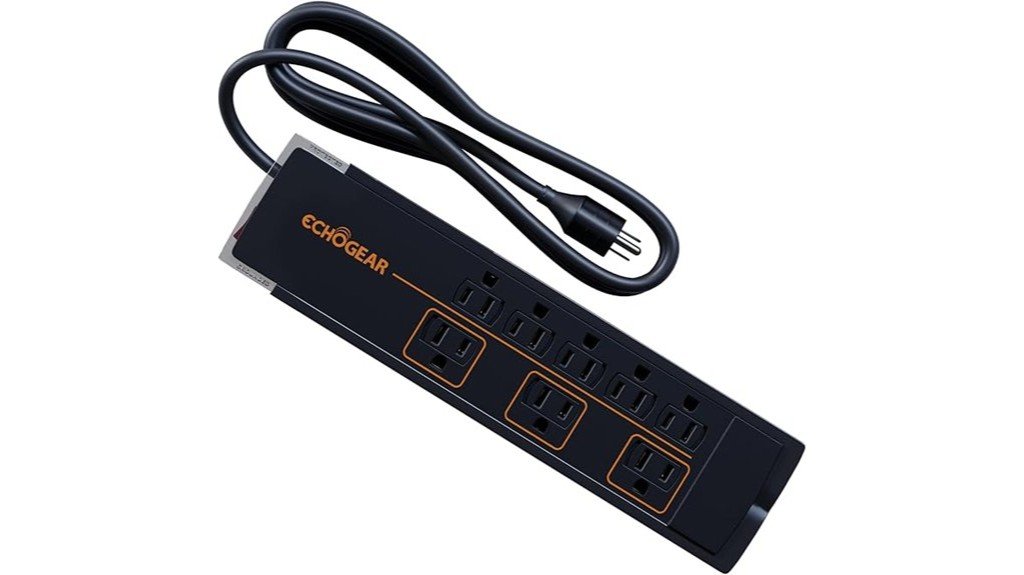
If you run a 3D printer setup with multiple devices—like the printer, filament dryer, lights, and a laptop—the ECHOGEAR ShockBlocker 8-Outlet Surge Protector is a solid choice because it gives you 3420 joules of surge protection while powering up to eight devices at once. You’ll like its slim, low-profile design that hides behind furniture and mounts on a wall, and the extra spacing lets bulky plugs fit without blocking neighbors. Built-in safety covers and fire-proof MOVs boost safety, and the UL certification plus a $25k warranty gives you real peace of mind for protecting prints and pricey gear.
Best For: Beginners and hobbyist 3D printer owners or small home office/gaming users who need a low-profile surge protector that powers multiple devices while offering strong surge protection and safety features.
Pros:
- 3420 joules of surge protection with fire‑proof MOVs and UL certification for reliable equipment safety.
- Slim, low‑profile and wall‑mountable design with extra spacing for bulky plugs keeps setups tidy and accessible.
- Includes child safety covers, visual protection indicators, and a 5‑year/$25k connected equipment warranty for peace of mind.
Cons:
- May be overkill for very light use where lower joules would suffice, adding unnecessary cost.
- Lacks dedicated USB-A/USB-C charging ports that some competitors include for convenience.
- Not ideal for heavy-duty or whole‑home protection needs—best suited for single‑room setups.
Monster Power Surge Protector 10-Outlet Power Strip with USB, Coax, and Ethernet (4050 Joule)
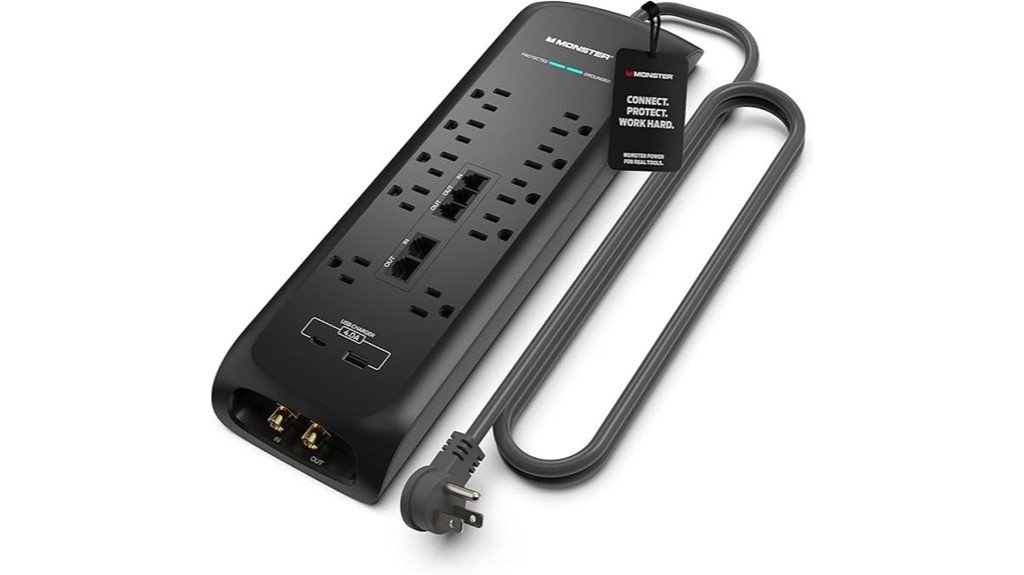
For makers who run multiple printers, filament dryers, and a handful of accessories at once, the Monster Power 4050-joule surge protector gives you heavy-duty protection without cluttering your workspace. You get ten wide-spaced outlets, USB-A and USB-C ports, plus coax and ethernet pass-throughs to guard data lines. Its fireproof MOV and Dual Mode Technology reduce overload risks, and Clean Power Technology cuts electrical noise for better prints and video monitoring. The six-foot cord, right-angle plug, and LED indicators make placement easy. ETL listed and highly rated by users, it’s a practical choice for busy, tech-heavy setups.
Best For: Makers and small workshop owners who run multiple 3D printers, filament dryers, and accessories simultaneously and need heavy-duty surge protection with data-line shielding and minimal workspace clutter.
Pros:
- 4050-joule rating with fireproof MOV and Dual Mode Technology offers robust surge protection beyond typical strips.
- Ten wide-spaced outlets plus USB-A and USB-C, with coax and ethernet pass-throughs for protecting both power and data lines.
- Clean Power Technology reduces electrical noise, improving print quality and video monitoring; 6 ft cord and right-angle plug aid placement.
Cons:
- Larger, heavier design may take up more desk or rack space than compact surge strips.
- Higher joule and extra features typically come with a premium price compared with basic power strips.
- Limited number of USB ports (one USB-A and one USB-C) may require additional hubs for many USB-powered devices.
Clamper Single Surge Protector Outlet 1800J (4-Pack)
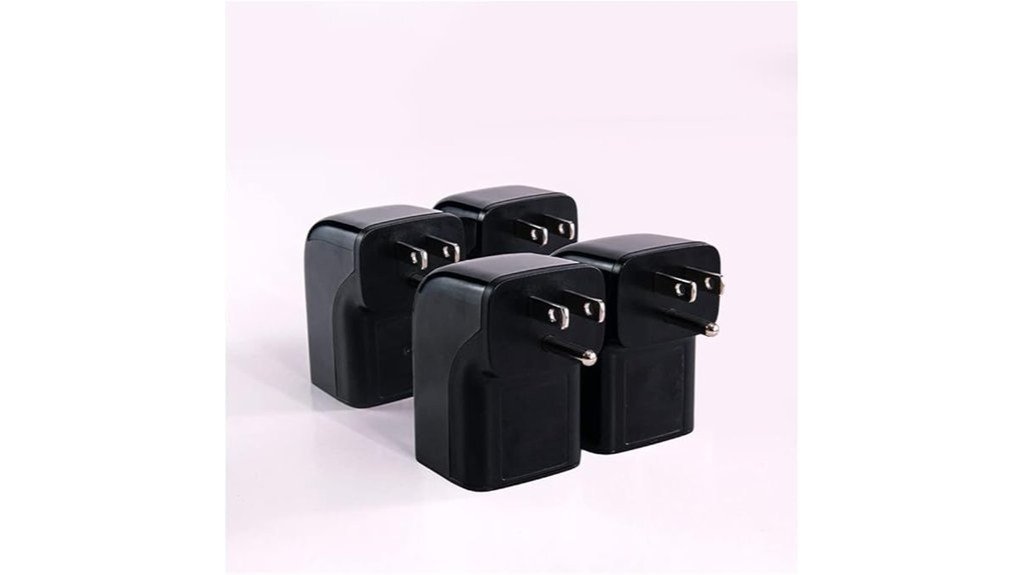
Hobbyists and small workshop owners who want compact, reliable protection will like the Clamper Single Surge Protector Outlet 1800J (4-Pack) because it packs robust surge defense into a travel-friendly, right-angle design. You can plug one directly into a wall to protect printers, PCs, or a Pi controller from lightning spikes and power surges, and the 1800-joule rating plus LED indicators make status clear. It’s pocket-sized and ETL listed, so you’ll save space behind cabinets and pack it for events or repairs. Durable housing and Clamper’s long track record add confidence that your electronics will live longer.
Best For: Hobbyists and small workshop owners who need compact, travel-friendly surge protection for single devices like printers, PCs, Raspberry Pi controllers, and other electronics.
Pros:
- Compact 90-degree right-angle design saves space behind furniture and is easy to pack for travel.
- 1800-joule protection with LED indicators provides clear status and robust defense against spikes and lightning.
- ETL listed, durable housing, and backed by Clamper’s long industry track record for reliability.
Cons:
- Single-outlet design limits protection to one device per unit, requiring multiple units for several devices.
- No built-in USB charging ports or multiple outlets, reducing convenience for multi-device setups.
- While durable, direct plug-in form may block adjacent outlets on some wall plates.
Eaton CHSPT2SURGE Whole Home Surge Protector (Type 2, 120/240V)
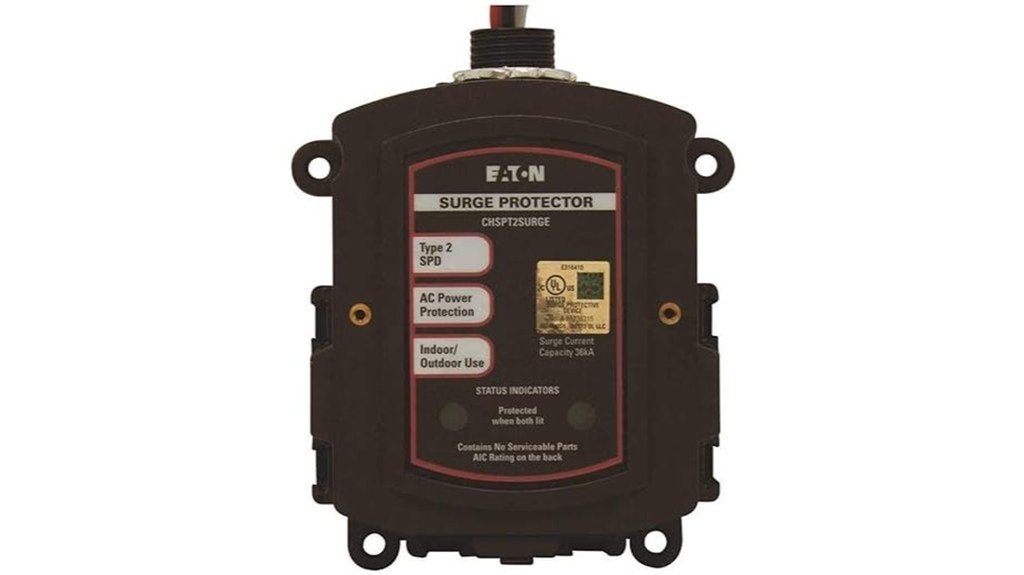
The Eaton CHSPT2SURGE is a solid pick if you want reliable, whole-home protection that keeps your 3D printer and other gear safe from common power surges—think sudden appliance spikes or nearby lightning strikes, not a direct lightning hit. You’ll connect it to your breaker box using a 2-pole 15A breaker, and its quick-connect design makes mounting straightforward if you’re comfortable with electrical work. It uses MOVs and a silicone-dipped board for moisture resistance, and LEDs show status. With strong surge capacity and outdoor-rated housing, it’s practical for storm-prone areas, though pros recommend installation.
Best For: homeowners and hobbyists (like 3D printer users) who want reliable whole-home surge protection against common voltage spikes and nearby lightning strikes, and who can accommodate a 2-pole 15A breaker installation or hire an electrician.
Pros:
- Quick-connect design and universal load-center compatibility make installation straightforward for experienced DIYers or electricians.
- Solid surge capacity with MOVs, silicone-dipped circuit board, and outdoor-rated housing for reliable protection in storm-prone areas.
- LED status indicators and sturdy build provide clear monitoring and long-term durability.
Cons:
- Does not protect against a direct lightning strike; limited to nearby strikes and appliance-generated spikes.
- Requires installation on a dedicated 2-pole 15A breaker and possible panel adjustments, which may necessitate professional help.
- MOV-based protection will degrade over time and may need replacement after significant surge events.
Tripp Lite ISOBAR2-6 Heavy Duty Power Strip Surge Protector (1410 Joules, 6ft)
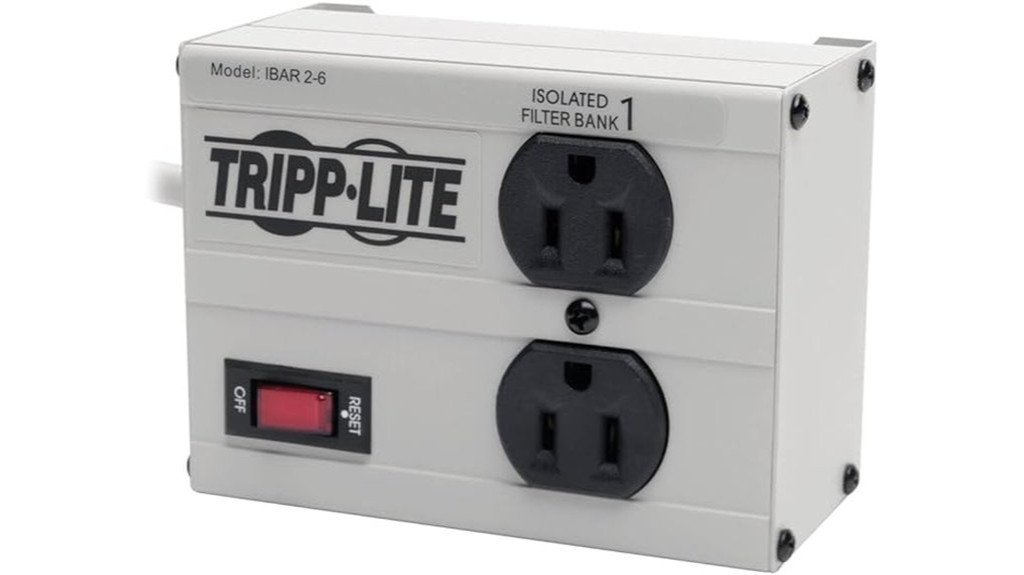
If you run several devices at your 3D printing station—printer, computer, filament dryer, and maybe a camera—you’ll appreciate the Tripp Lite ISOBAR2-6’s sturdy 1410-joule protection and metal housing that stand up to heavy use. You get two widely spaced outlets, a six-foot cord, and a flat plug so the strip sits flush against a wall. It blocks EMI/RFI noise, meets IEEE surge specs, and shuts off automatically if protection fails. Diagnostic LEDs and safety covers add peace of mind, and a lifetime warranty plus $25,000 connected-equipment insurance backs its long-term reliability.
Best For: Users with a compact 3D printing station or small workshop who need durable, high-quality surge protection for a printer, computer, filament dryer, and accessories.
Pros:
- 1410-joule metal-housed surge protection with automatic shutoff and diagnostic LEDs for reliable, long-term protection.
- Isolated filter banks block up to 80 dB of EMI/RFI noise—ideal for sensitive A/V and network equipment.
- Space-saving flat plug, widely spaced outlets, and a 6 ft. cord with mounting keyholes for flexible placement.
Cons:
- Only two outlets may be limiting if you need to protect many devices without an additional strip.
- Heavier and bulkier than plastic strips, which might be overkill for very light home use.
- Higher upfront cost compared with basic surge protectors, though offset by warranty and connected-equipment insurance.
Factors to Consider When Choosing Surge Protectors for 3D Printers
When you pick a surge protector for your 3D printer, you’ll want to check the joule rating and clamping voltage so it can absorb big spikes and keep voltage from getting too high. Also look for data-line protection and fast response times to protect USB or network connections and stop surges before they reach sensitive electronics. Finally, make sure the unit has thermal and fire-safety features so you don’t trade a saved board for a burned-out workspace.
Joule Rating Needs
Because power spikes can sneak up on you, choosing a surge protector with the right joule rating matters for keeping your 3D printer safe and running, and you’ll want something that matches both the printer’s power needs and how much risk you’re willing to accept. The joule rating tells you how much energy the protector can absorb; higher numbers mean better defense for sensitive parts like stepper drivers and boards. Aim for at least 1,000 joules for basic protection, but if you print often or own a higher-wattage machine, consider 2,000–4,000 joules to handle stronger surges and last longer. Remember the rating drops after each event, so a bigger number buys you durability and peace of mind.
Clamping Voltage Levels
You’ve picked a surge protector with the right joule rating, but clamping voltage is the other number you should watch closely. Clamping voltage is the highest voltage the protector will let through before it clamps the surge, and it’s shown in volts (V). You want a lower clamping voltage because it reacts sooner and keeps your 3D printer’s electronics safer. Typical line-to-neutral clamping levels sit between about 330V and 400V; aim for 330V when possible, especially for high-end boards and sensitive stepper drivers. Remember that clamping voltage works with the joule rating — both matter. Choosing a protector with low clamping voltage plus a solid surge rating gives your printer the best chance during spikes.
Data-Line Protection
Even if your power surge protector looks solid, don’t overlook the data lines — they’re a common weak spot that can fry a control board or knock your printer offline. You’ll want protection for coax and Ethernet lines, since spikes from lightning or nearby equipment can travel along those cables and hit sensitive electronics. Check for models that list clamping voltages for data ports so you know when they’ll engage. Dual-mode protection is a bonus; it guards against surges and electrical noise, keeping communication steady. Also favor units with high joule ratings — more energy capacity means better absorption during a big event. Protecting data lines is often cheaper than replacing a ruined control board, so don’t skip it.
Response Time Importance
When you’re protecting a 3D printer, response time matters more than you might think, because a faster-acting surge protector limits how long sensitive electronics are exposed to damaging spikes. You want a protector that reacts in nanoseconds rather than microseconds, since even tiny delays can let harmful voltage through and fry stepper drivers, control boards, or sensors. Clamping voltage and response time go hand in hand: lower clamping voltages usually mean quicker action. Ideally, choose a unit with under 1 nanosecond response for the best peace of mind. I once lost a print and a board to a slow device, so I now favor fast models. In short, quick response reduces risk and saves you repair costs and downtime.
Thermal & Fire Safety
Because 3D printers run hot and often stay powered for hours, choosing a surge protector with strong thermal and fire-safety features is essential to keeping your gear and workspace safe. Pick units with fire-proof components like quality MOVs so surges don’t turn into hot spots or flames. Check the joule rating — aim for 3000 joules or more — since higher ratings absorb bigger hits and reduce thermal stress. Prefer protectors with automatic shutoff that cuts power if the unit fails, lowering fire risk. Built-in safety covers on unused outlets help prevent accidental contact and overheating. Finally, inspect your protector regularly; cracked housing, burn marks, or loose plugs mean you should replace it before it endangers your printer or workshop.
Physical Layout Fit
Think of your surge protector as part of the printer’s furniture — it needs to fit where you work without getting in the way. You’ll want a low-profile design that slips behind or under a table in cramped spaces, so cords don’t snag or crowd your print area. Pick models with wide spacing between outlets so bulky power adapters don’t block neighbors; that saves you from awkward extension cords. A 6 ft. cord gives placement flexibility without cable chaos, and wall-mountable units free up desk real estate and keep things tidy. If you’re tight on space, consider compact plug-in protectors that turn a single outlet into protected sockets without hogging room. These choices make your workspace safer and more organized for consistent printing.
FAQ
Can a Surge Protector Protect My Printer’s SD Card or USB Drive?
1. Can a surge protector prevent damage to my printer’s electronics?
Yes, surge protectors can protect your printer’s electronics from voltage spikes that may occur due to power surges.
2. Do surge protectors safeguard SD cards and USB drives?
Surge protectors can help protect attached SD cards and USB drives from electrical surges, minimizing the risk of damage.
3. Will a surge protector prevent file corruption on my USB drive?
No, surge protectors do not prevent file corruption caused by improper ejects or write errors.
4. Can a surge protector fix firmware bugs in my printer?
No, surge protectors cannot resolve firmware bugs; they only provide protection against voltage fluctuations.
5. Should I still properly eject my USB drive from the printer?
Yes, it is crucial to properly eject your USB drive to avoid data loss and file corruption, regardless of surge protection.
6. What types of power issues can a surge protector address?
Surge protectors primarily guard against voltage spikes and surges, helping to prevent damage to connected devices.
7. Are all surge protectors equally effective?
No, the effectiveness of surge protectors can vary. It’s important to choose a high-quality surge protector with a good rating for optimal protection.
8. Can I use a surge protector for multiple devices?
Yes, surge protectors can typically be used for multiple devices, but ensure that the total power draw does not exceed the protector’s rating.
9. Does a surge protector offer complete protection against power issues?
No, while surge protectors provide a level of protection, they cannot prevent all types of electrical issues or device failures.
10. Is it necessary to use a surge protector for my printer?
While it’s not mandatory, using a surge protector is highly recommended to protect your printer and attached devices from unexpected voltage spikes.
Do Surge Protectors Affect Print Quality or Layer Adhesion?
FAQs on Surge Protectors and 3D Printing
1. Do surge protectors influence print quality?
No, surge protectors do not have a direct impact on print quality. Issues with print quality typically arise from factors such as temperature, calibration, or filament.
2. Can surge protectors affect layer adhesion?
No, layer adhesion is unaffected by the presence of a surge protector. It is primarily influenced by print settings, material properties, and environmental conditions.
3. What do surge protectors do for 3D printers?
Surge protectors safeguard 3D printers against voltage spikes and electrical noise. This can help prevent potential damage to the printer’s electronics.
4. What are common causes of print issues?
Common causes of print issues include improper temperature settings, incorrect calibration, poor filament quality, and mechanical problems with the printer.
5. How should I troubleshoot print quality issues?
Start by checking the printer’s calibration and temperature settings. Additionally, inspect the filament and mechanical components for any signs of wear or malfunction.
6. Is it necessary to use a surge protector with a 3D printer?
While not strictly necessary, using a surge protector is advisable to protect your printer from electrical surges that could cause damage.
7. Can electrical noise affect 3D printing?
While electrical noise can interfere with sensitive electronics, a surge protector helps minimize this risk. However, it is not a direct cause of print quality degradation.
8. What role does temperature play in printing?
Temperature is critical for both print quality and layer adhesion. Incorrect temperatures can lead to warping, stringing, or poor adhesion between layers.
9. How can I ensure proper filament quality?
Use high-quality filament from reputable manufacturers and store it properly to prevent moisture absorption. Regularly check for inconsistencies in diameter or texture.
10. What mechanical problems should I look for?
Inspect for issues like loose belts, clogged nozzles, or misaligned axes. These mechanical problems can significantly affect print outcomes and should be addressed promptly.
How Often Should I Test or Replace a Surge Protector?
FAQ 1: How often should I test my surge protector?
You should test your surge protector every 6 to 12 months to ensure it’s functioning properly.
FAQ 2: When should I replace my surge protector?
Surge protectors should be replaced every 2 to 5 years, regardless of whether they show visible signs of wear.
FAQ 3: What triggers a replacement of a surge protector?
You should replace your surge protector after experiencing a major power surge, as it may no longer provide adequate protection.
FAQ 4: How can I tell if my surge protector is still working?
Check for protective indicator lights; if they fail to illuminate, it may indicate that the surge protector is no longer functional.
FAQ 5: What signs of damage should I look for on my surge protector?
Look for any physical damage such as cracks, burnt areas, or melting, which indicates that it should be replaced immediately.
FAQ 6: Can I test my surge protector myself?
Yes, you can use a simple plug-in tester to check if your surge protector is still functioning properly.
FAQ 7: Is it safe to use a surge protector that has a damaged indicator light?
No, if the protective indicator lights are not functioning, it’s best to replace the surge protector to ensure your devices remain protected.
FAQ 8: What happens if I don’t replace an old surge protector?
An old surge protector may not effectively shield your devices from power surges, which can lead to potential damage to your electronics.
FAQ 9: Are there any maintenance tips for surge protectors?
Keep your surge protector in a dry, cool area and avoid overloading it with too many devices to prolong its lifespan.
FAQ 10: Can I use a surge protector indefinitely?
No, surge protectors have a limited lifespan and should be replaced periodically to maintain optimal safety and effectiveness.
Can I Daisy-Chain Multiple Surge Protectors Safely?
FAQs about Daisy-Chaining Surge Protectors
1. Is it safe to daisy-chain surge protectors?
No, daisy-chaining surge protectors is not safe. It can lead to circuit overloads and increase the risk of fire hazards.
2. What happens if I daisy-chain surge protectors?
Daisy-chaining can overload the electrical circuits, potentially causing damage to your devices and the surge protectors themselves.
3. Can daisy-chaining surge protectors void warranties?
Yes, many surge protector manufacturers specify that daisy-chaining voids warranties. It’s important to follow the manufacturer’s guidelines to maintain coverage.
4. How can I ensure proper protection for my devices?
Always plug one quality surge protector directly into a wall outlet. This setup ensures optimal protection for your connected devices.
5. What should I do when a surge protector indicator stops working?
When the protection indicator on a surge protector quits functioning, it’s time to replace the unit. Continuing to use a non-functional protector may expose your devices to risk.
6. Are all surge protectors the same?
No, not all surge protectors offer the same level of protection. Look for ones with a high joule rating and additional features for better safeguarding.
7. What is the risk of overloading circuits with surge protectors?
Overloading circuits can lead to overheating, tripped breakers, and potential fire hazards. It’s crucial to avoid connecting too many devices to a single outlet.
8. Can I use a power strip instead of a surge protector?
Power strips do not provide surge protection unless specifically labeled as surge protectors. Always check the specifications before use.
9. Is there a specific number of devices I can connect to a surge protector?
The number of devices you can connect depends on the surge protector’s rating and the total wattage of the devices. Always refer to the manufacturer’s guidelines for safe usage.
10. What are the signs that a surge protector needs to be replaced?
Signs include a malfunctioning indicator light, physical damage, or frequent tripping of circuit breakers. Regularly inspect your surge protector to ensure it’s functioning correctly.
Do Surge Protectors Protect Against Brownouts or Low Voltage?
FAQ 1: Do surge protectors guard against brownouts?
No, surge protectors do not provide protection against brownouts. They are designed specifically to guard against voltage spikes.
FAQ 2: What is a brownout?
A brownout is a temporary drop in voltage in an electrical power supply. It can cause lights to dim and may affect the performance of electrical devices.
FAQ 3: Can surge protectors handle low voltage situations?
No, surge protectors are ineffective during low voltage situations. They only respond to sudden increases in voltage.
FAQ 4: What devices can protect against brownouts?
To protect against brownouts, you can use a voltage regulator, an uninterruptible power supply (UPS) with Automatic Voltage Regulation (AVR), or a dedicated brownout protector.
FAQ 5: What is the function of a voltage regulator?
A voltage regulator stabilizes the voltage supplied to electrical devices, ensuring they receive a consistent voltage level. This helps protect them from the effects of brownouts.
FAQ 6: How does an uninterruptible power supply work?
An uninterruptible power supply (UPS) provides backup power during outages and can include features like AVR to manage voltage levels. This makes it effective against both brownouts and power spikes.
FAQ 7: Is a dedicated brownout protector necessary?
For sensitive equipment, a dedicated brownout protector can be beneficial as it specifically addresses low voltage issues. It ensures devices operate smoothly during voltage drops.
FAQ 8: Can low voltage damage my electronics?
Yes, sustained low voltage can potentially damage electronics over time, as they may not function properly and can lead to overheating or other failures.
FAQ 9: What should I do during a brownout?
During a brownout, it’s best to unplug non-essential devices and minimize power usage to protect your electronics. Consider using a UPS to maintain power for critical devices.
FAQ 10: How do I determine if I need a brownout protector?
If you live in an area prone to voltage fluctuations or have sensitive electronics, it’s wise to invest in a brownout protector. Assess your equipment needs and local power reliability to make your decision.
Final Thoughts
When it comes to safeguarding your 3D printer and electronics, choosing the right surge protector is non-negotiable. I’ve seen countless setups, from compact Clamper packs to comprehensive whole-home solutions from Eaton, and it’s clear that the right choice depends on your specific needs and budget. To effectively protect your equipment, focus on matching the joules rating and number of outlets to your gear. Keep your cords organized to prevent clutter and potential hazards. If you’re serious about ensuring the longevity of your prints and components, consider investing in whole-home protection for that extra layer of security. Take these steps, and you’ll save yourself from costly prints, damaged parts, and unnecessary stress in the future.