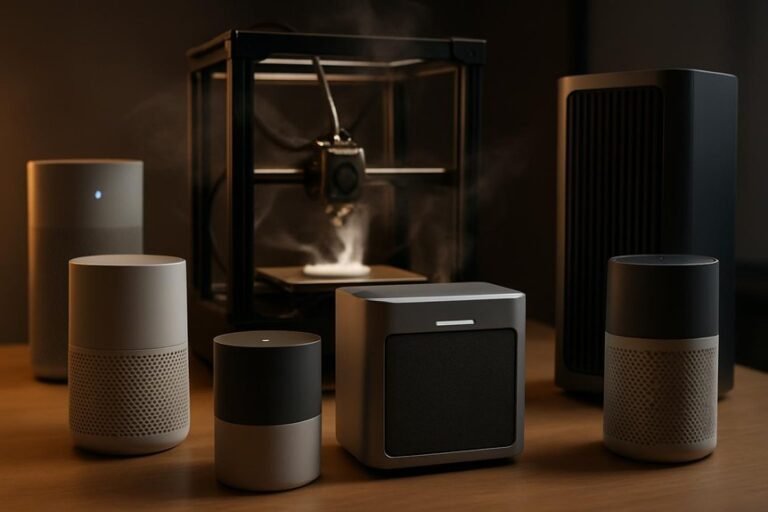
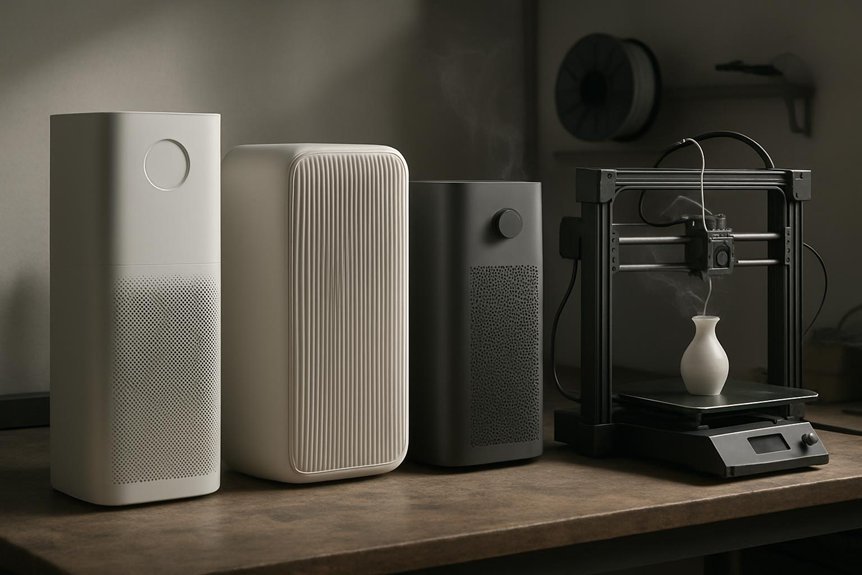
If you print at home, you probably notice fumes and fine particles that can make a room feel stuffy or worse. You’ll want an air purifier that grabs ultrafine particles and odors without sounding like a jet engine or breaking the bank. I’ll walk you through five solid options—small filters made for resin use and larger units that handle a shop—so you can pick the right one for your space and safety.
ANYCUBIC Mini Purifier 3D Printer Accessories (Pack of 2)
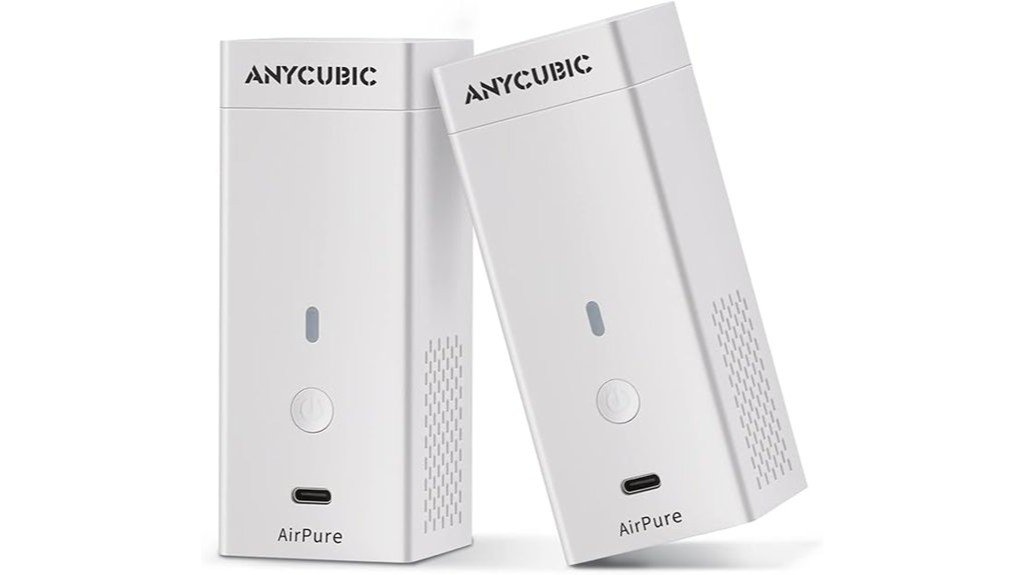
If you want a simple, compact way to cut down on printer smells, the ANYCUBIC Mini Purifier is a great fit—especially if you own an ANYCUBIC LCD printer. You’ll get two tiny units that sit neatly on your printer, each 4.5 x 1.8 x 1.8 inches and featherlight at 0.6 ounces. They use a thick activated carbon filter to absorb resin and ABS odors, and you’ll swap the 17-gram element every 3–6 months. A 5,000 rpm fan moves air quietly (≤40 dB) and can run long hours, though batteries last 6–8 hours unless you add external power.
Best For: hobbyists and makers who use ANYCUBIC LCD printers and want a compact, low-noise way to reduce resin and ABS odors at the printer.
Pros:
- Compact, lightweight design that mounts neatly on ANYCUBIC LCD printers and comes as a pack of two.
- Thick high-density activated carbon filter (18 mm, 17 g) effectively absorbs resin and ABS odors.
- Quiet, efficient fan (5,000 rpm, ≤40 dB) with long-rated life (≤30,000 hours) for continuous use.
Cons:
- Filter requires replacement every 3–6 months, adding ongoing maintenance cost.
- Built-in battery life is limited (around 6–8 hours) for long print sessions unless you use external power.
- Not a substitute for a proper exhaust/ventilation system for full odor and fume control.
WINIX 5520 Air Purifier for Large Rooms with True HEPA and Carbon Filter
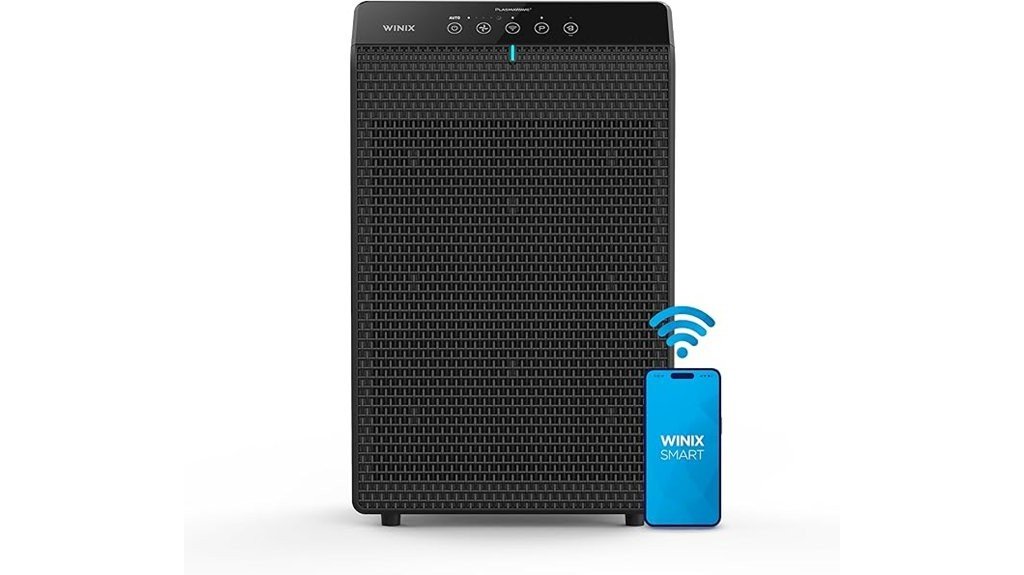
For makers who run larger 3D printers or work in roomy garages and studios, the WINIX 5520 is a smart pick thanks to its powerful coverage and True HEPA filtration — it can refresh nearly 1,900 square feet in an hour, so it handles heavy filament off-gassing and fine particulate from long prints without breaking a sweat. You’ll get a 4-stage system: washable pre-filter, True HEPA that traps tiny particles, carbon filter for VOCs and smells, plus PlasmaWave to reduce pollutants. Smart sensors auto-adjust fan speed, show air quality, and night mode keeps things quiet while you sleep or print.
Best For: makers and hobbyists who run large 3D printers or work in spacious garages and studios and need powerful, quiet filtration to handle filament off‑gassing and fine particulates.
Pros:
- Covers very large rooms (up to 1,882 sq ft per hour) with a 4-stage system including True HEPA and carbon filter.
- Smart sensors with auto and night modes provide hands‑off, quiet operation while maintaining air quality.
- Washable pre‑filter and easy magnetic access for annual HEPA replacement make maintenance simple.
Cons:
- PlasmaWave claims about reducing viruses are not a substitute for targeted infection control and may be overstated.
- App and documentation can be limited; app availability and clarity on replacement parts may frustrate some users.
- While quiet, the unit still requires periodic filter replacements (HEPA annually) which add ongoing cost.
ELEGOO Mini Air Purifier with Activated Carbon Filter for Resin 3D Printers
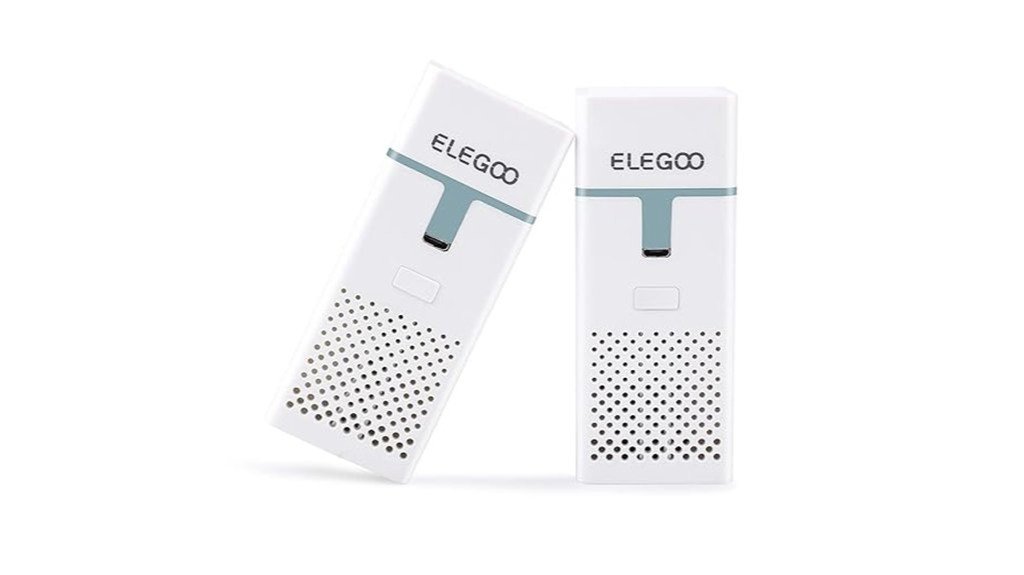
The ELEGOO Mini Air Purifier is a great pick for hobbyists who print resin in shared spaces and want to cut down on the strong odors without bulky ventilation setups. You’ll get two small purifiers with activated carbon blocks that absorb irritant resin smells, and they’re quiet enough to forget about while printing. Each unit runs on a 2000mAh battery for roughly 24 hours, but there’s no battery-level indicator, so you’ll want to charge after prints. Filters last 3–6 months; replacements can be hard to find, so some users swap in activated carbon sheets. Overall, it’s effective and portable.
Best For: hobbyists who use resin 3D printers in shared or living spaces and want a compact, quiet solution to reduce strong resin odors without installing full ventilation.
Pros:
- Compact, portable units with 2000mAh batteries that run ~24 hours for flexible placement.
- Activated carbon filters significantly reduce resin odors (users report up to ~85% improvement).
- Quiet operation—barely noticeable while printing.
Cons:
- No battery-level indicator, so it’s easy to run unexpectedly low without frequent charging.
- Replacement filters can be difficult to source in the correct size; may require improvised alternatives.
- Filters need regular replacement every 3–6 months, adding ongoing maintenance cost.
Blueair Blue Pure 511i Max Air Purifier for Small Rooms (Cleans 926 sq ft/hr)
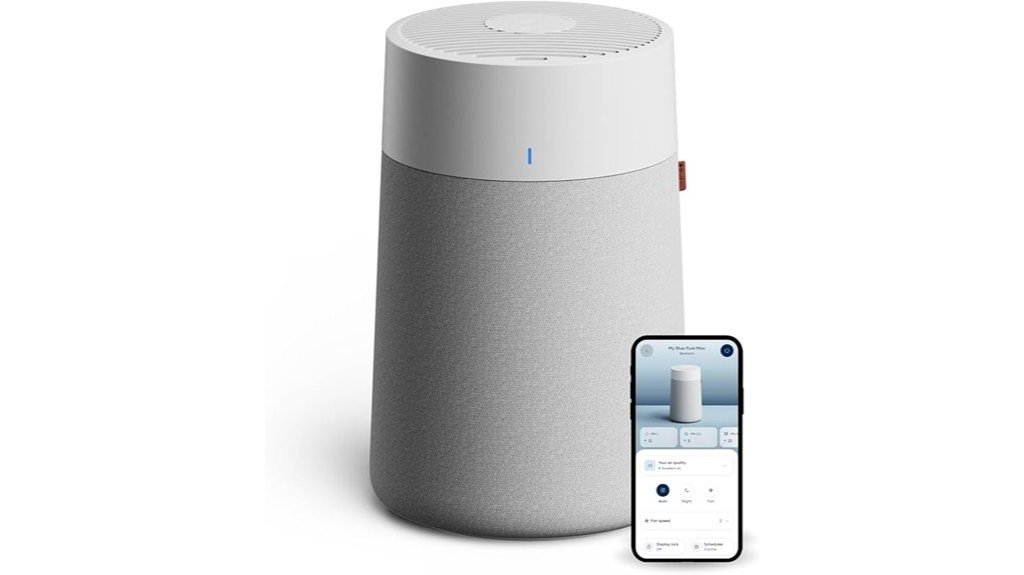
Think of the Blueair Blue Pure 511i Max as a compact workhorse for hobbyists who run small 3D printers in bedrooms, garages, or home offices — it’s built to clean a lot of air quietly and quickly so you won’t have to worry about fumes or fine particles while you print. You’ll see fast results: it cleans 926 sq ft per hour, or 465 sq ft in 30 minutes on high. HEPASilent tech removes 99.97% of particles down to 0.1 microns while cutting noise and boosting speed. The carbon filter tames light odors, and app/Alexa controls keep scheduling and monitoring simple.
Best For: Hobbyists and small-space users who run 3D printers in bedrooms, garages, or home offices and need a quiet, fast air purifier that removes fine particles and reduces light odors.
Pros:
- Cleans quickly and efficiently (926 sq ft/hr; 465 sq ft in 30 minutes) using HEPASilent tech that removes 99.97% of particles down to 0.1 microns.
- Very quiet operation (19–48 dB) with app and Alexa control for scheduling, monitoring, and remote management.
- Carbon filter reduces light household odors; multiple filter options (Original, SmokeBlock, AllergenBlock) for different needs.
Cons:
- Carbon filter only handles light odors — strong chemical fumes from some 3D printing materials may exceed its capacity.
- Designed for small rooms; may be insufficient for larger or high-emission workshop spaces without multiple units.
- Replacement filters add ongoing cost and require tracking via the app.
GoveeLife Smart Air Purifier for Large Rooms (3-in-1 Filter, PM2.5 Monitor, App & Alexa Control)
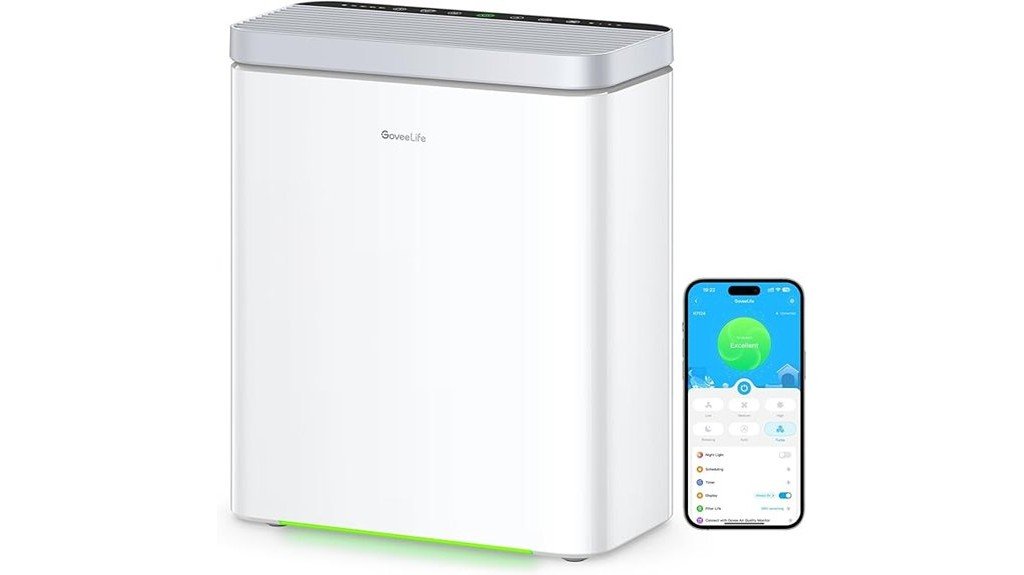
If you run a 3D printer in a shared room or a home workshop and want reliable odor and particle control, the GoveeLife Smart Air Purifier is a strong pick. You’ll get coverage for large rooms up to 1,046 ft² and a 3-in-1 HEPA filter that captures 99.97% of tiny particles, cutting odors from prints and resin fumes. The app, Alexa, and IFTTT support make remote control easy, and Auto or Turbo modes handle sudden air quality drops. Setup takes about seven minutes, the pre-filter is washable, and Sleep Mode keeps noise low for uninterrupted work or rest.
Best For: Professionals and hobbyists who run 3D printers or workshops in shared or home spaces and need reliable particle and odor control over large rooms.
Pros:
- Covers up to 1,046 ft² with a 3-in-1 HEPA filter (99.97% efficiency for 0.1–0.3 µm) — effective against fumes, smoke, and fine particles.
- Smart controls (app, Alexa, IFTTT) plus Auto and Turbo modes for responsive, remote-adjustable air cleaning.
- Low-maintenance design with a washable pre-filter, quiet Sleep Mode, and easy ~7-minute Wi‑Fi setup.
Cons:
- Turbo Mode can be noticeably loud when rapid purification is needed.
- CADR of 135 CFM means only one full air change per hour in the maximum coverage area (best performance at smaller room sizes).
- Main filter replacement cost and schedule vary; ongoing maintenance required to maintain peak efficiency.
Factors to Consider When Choosing Air Purifiers for 3D Printers
When you’re picking an air purifier for a 3D printer, focus first on filtration efficiency—HEPA for particles and activated carbon for fumes and odors—so you actually capture what your printer emits. Think about odor and VOC control, plus how loud the unit is and how long it can run between charges or on a schedule, because you don’t want distraction or gaps in protection. Also consider the purifier’s size and where it will sit, along with how easy filters are to replace and how often maintenance is needed, so it fits your space and routine without surprise costs.
Filtration Efficiency (Hepa/Carbon)
Good filtration can make a big difference in your 3D-printing workspace, so you’ll want to understand how HEPA and activated carbon filters work together to keep the air safe and comfortable. True HEPA filters trap tiny particles — down to about 0.01 microns — and can capture up to 99.99% of airborne particulates from filament emissions, protecting your lungs and print quality. Activated carbon complements HEPA by adsorbing VOCs and odors, so a combined system handles both particles and gases more effectively than either alone. Check filter lifespans: carbon inserts often need replacing every 3–6 months, while HEPA lasts longer. Choose a unit with layered filtration and air-quality monitoring so you can adjust settings and keep your workspace healthier.
Odor and VOC Control
A few key features make odor and VOC control worth prioritizing for your 3D-printing setup, because the smells and gases from melting plastics can build up quickly in a small room and bother your nose—or worse, your health. You’ll want a purifier with high-density activated carbon to absorb odors and common VOCs; it’s the workhorse for smell control. Pairing that with True HEPA helps capture particles that can carry odors, improving overall air quality. Look for filters rated to last 3–6 months so you don’t swap them constantly, and set a schedule to replace and clean parts regularly. Doing that keeps performance steady and reduces lingering smells from PLA, ABS, resins, and other materials.
Noise and Runtime
Because your prints can run for hours and you’ll likely want to stay nearby, noise and runtime are two of the most practical things to check before buying an air purifier for a 3D-printing setup. You’ll want a model that’s quiet enough to work beside — some run as low as 19 dB, which is great for home offices. Check fan speed specs; fans around 5,000 rpm can boost airflow while staying at or below about 40 dB. Runtime matters too: some units only last 6–8 hours on battery, while others can run up to 24 hours or continuously when plugged in. Plan for long prints by choosing longer battery life or an external power option, and remember to keep filters clean to avoid extra noise and reduced performance.
Size and Placement
Think about size and placement like fitting a new appliance into your workspace — you’ll want something that slides in without blocking access to the printer or crowding your desk. Match the purifier’s footprint to your printer setup so it sits conveniently and doesn’t obstruct moving parts or your workflow. Place it close enough to the printing area to catch odors and ultrafine particles before they spread, but avoid blocking vents or controls. If you move gear often, pick a lighter model that’s easy to reposition; compact designs work great on small benches or shelves. Also check the purifier’s coverage rating against the room size and how often you print, since heavier printing or smelly filaments need more powerful coverage to keep the space comfortable.
Maintenance and Replacement
While maintenance might not be the fun part of owning a 3D printer, staying on top of filter replacement and upkeep keeps your air cleaner and your prints healthier, so it’s worth planning for, not ignoring. You’ll want to check filters every few months; many need replacing every 3–6 months depending on how much you print and which filter type you use. Choose a purifier with easy-to-replace filters so you’re not wrestling with complicated disassembly. Monitor filter life indicators and swap them when recommended—vacuuming can help short-term but won’t fix a saturated filter. If you run long or frequent prints, consider backup batteries or alternative power to avoid downtime. A simple maintenance plan saves time, money, and breathing space.
FAQ
Can Air Purifiers Remove Ultrafine Particles From PLA Printing?
1. Can air purifiers remove ultrafine particles from PLA printing?
Yes, air purifiers equipped with true HEPA filters and activated carbon can effectively remove ultrafine particles generated during PLA printing.
2. What type of filter should an air purifier have for PLA printing?
An air purifier should have a true HEPA filter to capture small particles and activated carbon to help eliminate odors and volatile organic compounds.
3. How should I position the air purifier while printing?
Position the air purifier near the 3D printer to maximize its effectiveness in capturing particles as they are released during the printing process.
4. How long should I run the air purifier after printing?
For optimal results, it’s recommended to run the air purifier continuously during the printing and for a period after printing to clear any lingering particles.
5. Does running an air purifier continuously help with air quality?
Yes, running the air purifier continuously helps maintain better air quality by continuously filtering out ultrafine particles and other pollutants.
6. Are all air purifiers effective for PLA printing?
Not all air purifiers are effective; you need one specifically with a true HEPA filter and activated carbon to effectively target ultrafine particles from PLA.
7. What other benefits does an air purifier provide during 3D printing?
In addition to removing ultrafine particles, an air purifier can help reduce odors and improve overall air quality in the printing environment.
8. How do I know if my air purifier is working effectively?
Look for features like air quality indicators on the purifier, or regularly change filters as recommended to ensure optimal performance.
9. Can I use any activated carbon filter with my air purifier?
It’s best to use activated carbon filters recommended by the manufacturer of your air purifier to ensure compatibility and effectiveness.
10. Is it safe to print with PLA without an air purifier?
While PLA is generally considered safer than other filaments, using an air purifier can further reduce potential exposure to ultrafine particles and improve air quality.
Do These Purifiers Filter Volatile Organic Compounds (VOCS) From Resin Printing?
1. Do air purifiers remove VOCs from resin printing?
Yes, air purifiers can remove VOCs produced by resin printing, but not all purifiers are effective.
2. What type of filter is needed to capture VOCs?
Purifiers with activated carbon or specialty VOC filters are necessary for effectively reducing VOCs from resin printing.
3. Can HEPA filters alone filter out VOCs?
No, HEPA filters are designed to capture particles, not gases like VOCs, so they are insufficient on their own for this purpose.
4. What should I look for in an air purifier for resin printing?
Choose an air purifier that combines HEPA filters for particulate matter and activated carbon filters for gas-phase adsorption.
5. Are all activated carbon filters effective against VOCs?
Not all activated carbon filters are created equal; look for those specifically designed to target VOCs for best results.
6. How do activated carbon filters work?
Activated carbon filters capture VOCs through a process called adsorption, where gas molecules adhere to the surface of the carbon.
7. Is it necessary to have both HEPA and carbon filters?
Yes, having both filters ensures that both particles and gaseous pollutants are effectively removed from the air.
8. Can I use a regular air purifier for resin printing?
Using a regular air purifier without the proper VOC filtration may not adequately protect against harmful emissions from resin printing.
9. How often should the filters be changed?
Filter replacement frequency varies by usage; follow the manufacturer’s guidelines for optimal performance and air quality.
10. Are there specific brands recommended for VOC filtration?
While there are many brands available, look for those specifically advertised for VOC removal and with strong customer reviews on effectiveness.
11. Is it safe to use resin printers indoors?
Using resin printers indoors can pose health risks due to VOC emissions; ensure proper ventilation and consider an effective air purifier.
Can I Run an Air Purifier 24/7 Around My 3D Printer?
FAQ 1: Can I leave an air purifier running all day near my 3D printer?
Yes, you can run an air purifier continuously around your 3D printer. It’s important to select a unit designed for continuous operation.
FAQ 2: What type of air purifier is best for use with a 3D printer?
Choose an air purifier that is specifically rated for continuous use and has a HEPA filter to effectively capture airborne particles generated by 3D printing.
FAQ 3: How often should I change the filters in my air purifier?
Filters should be changed according to the manufacturer’s recommendations. Regular maintenance is crucial for optimal performance.
FAQ 4: Is it safe to run an air purifier and a 3D printer in the same room?
Yes, it is safe as long as the air purifier is properly maintained and rated for continuous use, providing adequate filtration of potential fumes and particles.
FAQ 5: Do I need additional ventilation if I use an air purifier with my 3D printer?
While an air purifier helps improve air quality, ensuring adequate ventilation is still recommended to manage temperatures and overall air circulation.
FAQ 6: Will an air purifier eliminate all fumes from 3D printing?
Air purifiers significantly reduce fumes and particles, but may not eliminate all potentially harmful substances. It’s essential to monitor air quality.
FAQ 7: Can I use any air purifier with my 3D printer?
Not all air purifiers are suitable; ensure the unit is designed for continuous operation and effective in filtering fine particles and VOCs.
FAQ 8: How can I maintain my air purifier for optimal performance?
Regularly check and replace filters as advised, clean the unit, and ensure it is positioned correctly for maximum airflow.
FAQ 9: What features should I look for in an air purifier for 3D printing?
Look for features like HEPA filtration, activated carbon filters for VOCs, a high CADR (Clean Air Delivery Rate), and quiet operation for continuous use.
FAQ 10: Can running an air purifier improve the air quality in my 3D printing workspace?
Absolutely, running an air purifier can significantly enhance air quality by reducing airborne contaminants, making it safer for your workspace.
Are Filter Replacement Costs High for Continuous Printer Use?
1. Are filter replacement costs high for continuous printer use?
Filter replacement costs are not necessarily high, but they can accumulate over time. The frequency of replacement depends on the type of filters used and the printer’s runtime.
2. How often do I need to replace prefilters?
Prefilters need to be replaced more frequently than HEPA or activated carbon filters. Regular replacement is essential to maintain optimal air quality during continuous printing.
3. How often should HEPA and activated carbon filters be replaced?
HEPA and activated carbon filters are replaced less frequently than prefilters. Depending on usage and air quality, these can last several months to over a year.
4. What factors influence filter replacement costs?
The quality of filters, the runtime of the printer, and the level of pollutants generated during printing all influence replacement costs. Higher pollutant loads lead to more frequent filter changes.
5. Can using higher quality filters reduce long-term costs?
Yes, investing in higher quality filters may reduce long-term costs as they tend to last longer and perform better. This can decrease the frequency of replacements.
6. How does the runtime of my printer affect filter costs?
Longer printer runtimes typically lead to increased filter wear and tear, resulting in higher replacement costs. More frequent printing sessions necessitate more regular maintenance of filters.
7. Do different types of 3D printing materials affect filter lifespan?
Yes, different printing materials can produce varying levels of pollutants, which affects filter lifespan. Materials that emit more fumes or particles will require more frequent filter changes.
8. Is it cost-effective to maintain filters for continuous printing?
Maintaining filters is generally cost-effective in the long run, as it ensures cleaner air and better printer performance. The cost of replacements is outweighed by the benefits of reducing harmful emissions.
9. What is the expected cost range for replacing filters?
The expected cost range for replacing filters varies widely depending on the type and quality. Generally, prefilters are less expensive, while HEPA and activated carbon filters may be more costly.
10. How can I minimize filter replacement costs?
Minimizing filter replacement costs can be achieved by regularly cleaning filters, using high-quality options, and optimizing printer settings to reduce pollutant output.
11. What should I consider when choosing filters for my printer?
When choosing filters, consider the type of 3D printing materials used, the printer’s runtime, and the filter’s quality and efficiency. Balancing these factors will help you manage costs effectively.
Will Purifier Noise Affect Time-Lapse or Sensitive Electronics?
1. Can purifier noise impact time-lapse audio?
Yes, purifier noise can interfere with time-lapse audio recordings by introducing unwanted sound, which can detract from the final product’s quality.
2. How does purifier noise affect sensitive microphones?
Purifier noise can disrupt sensitive microphones, leading to distorted or unclear audio captures during recordings.
3. Are strong vibrations from purifiers a concern for electronics?
Yes, strong vibrations from purifiers can slightly disturb delicate electronics, potentially affecting their performance during use.
4. What can I do to minimize purifier noise during recording?
To minimize purifier noise, consider using quieter fan modes on the purifier or placing it off-camera during recordings.
5. Do rubber mounts help reduce noise from purifiers?
Yes, using rubber mounts can help absorb vibrations and reduce the noise produced by purifiers, improving recording quality.
6. Is it advisable to position the purifier near recording equipment?
It’s generally not advisable to position the purifier near recording equipment, as it can lead to audio interference and lower the quality of recordings.
7. What should I consider when selecting a fan mode on a purifier?
When selecting a fan mode on a purifier, opt for quieter settings to minimize noise disruption during recordings.
8. Can the location of the purifier affect recording quality?
Yes, the location of the purifier can significantly impact recording quality; placing it further away from sensitive equipment can help reduce noise interference.
9. Are there specific purifiers designed for quiet operation?
Yes, there are purifiers specifically designed for quiet operation, which can be beneficial for recording environments where noise is a concern.
10. How can I test for purifier noise before recording?
To test for purifier noise, run the purifier while monitoring audio levels with your recording equipment to identify any potential interference before starting your session.
Final Thoughts
When it comes to selecting an air purifier for your 3D printing workspace, you have excellent options that cater to various needs. Choose a purifier that aligns with your printer size, room dimensions, and budget constraints. For optimal performance, prioritize models that feature HEPA filters combined with activated carbon — these are essential for effectively capturing particles and neutralizing odors. If convenience is a priority, consider units with smart controls.
For those working with resin printers, the ANYCUBIC and ELEGOO mini purifiers are exceptional choices, tailored specifically for smaller desks. If your workspace is larger, the WINIX, Blueair, and GoveeLife purifiers will cover more ground effectively. Remember, proper ventilation is crucial; don’t overlook this aspect.
Additionally, stay on top of filter replacements according to the manufacturer’s schedule. This will ensure that your prints remain pristine, and your workspace remains safe and pleasant. Take these steps seriously, and you will maintain a clean and productive environment for your 3D printing endeavors.