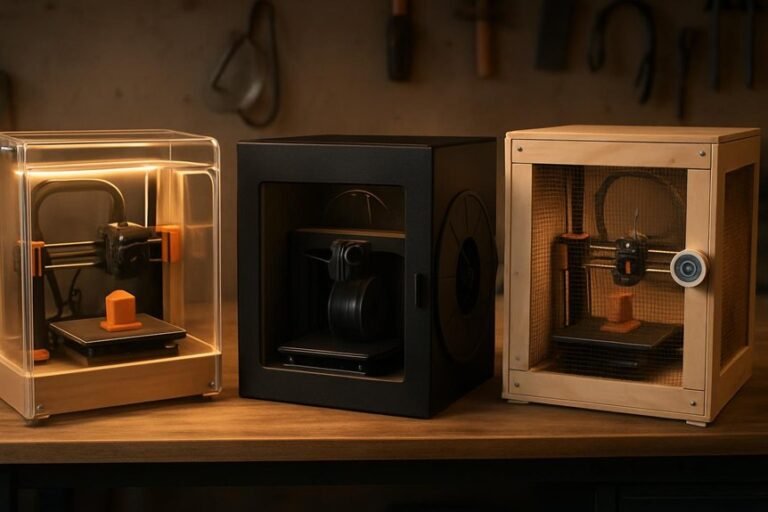
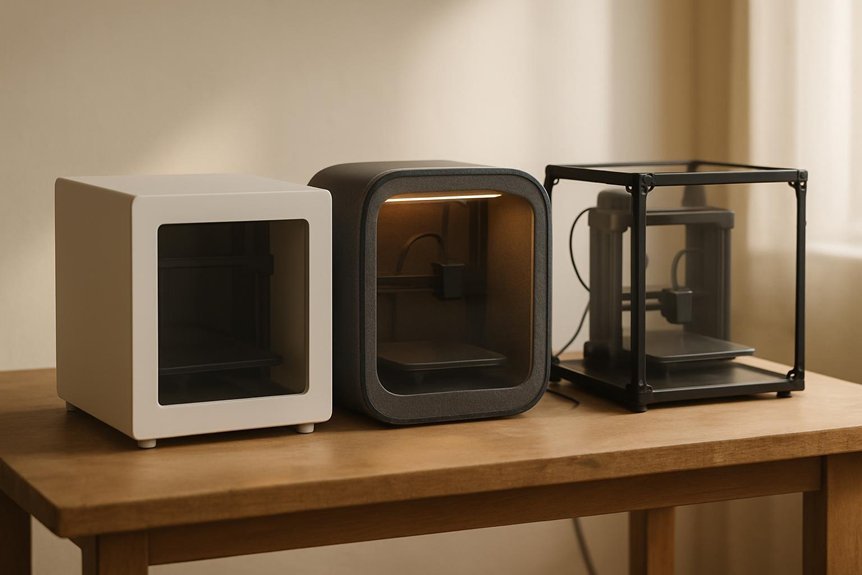
If you use a 3D printer in a small room, you’ll want an enclosure that’s compact, quiet, and keeps fumes under control. You’ll learn about three top options that balance safety, ventilation, and easy setup, with LED lighting and sturdy builds for tidy prints. I’ll point out which fit resin or filament machines and what features really matter so you can pick the right one for your space — and avoid common mistakes.
Resin 3D Printer Enclosure with Ventilation Kit and LED Lighting
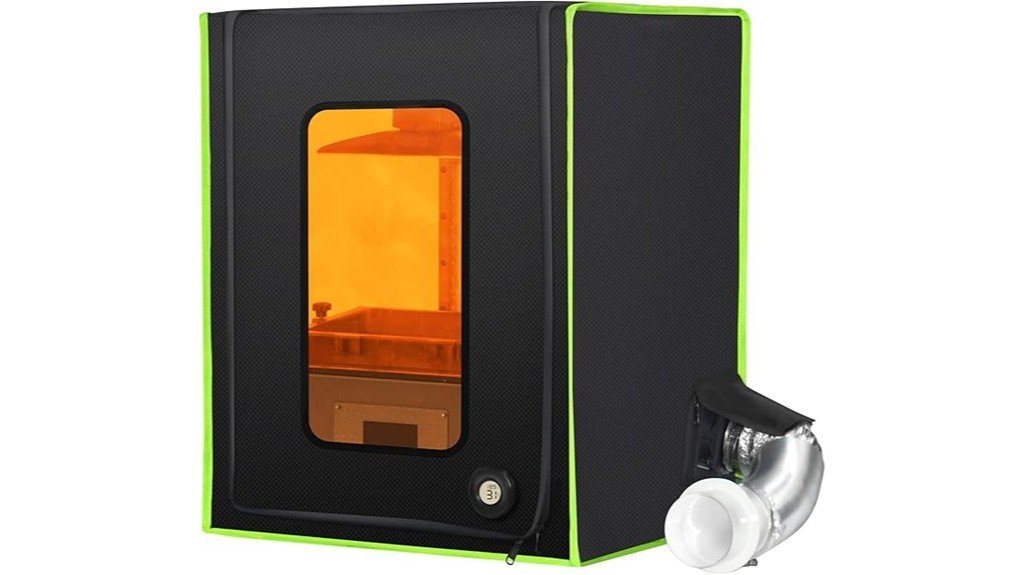
If you print resin at home and want a cleaner, more reliable setup, this compact enclosure is a great fit — think of it as a small, smart shell that tames fumes and keeps temperature steady. You’ll appreciate the sealed ventilation kit that quickly pulls smell away with an exhaust fan and extendable duct, while dual ports boost airflow so your room stays fresh. The airtight zippers trap and reuse warm air, improving resin flow and cutting failure rates. It fits most desktop resin printers, has LED lighting and a UV window, and assembles fast—ten minutes, then you’re printing cleaner.
Best For: homeowners or hobbyist makers using desktop LCD/DLP resin printers who want to reduce fumes, stabilize print temperature, and improve print reliability.
Pros:
- Effectively extracts resin odor with a sealed ventilation kit, exhaust fan, and extendable duct for flexible placement.
- Airtight design and reflective lining help retain heat for more stable resin temperatures and improved print quality.
- Quick assembly, compact size for most ≤10.1″ printers, plus LED lighting and UV-filter window for easy monitoring.
Cons:
- Limited internal size (48×40×60 cm) may not fit larger or custom printers and accessories.
- Ventilation relies on the included fan and ducting—may need upgrades for heavy use or strict air-quality standards.
- Made of fabric (1680D oxford) which, while durable, may be less impact-resistant than hard enclosures and requires careful handling.
3D Printer Enclosure with Ventilation Kit, LED Lighting, and Fume Extraction Tent (400×480×600mm)
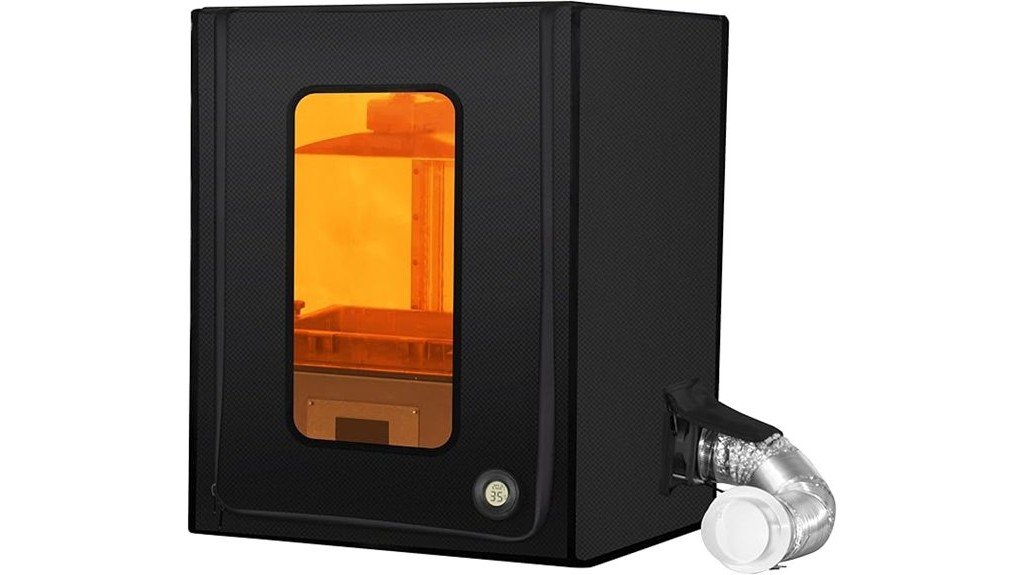
This compact enclosure is perfect for hobbyists and small workshops who want cleaner air and steadier prints without taking up a lot of space — it fits many popular resin printers like the ANYCUBIC Photon Mono and Elegoo Mars series. You’ll get a 400×480×600mm tent with LED lighting, a 180 CFM exhaust fan, and airtight zippers plus EVA gaskets to trap fumes and odors. The insulated 1680D fabric keeps the chamber 5–10°C warmer for more reliable resin behavior, and the dark window protects against stray UV. Setup’s like a camping tent, and users praise its fume control and build quality.
Best For: Hobbyists and small workshop users of compact resin printers (like ANYCUBIC Photon Mono and Elegoo Mars series) who want improved fume control, temperature stability, and cleaner prints in a small footprint.
Pros:
- 180 CFM exhaust with airtight zippers and EVA gaskets effectively reduces UV resin fumes and odors.
- 1680D insulated fabric raises internal temperature 5–10°C for more reliable resin behavior in cooler environments.
- Compact, easy tent-style assembly with LED lighting, dark viewing window, and included ducting for flexible setup.
Cons:
- Size (400×480×600mm) limits compatibility to smaller resin printers and may not fit larger models.
- Requires external vent routing for optimal fume removal, which may not be convenient in all spaces.
- Fan noise and maintenance (filters/ducts) could be a concern despite noise-reducing materials.
Resin 3D Printer Vented Enclosure Compatible with Creality Anycubic Elegoo LCD Resin Printers
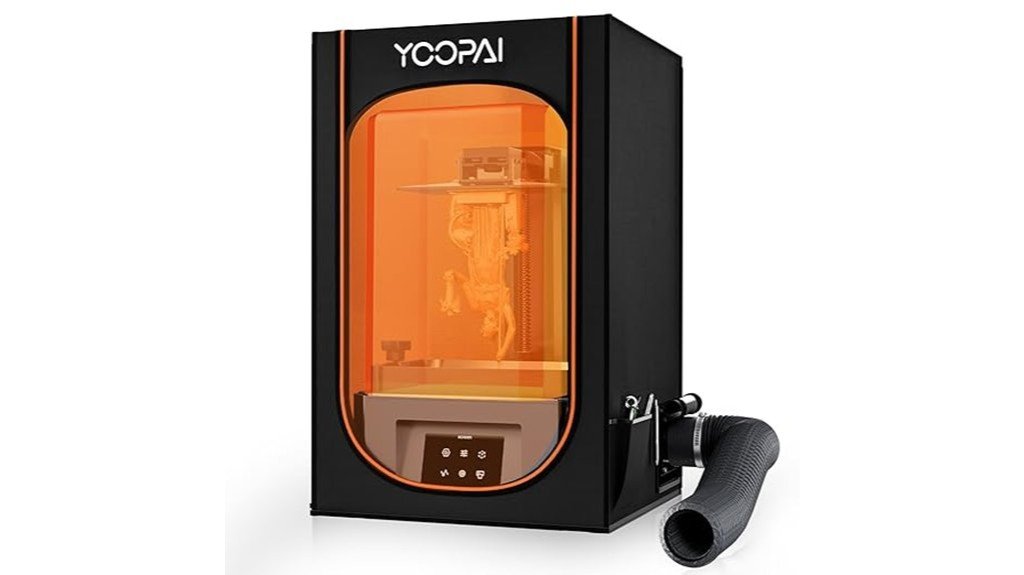
For hobbyists and small-shop makers who want cleaner air and steadier prints, the Resin 3D Printer Vented Enclosure is a smart choice—think of it as a protective shell that tames odors and temperature swings. You get a six-sided PVC box with a clear window so you can watch prints without letting fumes escape. A carbon filter sheet and exhaust fan with ducting cut down resin smells, though some users swap the fan for stronger airflow. The insulated interior keeps temperature steady, improving resin flow and detail. It fits most small LCD resin printers up to 28×18×17 inches, but assembly can be fiddly.
Best For: Hobbyists and small-shop makers using small LCD resin printers who want reduced resin odors, more stable printing temperatures, and a cleaner printing environment.
Pros:
- Built-in carbon filter and exhaust fan with ducting reduce resin odors and vent fumes for a safer workspace.
- Six-sided PVC enclosure with clear window protects against dust and resin splashes while allowing print observation.
- Insulated interior helps maintain a steady temperature, improving resin flow and print quality.
Cons:
- Assembly instructions can be unclear or have mismatched labels, making setup fiddly for some users.
- Stock fan airflow is reported as weak by some users, who choose to replace it for better fume extraction.
- Compatible only with printers smaller than 28×18×17 inches, so larger printers will not fit.
Factors to Consider When Choosing Compact 3D Printer Enclosures
When you pick a compact 3D printer enclosure, think about ventilation and filtration to keep fumes and particles out while maintaining steady temperature for better prints. Check size and compatibility so your printer and any accessories fit comfortably, and look for sturdy materials that hold up over time while cutting down on noise. Balancing these factors—venting, temperature stability, fit, durability, and sound control—will help you choose an enclosure that’s safe, reliable, and pleasant to use.
Ventilation and Filtration
Although you might be excited to start printing right away, good ventilation and filtration in a compact 3D printer enclosure are essential for both safety and print quality; they clear out resin vapors and odors, control temperature, and keep dust from ruining delicate layers. You’ll want an enclosure with an exhaust fan that refreshes air multiple times per minute, because that dramatically reduces harmful fumes. Look for airtight zippers, EVA gaskets, and screw-secured ports so fumes stay contained and you stay safe. Carbon filter sheets are a simple add-on that absorbs odors and makes your workspace more pleasant. Dual ventilation ports give you flexible exhaust routing to optimize airflow. Combine these features for a cleaner, healthier, and more reliable printing experience.
Temperature Stability
Because your prints do best at steady temperatures, a compact enclosure that keeps heat consistent will save you time, material, and frustration. You’ll notice resin flows better and layers bond more reliably when the chamber doesn’t dip in temperature during a long print. Look for enclosures with high-density insulation—materials like 1680D fiber can raise and hold internal temps by 5–10°C, which often makes the difference between a clean part and a failed one. Designs that capture and recycle warm air from the printer’s fan boost stability without extra heaters. A tight seal matters too, since drafts invite fluctuations and waste resin. In short, prioritize insulation, airflow reuse, and good sealing to reduce failures and get more efficient, predictable prints.
Size and Compatibility
You’ve seen how steady heat helps your prints come out cleaner, and size plays a big role in keeping that steady environment. When choosing an enclosure, measure your printer—especially if it’s under 10.1 inches—to make sure it fits without crowding. A common compact size around 48x40x60 cm (400x480x600 mm) suits many resin models like ANYCUBIC Photon Mono or Elegoo Mars, but always double-check dimensions. Look for units built to accept ventilation kits and LED lighting so you can improve airflow and visibility. Inside space matters: leave room for air movement and temperature sensors to do their job. Finally, pick enclosures with adjustable parts, like extendable ducts, so you can adapt the setup to your workspace while keeping compatibility.
Material and Durability
Material matters when you want an enclosure that actually lasts and keeps your prints consistent. Choose tough materials like high-density 1680D oxford cloth or PVC so the shell resists tears and insulates against temperature swings. You’ll appreciate reinforced seams and high-toughness construction, because they prevent premature wear when you move or access the printer frequently. Look for airtight zippers and seal gaskets to keep fumes and odors contained and to protect sensitive prints from dust and splashes. A fully enclosed design boosts longevity by shielding components from spills and contaminants. Finally, pick an enclosure with UV-filtering windows so you can watch prints without exposing filaments or electronics to harmful light—practical, durable, and built to last.
Noise Reduction
When you’re setting up a compact 3D printer, thinking about noise reduction can make the difference between a usable home workshop and a constant distraction. You’ll want an enclosure built from high-density materials like 1680D fiber or oxford cloth because they absorb and muffle printer sounds better than thin panels. Look for models with intentional sound-dampening features—multi-layer walls, sealed seams, and soft interiors—to cut fan and motor noise. A fully enclosed design also traps sound while keeping dust and resin splashes away, so your space stays cleaner and quieter. Users often praise enclosures that noticeably lower decibel levels, and the right combo of insulation plus smart design will make long prints far less intrusive for you and anyone nearby.
Visibility and Lighting
Good sound control is great, but you’ll also want to be able to see what’s happening inside your enclosure without poking it open and upsetting the print. A clear, high-transparency window lets you monitor prints and catch problems early while keeping dust and drafts out. Built-in LED lighting gives even illumination so you can inspect layers and watch curing without straining your eyes. Make sure the enclosure blocks harmful UV while still letting you view resin prints; that prevents premature curing. Look for designs that reduce glare and reflections so your view stays accurate from different angles. Better visibility and lighting mean fewer interruptions, less stress, and a smoother printing experience overall.
Ease of Assembly
Because you’ll want the enclosure up and running without a headache, ease of assembly is a key factor to weigh when choosing a compact 3D printer enclosure. Most models go together in about 10 to 20 minutes, especially tent-like designs that don’t need special tools, so you can get printing fast. Look for clear, well-illustrated instructions—bad labeling or vague steps will slow you down and frustrate you. Prefitted, pre-tested parts like exhaust fans and ducts save time and reduce guesswork, so you won’t have to troubleshoot airflow right away. Also choose an enclosure that gives easy access to your printer for setup and routine maintenance; that makes assembly and ongoing use much less annoying and more enjoyable overall.
FAQ
Can I Run a Filament (FDM) Printer Inside These Resin Enclosures?
FAQ 1: Can I use a filament printer inside a resin enclosure?
No, it’s not advisable to operate a filament printer inside a resin enclosure designed for SLA/UV printing.
FAQ 2: Why can’t I run an FDM printer in a resin enclosure?
Resin enclosures lack adequate ventilation and heat management, which are essential for FDM printers.
FAQ 3: What are the risks of running a filament printer in a resin enclosure?
You risk overheating, producing harmful fumes, and experiencing poor print quality due to the unsuitable environment.
FAQ 4: Do resin enclosures provide proper ventilation for filament printing?
No, resin enclosures do not have the necessary ventilation to handle the requirements of FDM printing.
FAQ 5: How does heat management differ between resin and filament printers?
FDM printers generate heat during operation, which resin enclosures are not designed to dissipate effectively.
FAQ 6: Can using a filament printer in a resin enclosure affect print quality?
Yes, the improper environment can lead to issues such as warping and layer adhesion problems in your prints.
FAQ 7: What happens to filament in a resin enclosure?
Filament can outgas in a resin enclosure, leading to fumes that could be harmful and affect the printing process.
FAQ 8: Are there any exceptions to using filament printers in resin enclosures?
No, the fundamental design of resin enclosures does not support the operation of filament printers under safe conditions.
FAQ 9: What should I do if I want to print with both technologies?
It’s best to set up separate spaces for SLA and FDM printing to ensure optimal conditions for each printer type.
FAQ 10: Can I modify a resin enclosure for filament printing?
While modifications may be possible, it is generally not recommended due to the inherent design limitations of resin enclosures.
Do These Enclosures Reduce Print Noise Significantly?
1. Do enclosures effectively reduce print noise?
Yes, enclosures significantly reduce high-frequency and mechanical noise by containing vibrations and blocking sound.
2. What types of noise do these enclosures target?
They specifically target high-frequency noise and mechanical sounds produced during printing.
3. Will I still hear fans and motors with an enclosure?
Yes, while enclosures greatly dampen noise, fans and motors can still be heard to some extent.
4. What materials are best for noise reduction in enclosures?
Thicker panels and internal damping materials are recommended to enhance noise-reduction capabilities.
5. How do enclosures block sound?
Enclosures block sound by containing vibrations and creating barriers that prevent noise from escaping.
6. Is complete silence achievable with enclosures?
No, while noise is significantly reduced, complete silence is not achievable due to residual sounds from fans and motors.
7. Can I improve the noise reduction performance of my enclosure?
Yes, using thicker materials and adding internal damping can further improve the enclosure’s noise-reduction performance.
8. Are there specific types of enclosures that work better for noise reduction?
Yes, enclosures designed with soundproofing in mind, featuring heavy-duty materials and sound-dampening layers, tend to work better.
9. Do all enclosures provide the same level of noise reduction?
No, the level of noise reduction can vary based on the design, materials used, and construction quality of the enclosure.
10. What are the limitations of using enclosures for noise reduction?
While they significantly lower noise levels, they do not eliminate all sounds, particularly from internal components like fans and motors.
Are These Enclosures Flame-Retardant or Fireproof?
FAQ on Flame-Retardant and Fireproof Enclosures
1. Are compact enclosures fireproof?
Most compact enclosures are not fireproof; they typically utilize flame-retardant materials instead.
2. What materials are used in compact enclosures?
Compact enclosures often feature flame-retardant panels designed to resist ignition and slow down the spread of flames.
3. Can I assume all enclosures are fireproof?
No, it is a common misconception that enclosures are fireproof. Always verify specifications from the manufacturer.
4. What should I check before using an enclosure?
Review the manufacturer’s specifications for fire safety features and materials used in the enclosure.
5. Should I install smoke detectors near enclosures?
Yes, adding smoke detectors is a crucial safety measure to detect potential fires early.
6. Is it safe to leave printers unattended while operating?
No, it is not safe to leave printers unattended as they can pose a fire risk, especially in non-fireproof enclosures.
7. What is the difference between flame-retardant and fireproof?
Flame-retardant materials resist ignition and slow flame spread, while fireproof materials are designed to withstand high temperatures without burning.
8. How can I enhance fire safety around enclosures?
Besides installing smoke detectors, ensure there are no flammable materials nearby and maintain a clear workspace.
9. What should I do if an enclosure catches fire?
Immediately evacuate the area, activate the fire alarm, and call emergency services. Never attempt to extinguish a fire unless trained to do so.
10. Are there regulations governing enclosure materials?
Yes, there are industry standards and regulations that dictate the required fire safety features for enclosures, which vary by application.
Can I Install an Air Purifier or Charcoal Filter Myself?
FAQs on Installing Air Purifiers and Charcoal Filters
1. Can I install an air purifier myself?
Yes, you can install an air purifier on your own by following the manufacturer’s instructions included in the packaging.
2. What should I check for compatibility when installing a filter?
Ensure that the air purifier or charcoal filter is compatible with the size and specifications of your enclosure for optimal performance.
3. Is it necessary to replace filters regularly?
Yes, regularly replacing filters is essential to maintain the air purifier’s effectiveness and ensure clean air circulation.
4. Are there specific airflow requirements for installation?
Yes, securing proper airflow is crucial for the efficient operation of both air purifiers and charcoal filters.
5. What tools do I need for installation?
Most installations require minimal tools, typically just a screwdriver, but check the manufacturer’s instructions for any specific requirements.
6. Can I install a charcoal filter in an air purifier?
Yes, many air purifiers are designed to accommodate charcoal filters, but confirm compatibility with your specific model.
7. Is professional installation recommended?
While it’s possible to install these devices yourself, consulting a professional can provide peace of mind and ensure proper setup.
8. What maintenance is required after installation?
Regular maintenance includes checking filter status, cleaning the unit, and replacing filters according to the manufacturer’s schedule.
9. Can I use homemade filters in my air purifier?
Using homemade filters is not recommended as they may not provide the same level of effectiveness and could damage the unit.
10. What if my air purifier doesn’t seem to be working after installation?
If your air purifier is not functioning correctly, double-check the installation steps, ensure filters are installed properly, and verify that it is plugged in and powered on.
Do These Enclosures Fit 3D Printers With Auto-Bed Leveling Arms?
FAQs
1. Do enclosures fit 3D printers with auto-bed leveling arms?
Yes, many enclosures are compatible, but it’s essential to check specific dimensions.
2. What should I measure on my printer?
Measure the internal height and door clearance, especially with the auto-bed leveling arm deployed.
3. How do I know if an enclosure will work for my printer?
Compare your printer’s dimensions with the enclosure specifications before making a purchase.
4. Is it necessary to deploy the leveling arm for measurements?
Yes, always deploy the arm to ensure accurate measurements and clearance checks.
5. Can I modify an enclosure if it doesn’t fit?
Modifications may be possible, but ensure they don’t compromise the enclosure’s integrity or safety.
6. What if my printer is larger than the enclosure specs?
If your printer exceeds the enclosure dimensions, consider a larger enclosure or a different printer model.
7. Are there specific brands known for compatibility?
While many brands work, it’s best to check user reviews and compatibility notes for your printer model.
8. What features should I look for in an enclosure?
Look for adjustable height, proper ventilation, and enough door clearance for easy access.
9. Do enclosures help with print quality?
Yes, enclosures can stabilize temperature and reduce drafts, improving print quality.
10. Is assembly difficult if my printer has an auto-bed leveling arm?
Assembly can be straightforward if you ensure the arm has enough clearance; follow the manufacturer’s instructions carefully.
Final Thoughts
After thoroughly assessing the top three compact enclosures designed for 3D printers, it’s clear that these options excel in safeguarding your prints from environmental factors while maintaining a quiet and well-lit workspace. With a focus on controlling fumes and temperature fluctuations, these enclosures allow you to print at home confidently, eliminating concerns about odors and instability.
Choose an enclosure that complements your specific printer model, prioritizes an effective venting system, and is built to last. LED lighting is essential for easy monitoring of your prints. These enclosures are not only quick to assemble but also maximize your workspace efficiently. By investing in one of these, you’ll enhance the quality of your prints while ensuring a cleaner, safer, and more streamlined printing experience.