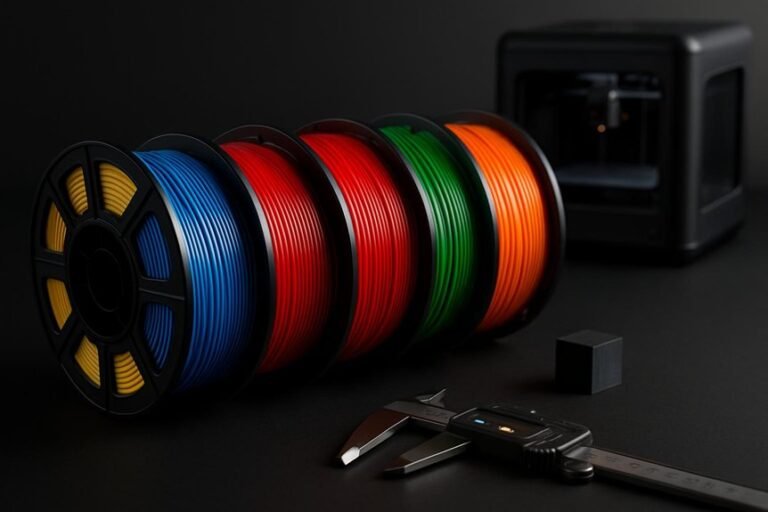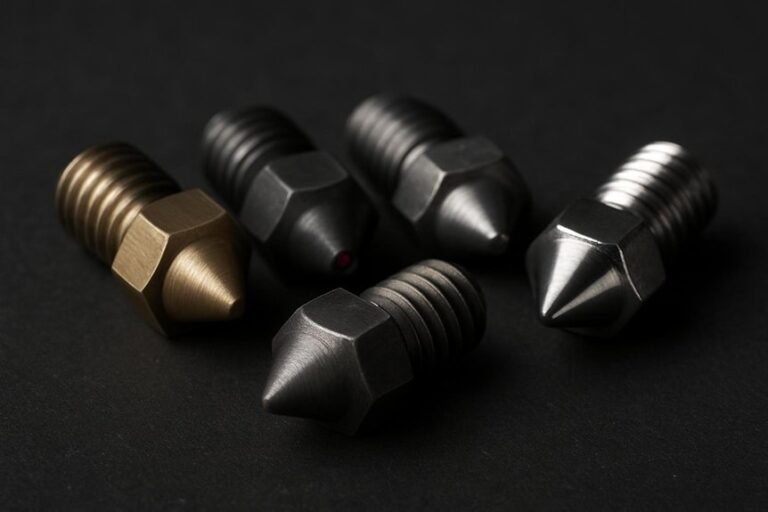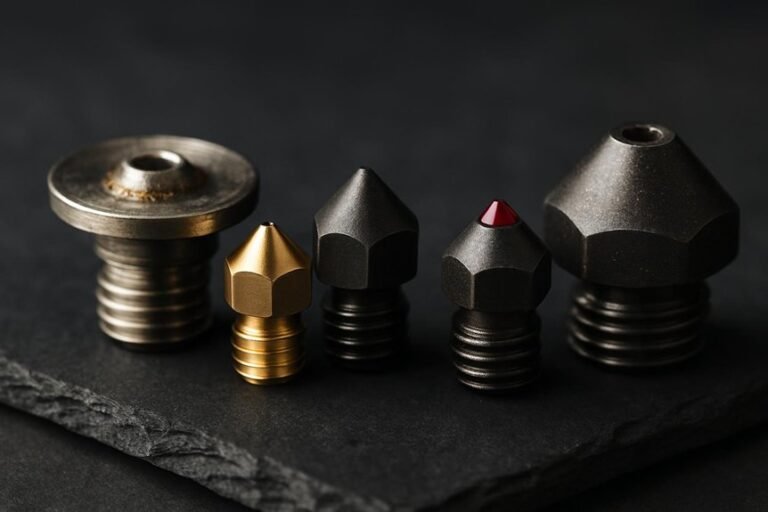
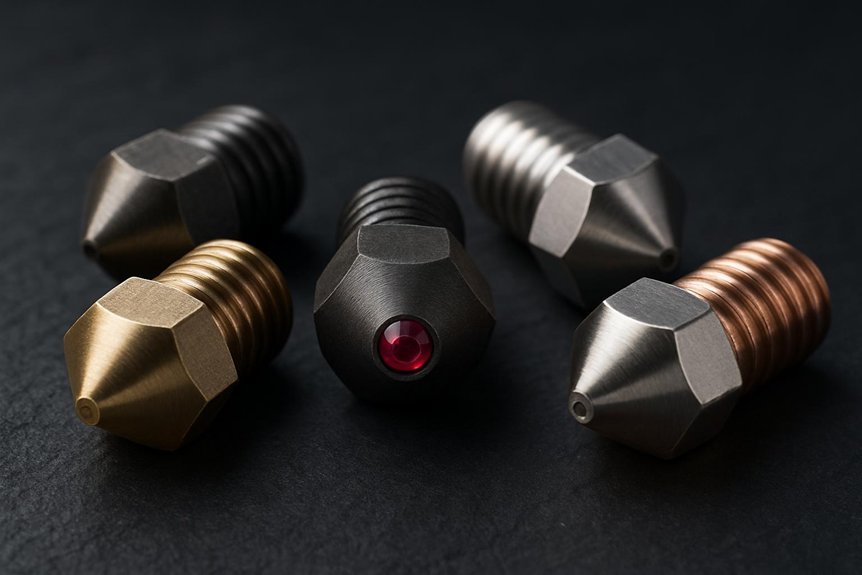
Choosing the right 3D printer nozzle makes a bigger difference than you might think—you’ll get cleaner prints, fewer clogs, and smoother results when you match the nozzle to your filament and goals. You’ll want brass for everyday prints, hardened steel for abrasive or high-temp filaments, and diamond for heavy wear; plus cleaning filaments keep everything working nicely. I’ll walk you through five top choices and when to pick each, so you can upgrade without second-guessing.
3D Fuel 3D Clean Printer Nozzle Cleaning Filament (50 Sticks, 1.75mm)
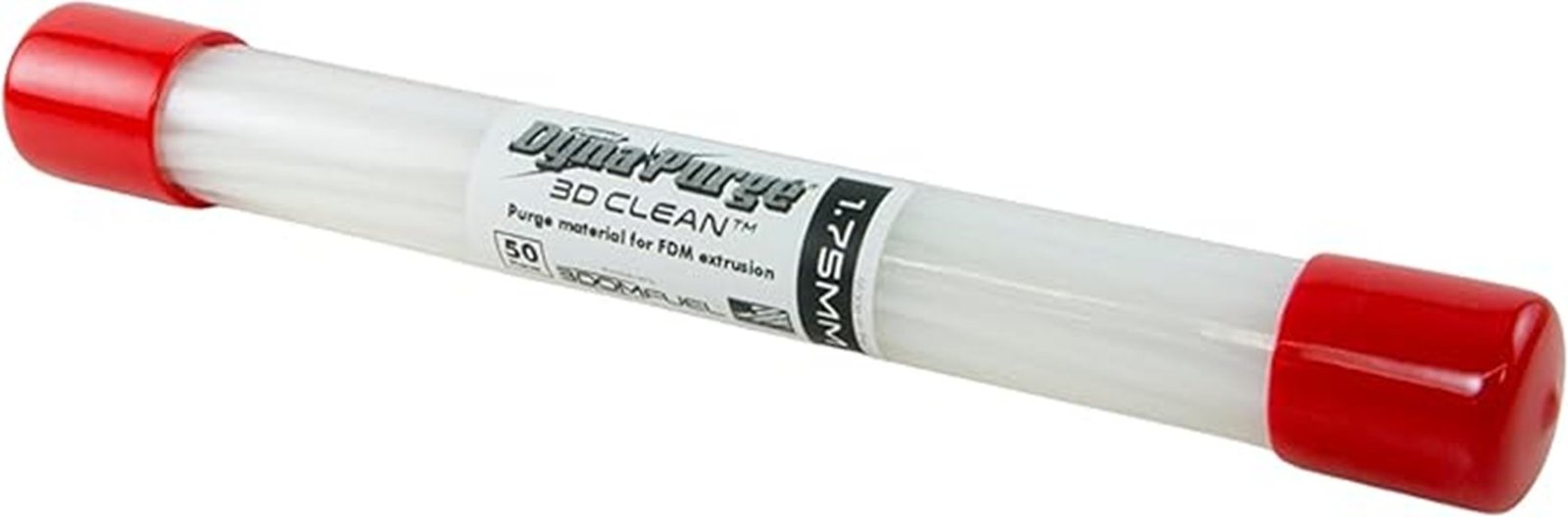
If you’re the sort of hobbyist who prints regularly and hates chasing intermittent clogs, the 3D Fuel 3D Clean sticks are a smart tool to keep on hand — they’re made in the USA, come in 50 easy-to-use 8-inch segments, and are built to clear residue from PLA, PETG, and ABS without chemicals or abrasives. You’ll feed a segment through the hotend to push out gunk, and you’ll notice fewer color-bleed issues and smoother extrusion. They’re sized for 1.75mm printers, work as preventative maintenance every few months, and reviewers praise their reliability and simple, effective design.
Best For: hobbyist and small-studio 3D printer users who print frequently and want an easy, non-chemical way to prevent and clear intermittent hotend clogs and color-bleed between PLA, PETG, and ABS.
Pros:
- Made in USA, sold as 50 convenient 8-inch segments sized for 1.75mm hotends for easy single-pass cleaning.
- Non-chemical, non-abrasive formulation that safely removes residue and improves extrusion consistency and print quality.
- Consistently praised by users for reliability, ease of use, and effective preventative maintenance.
Cons:
- Only available in 1.75mm diameter, so not suitable for 2.85/3mm systems without adapters or conversion.
- Adds recurring small cost and requires periodic use (recommended every ~3 months or after ~0.5kg filament).
- Not a substitute for deep mechanical repairs—won’t fix severe heatbreak damage or heavily degraded components.
Creality Hardened Steel MK8 3D Printer Nozzles Kit with Tools and Storage Box
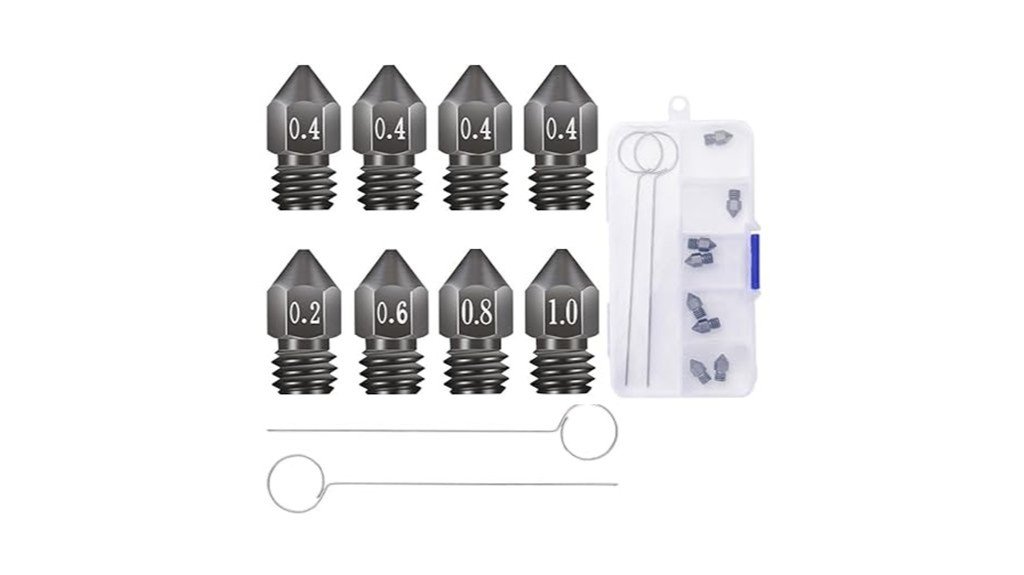
Hardened for heavy use, the Creality Hardened Steel MK8 kit is a smart pick when you’re printing abrasive or high-temperature filaments and want no-nonsense durability. You get eight nozzles in sizes from 0.2 to 1.0 mm, housed in a neat storage box with two cleaning needles, so swapping and unclogging is quick. The tungsten steel exceeds HRC60, so it stands up to carbon fiber and PEEK far longer than brass. It handles up to 450°C and fits most MK8-style hotends like Ender and CR-10 models, delivering consistent flow thanks to CNC precision and a smooth internal bore.
Best For: Makers and small-batch manufacturers who print abrasive or high-temperature filaments (like carbon-fiber blends or PEEK) and need durable, MK8-compatible nozzles that maintain consistent flow.
Pros:
- Exceptional wear resistance (tungsten steel > HRC60) for long life with abrasive filaments.
- Wide temperature tolerance (up to 450°C) suitable for high-temp materials.
- Includes multiple nozzle sizes (0.2–1.0 mm), cleaning needles, and a storage box for convenience.
Cons:
- Hardened steel is less thermally conductive than brass, potentially requiring adjusted print settings.
- More expensive than standard brass nozzles.
- May require more frequent nozzle change effort (and proper torque) due to harder material and fit differences.
Diamondback V6 Compatible Polycrystalline Diamond 3D Printer Nozzle (0.8mm)
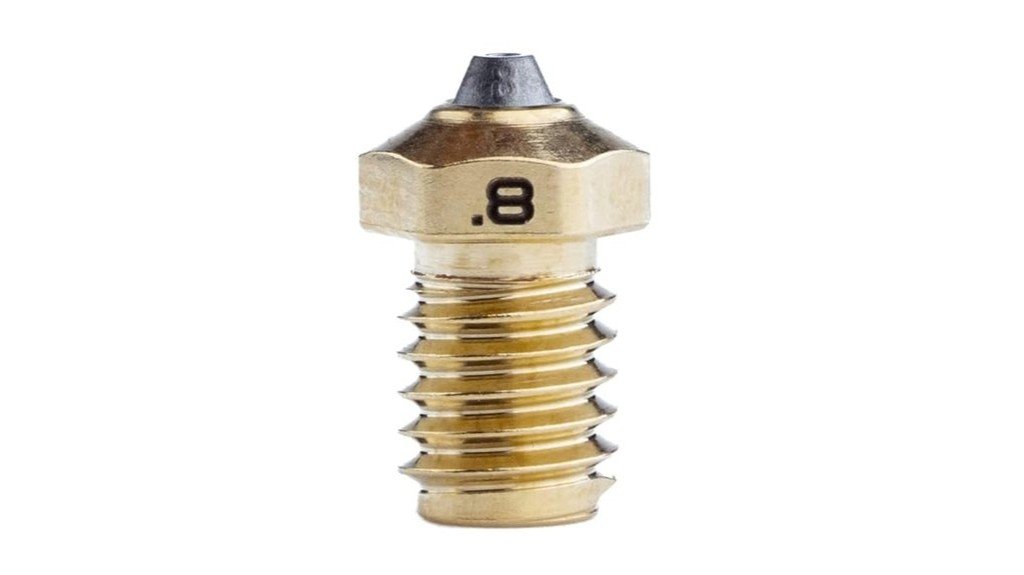
For serious makers who print abrasive or high-strength filaments, the Diamondback V6-compatible nozzle (0.8mm) stands out as a smart, long-lasting choice: its polycrystalline diamond tip gives you dramatically better wear resistance and smoother filament flow, so you can run carbon-fiber and other gritty materials without swapping nozzles constantly. You’ll notice improved thermal transfer and fewer clogs, which helps layer adhesion and lets you print reliably with PLA, PETG, ABS, and composites. It’s pricey, but the PCD tip can outlast tungsten carbide many times over. If you print a lot of abrasive filament, this nozzle pays for itself.
Best For: serious makers and professionals who regularly print abrasive or high-strength filaments and need a long-lasting, low-maintenance nozzle.
Pros:
- Exceptional wear resistance from a polycrystalline diamond tip, greatly extending lifespan versus tungsten carbide.
- Improved thermal conductivity and low friction deliver smoother filament flow, fewer clogs, and better layer adhesion across PLA, PETG, ABS, and composites.
- Enables continuous printing of abrasive materials (e.g., carbon-fiber blends) without frequent nozzle changes, saving time and downtime.
Cons:
- High upfront cost may be prohibitive for casual hobbyists or occasional users.
- Recommended max operating temperature (~300°C) limits use with some high-temperature specialty filaments.
- Durability may be less beneficial for beginners prone to frequent nozzle crashes or misuse.
eSUN 1.75mm Cleaning Filament 100g Spool for 3D Printers (Natural)
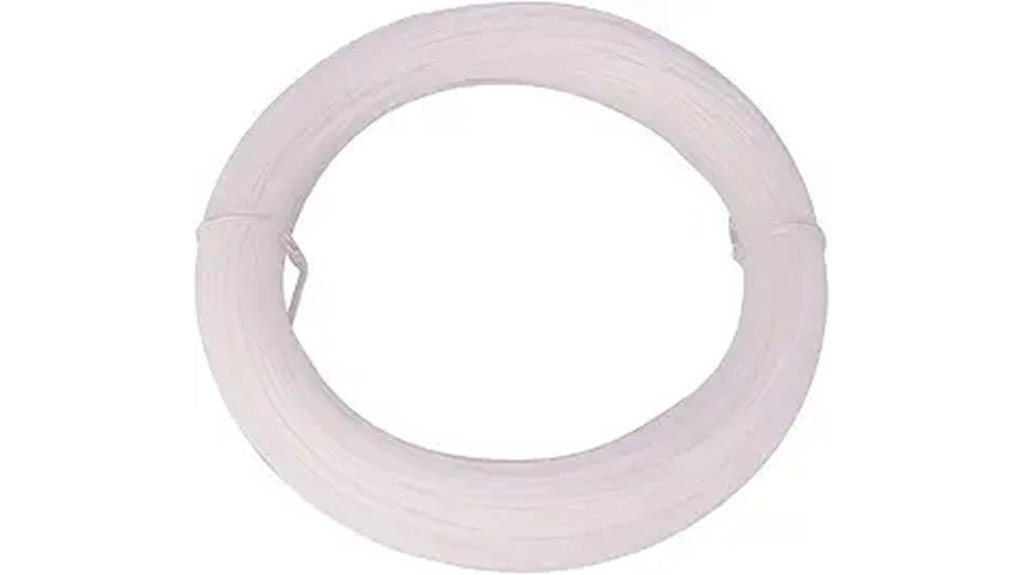
If you want a simple, reliable way to keep your nozzle clear without fuss, the eSUN 1.75mm cleaning filament is a great pick — especially for hobbyists who swap materials often. You’ll get a 100g spool of natural, non-toxic filament that’s meant solely for cleaning, not printing. Run it through before and after prints, or during material changes, at 160–300°C to lift stray bits and prevent clogs. It works with PLA, ABS, PETG and more, and arrives vacuum sealed with desiccant. It’s eco-friendly, easy to use, and saves you time troubleshooting sticky nozzles.
Best For: hobbyist and small-shop 3D printer users who frequently change materials and want a simple, non-toxic way to prevent nozzle clogs.
Pros:
- Environmentally friendly, non-toxic cleaning filament that’s safe to handle.
- Wide usable temperature range (160–300°C) works with PLA, ABS, PETG, and other common materials.
- Comes vacuum sealed with desiccant on a 100g spool—convenient for pre/post-print and material changes.
Cons:
- Cannot be used for regular printing—only for cleaning.
- Small 100g spool may require frequent replacement for heavy users.
- May not remove severe or hardened clogs that require mechanical intervention.
MK8 Brass 3D Printer Nozzles 24-Pack with DIY Tools and Metal Storage Box (Multiple Sizes)
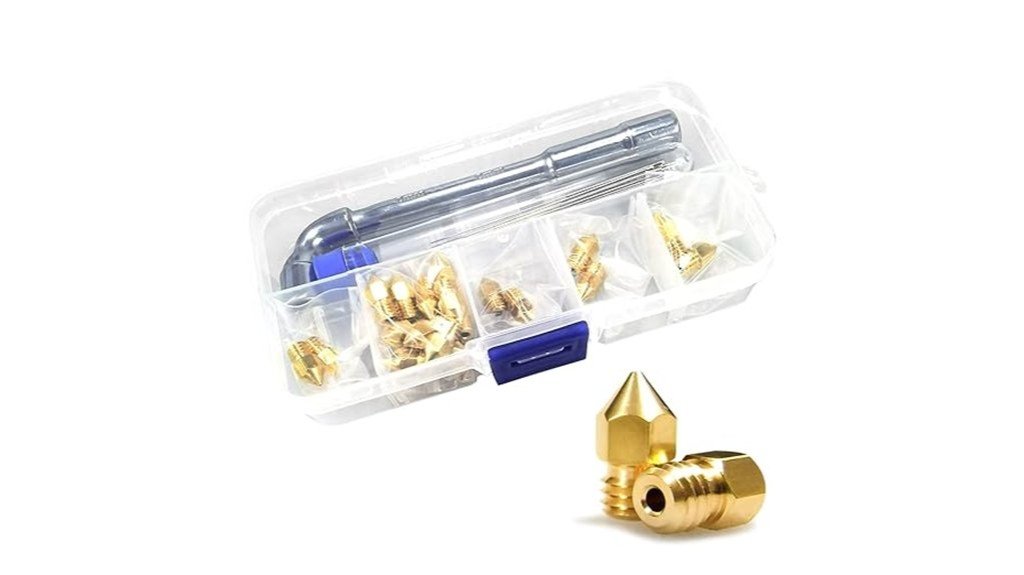
If you’re new to swapping nozzles or just want an inexpensive way to try different print widths, the MK8 Brass 24-pack gives you a lot of options without breaking the bank. You get a range of sizes (0.2–1.0mm), extra needles, and a metal storage box, so you can experiment confidently. Brass heats fast and feeds smoothly, which helps with PLA and ABS, and the marked sizes make swaps simple. It’s compatible with many popular printers, and users say it’s good value despite occasional clogs. Keep spares on hand; replacing a nozzle often fixes printing headaches quickly.
Best For: hobbyists and beginners looking for an affordable, versatile set of MK8 nozzles and tools to experiment with different print widths on common 1.75mm filament printers.
Pros:
- Wide variety of nozzle sizes (0.2–1.0mm) plus spare needles and a metal storage box for flexible experimentation and maintenance.
- Brass construction offers good thermal conductivity and smooth feeding, improving PLA/ABS print performance.
- Good value and broad compatibility with many popular printers (Creality Ender/CR series, Prusa MK2.5S, etc.).
Cons:
- Brass is softer than hardened steel, so nozzles wear faster with abrasive filaments (e.g., carbon fiber or glow-in-the-dark blends).
- Some users report occasional clogging and needle bending, so expect to keep spares and perform maintenance.
- Thread length and fit may vary between hotend models, requiring careful installation to avoid leaks or fit issues.
Factors to Consider When Choosing 3D Printer Nozzles (By Use Case)
When you’re picking a nozzle, think about what you print most—filament type affects material compatibility and how fast you should swap diameters. You’ll want to balance nozzle diameter choice and thermal performance so prints are detailed without taking forever, and consider wear resistance if you’re using abrasive filaments. Also ask how often you’ll maintain or replace the nozzle, because a low-maintenance option can save time and frustration over many prints.
Material Compatibility
Choosing the right nozzle comes down to matching your filament’s needs with the nozzle’s strength and heat handling, and that decision can make a big difference in print quality and part longevity. You’ll pick brass for PLA and ABS because it heats evenly and prints well for everyday projects, but you should expect faster wear if you run abrasive mixes like carbon fiber. If you print high-temp or gritty filaments often, hardened steel gives you durability and fewer clogs. For heavy-duty, long-term use with abrasive blends, polycrystalline diamond offers the best wear resistance, though it costs more. Always balance material choice with the resolution you want: finer detail needs careful temperature control and clog management, so match nozzle toughness to filament abrasiveness.
Nozzle Diameter Choice
You’ve already matched nozzle material to filament abrasiveness and heat needs, and now you’ll want to think about the hole size itself — it’s the part that actually lays down filament and sets the limits on speed, detail, and what kinds of mixes you can push through. Pick a 0.4mm for general use; it’s the reliable middle ground that balances detail and speed for most projects and materials. Go to 0.2mm when you need fine detail and higher resolution, but expect slower prints and more risk of clogs. Choose 1.0mm or larger to cut print time and handle thick, composite, or viscous filaments, though surface finish and intricate features will suffer. Always match nozzle size to filament specs to avoid jams and poor prints.
Thermal Performance
Because the nozzle is the heater’s last stop before filament becomes part of your print, its thermal performance matters more than you might think — it controls how quickly and evenly plastic melts and how steady extrusion stays during long runs. You’ll want a nozzle material that matches your filament: brass conducts heat well for PLA and PETG, but hardened steel, tungsten, or polycrystalline diamond handle higher temps and abrasive mixes without losing stability. Precision-engineered, concentric holes help maintain even temperatures and consistent flow, which improves layer adhesion and reduces clogs on long prints. If you plan to print PEEK or carbon-fiber blends, pick a nozzle rated to 450°C and with superior conductivity. That way your prints stay reliable, even under demanding conditions.
Wear Resistance
While it might seem tempting to stick with a cheap brass nozzle, wear resistance becomes the real deal when you start printing abrasive filaments or running long jobs, and it’s the part that keeps your prints consistent over time. You’ll notice worn nozzles cause uneven flow and more clogs, hurting print quality. Choosing hardened materials like tungsten steel or polycrystalline diamond pays off: they can last two to eight times longer than brass. Check hardness ratings — top nozzles exceed HRC60 — because higher Rockwell numbers mean less abrasion during prolonged use. Abrasive blends with carbon fiber or metal need these tough nozzles to avoid rapid degradation. While cleaning helps, picking the right material is the primary decision for longevity.
Maintenance Frequency
Wear resistance tells you how long a nozzle will hold up against abrasive filaments, but maintenance frequency decides how often you’ll actually need to clean or swap that nozzle to keep prints looking good. You should plan regular upkeep — clean nozzles every three months or after about 0.5 kg of filament — to avoid clogs and poor layers. Choosing hardened steel or diamond nozzles means you’ll replace them less often, which saves hassle when you print abrasive blends. High-temp nozzles that run up to 450°C also cut down clogging with tough materials like carbon fiber. Use a cleaning filament now and then to pull out residue; it really helps. Consistent maintenance improves color fidelity and layer adhesion, so make it part of your routine.
FAQ
Can Nozzle Wear Affect Print Food-Safety or Chemical Contamination?
1. Can worn nozzles contaminate food-safe prints?
Yes, worn nozzles can shed metal particles or other contaminants that may compromise the safety of food prints.
2. What types of residues can be transferred between materials?
Residues from previous printing materials, including plastics or chemicals used in non-food-safe applications, can be transferred if nozzles are not regularly cleaned or replaced.
3. How often should nozzles be inspected for food safety?
Nozzles should be inspected regularly, especially if they are used for printing food-contact items, to ensure they are free from wear and contamination.
4. What is the importance of using food-safe coatings?
Using food-safe coatings on nozzles can help prevent contamination and ensure that any potential residues do not affect the safety of food prints.
5. Should tools used for food-contact prints be dedicated?
Yes, it’s advisable to dedicate tools and equipment specifically for food-contact prints to minimize the risk of cross-contamination.
6. What are the signs that a nozzle may be worn?
Signs of a worn nozzle include inconsistent extrusion, visible damage, or a change in print quality, which could indicate potential contamination risks.
7. Can metal particles from nozzles pose a health risk?
Yes, metal particles can pose significant health risks if ingested, making it crucial to maintain nozzle integrity for food-safe applications.
8. What should I do if I suspect contamination from a nozzle?
If contamination is suspected, it’s best to halt printing, clean or replace the nozzle, and thoroughly inspect the entire printing setup before continuing.
9. Are there specific materials recommended for food-safe 3D printing?
Yes, select materials that are specifically labeled as food-safe and ensure that your printing process adheres to food safety guidelines.
10. What maintenance practices can reduce the risk of contamination?
Regularly cleaning nozzles, inspecting them for wear, and using dedicated equipment for food-safe printing can significantly reduce contamination risks.
How Do Nozzle Diameters Influence Print Time Versus Layer Strength?
1. How do larger nozzle diameters affect print time?
Larger nozzle diameters increase print speed by extruding more filament per pass, significantly reducing total print time.
2. What impact do larger nozzles have on print detail?
While larger nozzles speed up printing, they tend to diminish fine detail in the printed object, which may not be suitable for intricate designs.
3. How do smaller nozzles influence layer strength?
Smaller nozzles enhance layer strength by allowing for more precise extrusion, which improves interlayer bonding and overall structural integrity.
4. What is the trade-off when using smaller nozzles?
Using smaller nozzles results in longer print times due to reduced filament flow, requiring more passes to achieve the same volume of material.
5. Can nozzle size affect the precision of interlayer bonding?
Yes, larger nozzles can lower the precision of interlayer bonding, while smaller nozzles provide better bonding due to finer control over filament placement.
6. Is it possible to achieve fine details with larger nozzles?
Achieving fine details is challenging with larger nozzles, as they are designed for speed rather than precision, making them less ideal for detailed work.
7. What is the best nozzle size for detailed prints?
For detailed prints requiring high fidelity, smaller nozzles are preferable as they allow for more accurate extrusion and better definition of features.
8. How does nozzle diameter affect material consumption?
Larger nozzles consume more filament in a shorter time, which may lead to increased material usage if not monitored closely.
9. Are there applications where larger nozzles are preferable?
Yes, larger nozzles are ideal for rapid prototyping or functional parts where speed is prioritized over fine detail or surface finish.
10. What should I consider when choosing a nozzle size?
Consider the balance between print speed and detail required for your specific project, as well as the material properties and desired layer strength.
Can Nozzle Type Change Slicer Settings Beyond Temperature?
1. How does nozzle type affect slicer settings?
Nozzle type influences various slicer settings, including retraction, print speed, extrusion multiplier, layer height, and cooling.
2. What adjustments are needed for different nozzle types?
Different nozzle types require specific adjustments; for example, abrasive nozzles may need flow compensation, while larger nozzles necessitate changes in acceleration and print order strategies.
3. Does nozzle size impact layer height settings?
Yes, larger nozzles typically allow for thicker layer heights, which can speed up printing but may affect detail and surface finish.
4. How does retraction setting vary with nozzle type?
Retraction settings must be fine-tuned based on nozzle type to prevent stringing and ensure smooth filament flow during printing.
5. What is the relationship between nozzle type and print speed?
The nozzle type can dictate optimal print speeds; larger nozzles can generally handle faster speeds due to increased material flow.
6. Why is extrusion multiplier important when changing nozzle types?
The extrusion multiplier adjusts the amount of filament being pushed through the nozzle, which may need to be recalibrated when changing to a different nozzle type.
7. How does cooling requirement change with nozzle type?
Different nozzle types may require adjustments to cooling settings; for instance, faster prints with larger nozzles may need enhanced cooling to prevent issues like warping.
8. What is flow compensation in the context of nozzle types?
Flow compensation is an adjustment made primarily for abrasive nozzles to ensure the correct amount of filament is extruded, accounting for wear and inconsistencies.
9. Can nozzle type affect the overall print quality?
Absolutely, nozzle type influences the overall print quality, impacting details, surface finish, and the ability to handle various materials.
10. Are there specific settings for abrasive nozzles?
Yes, abrasive nozzles often require unique settings, including flow compensation and potentially different retraction parameters, to optimize print performance.
Are There Best Nozzles for Printing Flexible (TPU) Filaments?
1. What type of nozzle is best for printing TPU filaments?
A hardened, polished, or brass nozzle is ideal for TPU printing. These materials help withstand the wear from flexible filaments.
2. What nozzle diameter should I use for TPU?
Using a nozzle diameter of 0.5–0.6mm is recommended for printing TPU. This size helps facilitate smoother filament flow.
3. How does nozzle smoothness affect TPU printing?
A smooth throat on the nozzle reduces the risk of jams and abrasion during printing. This allows for better filament flow and feeding.
4. Why is it important to reduce jams when printing TPU?
Reducing jams is crucial for maintaining a continuous print process with flexible filaments. Jams can disrupt the flow and affect the quality of the print.
5. How does nozzle choice impact the surface finish of TPU prints?
A well-chosen nozzle improves filament flow, which in turn enhances the surface finish of the printed object. This leads to more polished and professional-looking results.
6. Can I use a standard nozzle for TPU printing?
While you can use a standard nozzle, it is not recommended due to potential issues with jams and filament flow. Specialized nozzles are designed to handle flexible materials better.
7. What happens if I use a smaller nozzle for TPU?
Using a smaller nozzle may lead to increased risk of clogs and poor filament flow. This can result in print defects and surface imperfections.
8. Are there any specific brands of nozzles recommended for TPU?
While many brands offer suitable nozzles, look for those specifically labeled for use with flexible filaments. Hardened and polished options are often preferred.
9. Is it necessary to change the nozzle when switching to TPU?
Yes, changing to a nozzle that accommodates TPU can significantly improve print quality. It is advisable to switch to a larger diameter and smoother throat nozzle.
10. What maintenance should I perform on nozzles used for TPU?
Regular cleaning of the nozzle is essential to prevent buildup from the flexible filament. Monitor for wear and replace the nozzle as needed to maintain print quality.
How Often Should You Replace Nozzles for High-Abrasion Filaments?
1. How often should I replace nozzles for high-abrasion filaments?
Nozzles should be replaced every 10–50 hours of printing with high-abrasion filaments, depending on usage and the type of nozzle.
2. What signs indicate I need to replace my nozzle?
Look for signs such as wear, clogs, or poor surface quality in your prints, as these indicate that the nozzle may need replacement.
3. Do softer nozzles wear out faster than harder ones?
Yes, softer nozzles tend to wear out more quickly when printing with high-abrasion filaments, requiring more frequent replacements.
4. How do hardened nozzles compare in durability?
Hardened or plated nozzles generally last longer than softer ones, allowing for extended printing before needing a replacement.
5. What is the impact of using high-abrasion filaments on nozzle life?
High-abrasion filaments can cause increased wear on nozzles, leading to more frequent replacements compared to standard filaments.
6. Can I visually inspect my nozzle for wear?
Yes, a visual inspection can help identify wear or damage, but it’s also important to monitor print quality as an indicator of nozzle condition.
7. What should I do if I experience frequent clogs?
Frequent clogs may indicate that it’s time to replace the nozzle, especially if it is an older one or if it has been used for many hours.
8. Is there a way to prolong the life of my nozzles?
Using the appropriate nozzle type for the filament and maintaining optimal printing temperatures can help prolong nozzle life.
9. How do I know if my prints have poor surface quality due to a worn nozzle?
Signs of poor surface quality include rough textures, inconsistencies, or layer adhesion issues in your printed objects, which can be linked to nozzle wear.
10. Are there specific nozzles recommended for high-abrasion filaments?
Yes, using hardened or coated nozzles is recommended for high-abrasion filaments, as they are designed to withstand the wear and tear better than standard nozzles.
Final Thoughts
Now that you’ve reviewed the top nozzle options, it’s time to make a choice that aligns with your printing style. If you’re looking for reliability in everyday use, go with the MK8 brass nozzle. For projects requiring high temperatures and exceptional toughness, a hardened steel nozzle is your best bet. When working with abrasive filaments, the Diamondback nozzle is the way to go. Additionally, invest in 3D Fuel or eSUN cleaning filaments to maintain optimal flow and prevent clogs. By doing so, you’ll achieve cleaner prints, spend significantly less time dealing with blockages, and see marked improvements in your results. For maximum efficiency, consider pairing a wear-resistant nozzle with cleaning filament—you’ll quickly notice the enhanced performance.