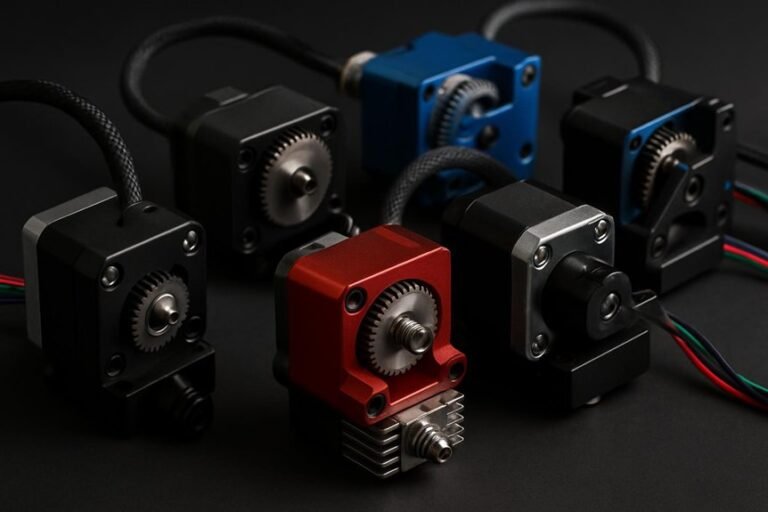
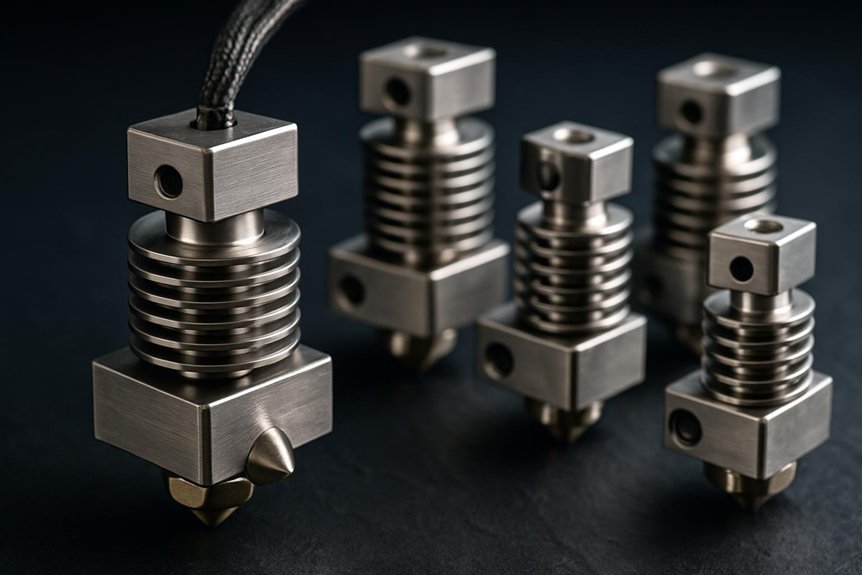
If you print with high-temp filaments, you want a hotend that won’t quit on you when temperatures climb. I’ll walk you through five all‑metal hotends that hit up to 350°C, manage heat creep well, and swap nozzles quickly—so you can move from PLA to Nylon or Polycarbonate without drama. I’ll point out where each shines and where to watch for fit or cooling issues, so you can pick the right upgrade for your machine.
Creality K2 / K2 Pro Ceramic Heating Block Hotend Kit for 3D Printers
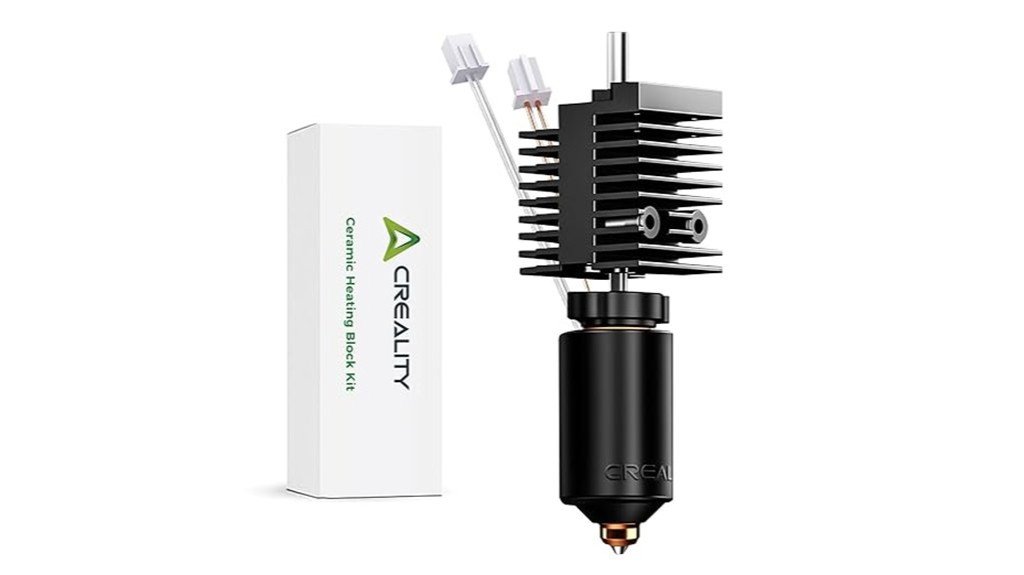
If you’re after speed and reliable high-temperature performance, the Creality K2/K2 Pro Ceramic Heating Block Hotend Kit is a smart pick — think of it as a fast, steady workhorse for your printer. You’ll get an all-metal design that handles up to 350°C, a 70W heater pushing 40mm³/s flow, and support for printing up to 600mm/s. The 360° ceramic heater spreads heat evenly, while a titanium alloy heat break limits heat creep. Nozzles suit many filaments and swap quickly. Users praise easy install and better prints, though you should check connectors for K1 or K1 MAX compatibility.
Best For: Makers and prosumers who need high-speed, high-temperature 3D printing performance (K2/K2 Pro owners upgrading for faster flow rates and broader material compatibility).
Pros:
- 70W heater and 360° ceramic surround deliver fast, uniform heating with a 40mm³/s flow rate for high-speed prints.
- All-metal design with titanium alloy heat break and hardened/copper-alloy nozzles supports many filaments up to 350°C.
- Quick-swap nozzle kit and generally easy installation improve uptime and maintenance.
Cons:
- Potential connector compatibility issues with K1 and K1 MAX models — adapters may be required.
- Higher-temperature, high-speed operation may demand additional tuning and cooling management.
- Some users report occasional fitment or instruction ambiguities, so careful verification before installation is advised.
Microswiss FlowTech Hotend for Elegoo Neptune 4 Plus / 4 Max
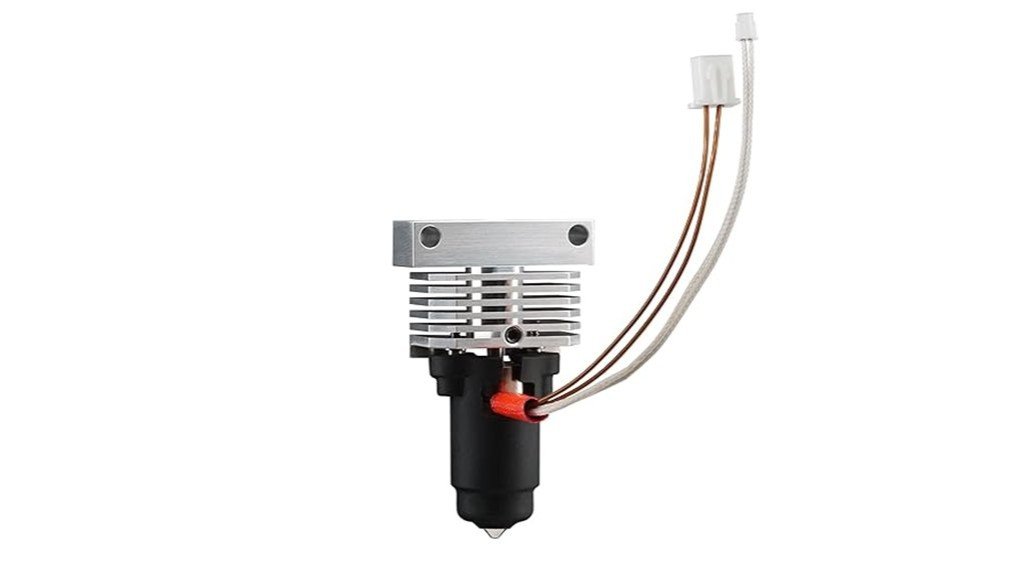
The Microswiss FlowTech Hotend for the Elegoo Neptune 4 Plus and 4 Max is a great pick for makers who want easier nozzle changes and higher flow without rebuilding their firmware, because it combines a leak‑proof nozzle and thermal break into a sealed, all‑metal assembly that lets you swap nozzles cold with one hand. You’ll enjoy an all‑metal, in‑house machined unit with a ceramic heater and a long 28.6mm melt zone for strong volumetric flow and cleaner large prints. Installation is plug‑and‑play, but check heater fittings and calibrate flow, VFA, and linear advance. Watch for occasional clogs and initial leaks; support is responsive.
Best For: makers using the Elegoo Neptune 4 Plus/4 Max who want easy cold nozzle changes and higher volumetric flow without firmware changes.
Pros:
- Leak‑proof sealed nozzle + thermal break enables one‑hand cold nozzle swaps and reduces maintenance hassle.
- All‑metal, in‑house machined design with a ceramic heater and long 28.6 mm melt zone for higher flow and stronger large prints.
- Plug‑and‑play installation with no firmware changes required; responsive customer support and warranty backing.
Cons:
- Some users report occasional clogs after extended use, requiring maintenance or reverting to stock hotend.
- Initial leaks have been reported unless fittings are checked and the assembly heated above expected print temps.
- Higher price than stock hardware, with mixed opinions on whether the performance gain justifies the cost.
Microswiss FlowTech Hotend for Elegoo Neptune 4/4 Pro
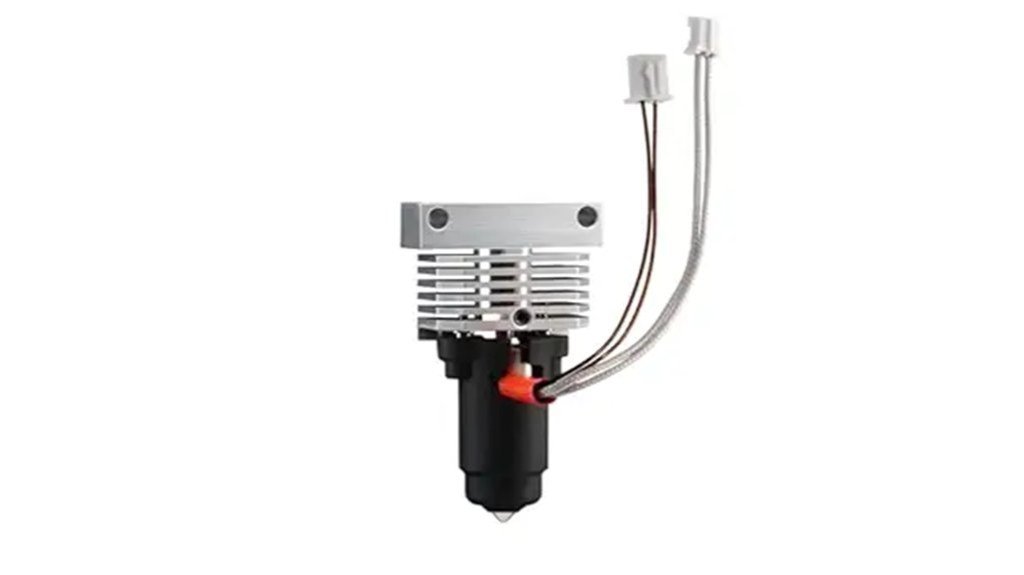
For anyone who wants to squeeze noticeably better speed and reliability out of an Elegoo Neptune 4 or 4 Pro, the Microswiss FlowTech Hotend is a clear upgrade choice — it’s built around a leak-proof, all-metal assembly that combines the nozzle and thermal break into a sealed unit so you can swap nozzles cold with one hand and skip hot-tightening hassles. You’ll get higher flow from a ceramic heater and a long melt zone, letting you push PETG and PLA faster and cleaner. Installation can need mods and tweaks, but users call it transformative for speed, heat-creep reduction, and overall print quality.
Best For: Anyone with an Elegoo Neptune 4 or 4 Pro (or similar Bowden/direct-drive setups) who wants higher volumetric flow, fewer heat-creep issues, and easier nozzle swaps to significantly improve print speed and reliability.
Pros:
- Leak-proof, all-metal sealed nozzle/thermal break allows one-handed cold nozzle changes and eliminates hot-tightening hassles.
- High-flow design with ceramic heater and extended melt zone enables much higher volumetric flow and faster, cleaner PETG/PLA prints.
- Durable, machined in-house construction with many users reporting transformative improvements in print quality and speed.
Cons:
- Installation can require printer modifications (drilling, sensor repositioning) and tuning to work optimally.
- Some users have experienced clogging or extrusion issues after upgrade, requiring troubleshooting.
- Rated to 300°C but may need compatible thermistor tuning and careful setup for high-temp materials.
Microswiss All Metal Hotend Kit for Creality CR-10 / Ender 2/3/5 Printers (.4mm)
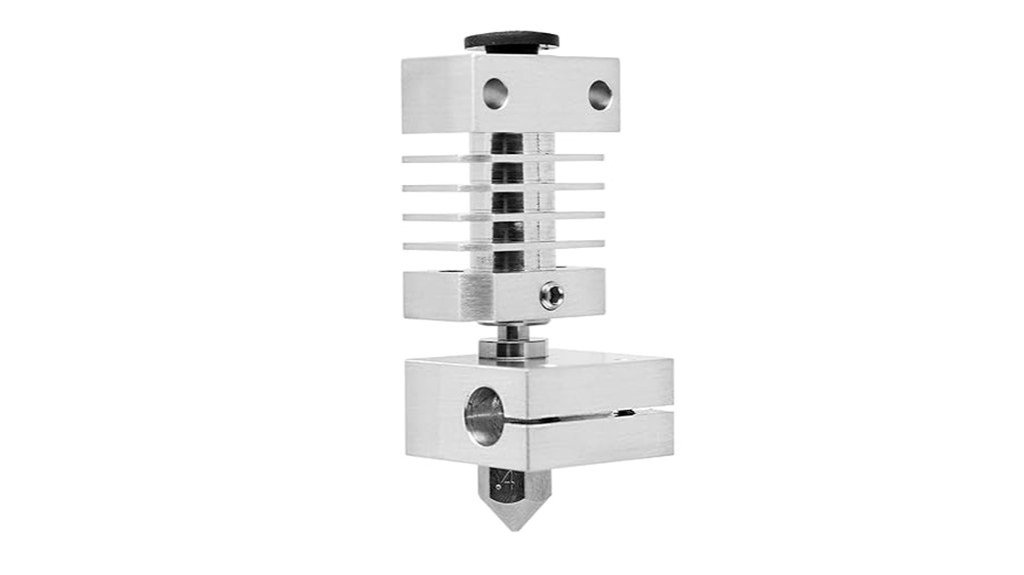
Upgrading your Creality printer with the Microswiss All Metal Hotend Kit gives you a drop-in solution that’s built for durability and smoother prints, especially if you’ve been battling heat creep or worn-out nozzles. You get a 0.4mm MK8 brass-plated nozzle, titanium heat break, aluminum cooling and heater blocks, and a silicone sock — all made in the USA. Installation’s straightforward with common tools, and heats fast to ~200°C in 20–25 seconds. Prints are cleaner at high speeds and with PLA, PETG, nylon, or flexibles, though aluminum limits extreme temps. It’s reliable, maybe a bit pricey, but worth it.
Best For: Upgrading Creality CR-10 / Ender-series printers owners who want a durable, drop-in all-metal hotend for smoother high-speed prints and better filament compatibility (PLA, PETG, nylon, flex).
Pros:
- Drop-in all-metal conversion with high-quality components (titanium heat break, aluminum blocks, brass-plated MK8 0.4mm nozzle) made in the USA.
- Reduces heat creep and enables cleaner, more consistent extrusion at higher speeds; fast heat-up (~200°C in 20–25s).
- Broad material compatibility (PLA, PETG, nylon, flexible filaments) and generally straightforward installation with common tools.
Cons:
- Aluminum heater block limits extreme high-temperature printing; may not enable full Nylon performance and only raises safe temps by ~5°C.
- Some users find the kit somewhat pricey compared with alternatives; copper blocks required for more high-temp work add cost.
- Ender firmware temperature limits (≈260°C) and PID/firmware changes pose risks—beginners may struggle with installation or settings.
Microswiss All Metal Hotend Kit for CR-10s Pro / CR-10 Max / Ender 3 V2 Neo
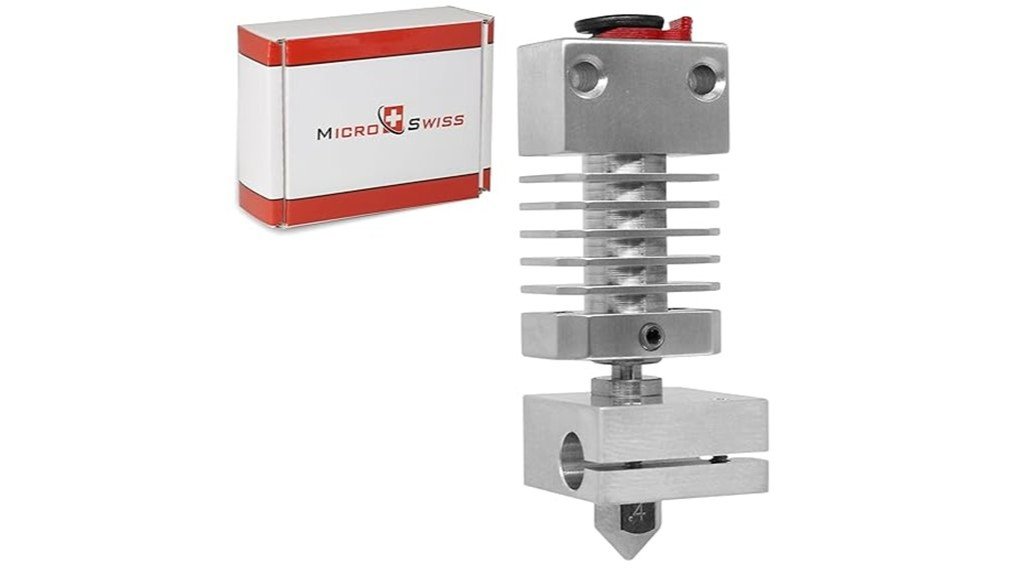
If you want a straightforward, reliable all-metal upgrade that drops into popular Creality machines with almost no fuss, the Microswiss All Metal Hotend Kit is a strong pick. You’ll install it in about ten minutes and won’t need printer mods. Its cooling block removes the thermal tube, so heat leaves faster, and the Grade 5 titanium heat break cuts thermal conductivity considerably, keeping the melt zone tight. That means fewer clogs and better prints with PLA, PETG, and ABS, including higher-temperature jobs without PTFE risks. Support is solid, hardened nozzles are recommended, and the price matches USA-made quality.
Best For: makers and hobbyist 3D printer owners of CR-10s Pro / CR-10 Max / Ender 3 V2 Neo who want a quick, reliable all‑metal hotend upgrade for higher‑temperature and more consistent printing without printer modifications.
Pros:
- Drop‑in installation (≈10 minutes) with no printer mods required.
- Grade 5 titanium heat break and cooling block reduce heat creep and tighten the melt zone for fewer clogs and better high‑temp printing.
- Strong customer support and compatibility with hardened nozzles for abrasive filaments.
Cons:
- Medium price point — higher cost than some generic hotends, which may affect perceived value.
- Some users may prefer combining with compact extruders for optimal setup (not included).
- Limited to specific Creality models (CR-10s Pro / CR-10 Max / Ender 3 V2 Neo) — not universal.
Factors to Consider When Choosing All Metal Hotends (2026)
When you pick an all-metal hotend, think first about thermal performance and stability—consistent heat means cleaner prints and fewer clogs. Check the maximum temperature rating and heat break material so you can run high-temp filaments reliably, and make sure the nozzle options match the materials and layer details you want. Also consider how easy it is to swap nozzles and perform maintenance, since fast, tool-free servicing keeps your printer up and running with less frustration.
Thermal Performance and Stability
1 key thing to check with any all-metal hotend is how well it manages heat, because that directly affects print quality and reliability. You want a hotend made from high-conductivity materials like titanium alloys so heat moves predictably through the melt zone, keeping extrusion steady. Designs that remove thermal tubes reduce heat creep and help the heatsink do its job, which means fewer unexpected clogs. When a hotend holds a stable temperature, your layers bond consistently and stringing drops. Good thermal isolation around the filament path also matters; it prevents softening above the nozzle and keeps prints reliable when you switch materials. Think of it like tuning an engine: balanced heat control gives smoother performance and lets you try tougher filaments with confidence.
Maximum Temperature Rating
Think of a hotend’s maximum temperature like its top speed: it determines what materials you can safely run and how well the nozzle will perform under strain. Most all-metal hotends are rated between 300°C and 350°C, so you can print high-temp filaments like Nylon and Polycarbonate without constant worry. Higher ratings let you use tougher materials that give stronger, more durable parts, and they help keep extrusion consistent at faster print speeds. Models over 300°C often use special alloys, like titanium blends, to control heat flow and reduce heat creep. Before you buy, check that your printer’s firmware, thermistor, and heater can handle those temps — mismatched components cause failures. Pick a rating that matches the materials you plan to print.
Heat Break Material Choice
A good heat break can make or break your printing experience, so it’s worth choosing the right material for your hotend. You want a heat break that isolates heat well, because lower thermal conductivity keeps the melt zone tight and cuts heat creep that causes jams. Grade 5 titanium alloys are popular because they conduct heat nearly three times less than stainless steel, are lightweight, and resist thermal fatigue — useful if you print at high temps often. A well-designed titanium heat break will improve extrusion consistency and longevity, especially with high-temperature filaments. All-metal designs generally handle hotter materials better, but material choice affects reliability, maintenance, and how often you’ll swap parts. Pick quality to avoid future failures.
Nozzle Compatibility and Options
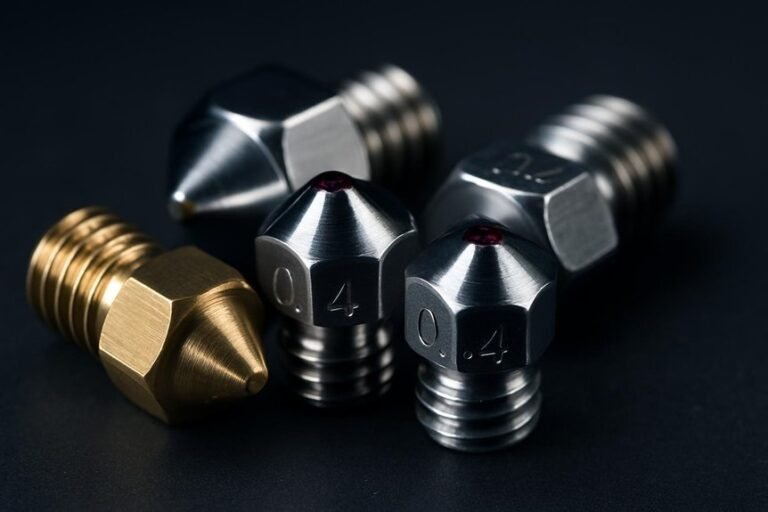
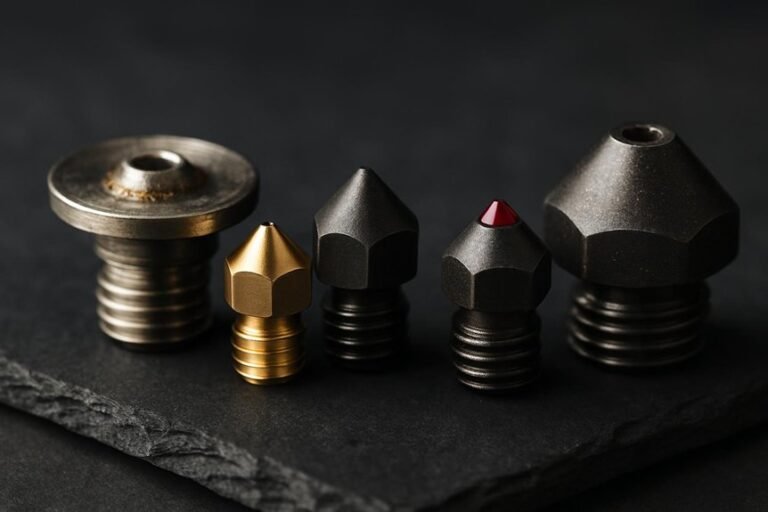
Because the nozzle is where your filament meets the world, picking the right type and size matters more than most people realize — you’ll change print quality, speed, and what materials you can use just by swapping it. Choose from brass, copper alloy, or hardened steel nozzles depending on need: brass for everyday PLA and PETG, hardened steel for abrasive carbon-fiber blends, and copper alloys when you want better thermal transfer. Standard sizes like 0.4mm are versatile, but having interchangeable sizes lets you tune resolution versus flow. Check nozzle temperature ratings so you can run high-temp filaments safely. Look for leak-proof designs and cold-change compatibility, and favor hotends that accept quick-swap kits to speed changes between nozzle types.
Ease of Maintenance / Swaps
While you might love tinkering, ease of maintenance should be high on your hotend checklist so you won’t spend more time fixing than printing. Look for cold nozzle change capability so you can swap nozzles safely without heating up the block; it’s faster and less risky. Quick-swap nozzle kits make disassembly nearly painless, and you’ll appreciate fewer tools and less fiddling between jobs. Sealed assemblies that combine nozzle and thermal break reduce leaks, meaning you’ll clean and replace parts less often. Durable materials like titanium alloys and ceramic heaters also extend service intervals. Finally, read user notes and installation guides to confirm compatibility with your printer, because even the best design becomes annoying if it doesn’t fit or lacks clear instructions.
Firmware and Sensor Needs
If you want your new all-metal hotend to run smoothly, your firmware and sensors need to be right for the job — otherwise you’ll see unstable temps, failed prints, or even safety cutoffs. Check that your firmware supports the higher max temperature if the hotend exceeds stock ratings; otherwise you’ll hit limits or trip protections. Many hotends work with the same NTC thermistor but need sensor calibration so readings match the nozzle, and that often avoids firmware hacking. After installation, tune PID values to tighten temperature swings; it makes prints cleaner. Some designs with different thermal breaks require firmware tweaks so the controller understands new thermal behavior. Always verify sensor compatibility first, since a mismatch leads to bad readings and wasted filament.
FAQ
Can All-Metal Hotends Cause Heat Creep With TPU or PETG Filaments?
FAQ 1: Can all-metal hotends cause heat creep with TPU or PETG?
Yes, all-metal hotends can experience heat creep when printing with TPU or PETG due to inadequate cooling.
FAQ 2: What is heat creep?
Heat creep occurs when heat travels up the filament path, causing the filament to soften prematurely, which can lead to jams and poor print quality.
FAQ 3: How can I prevent heat creep when using TPU or PETG?
To prevent heat creep, ensure you have effective active heatsink cooling and a proper thermal break in your hotend.
FAQ 4: Does print speed affect heat creep?
Yes, lower print speeds can help reduce heat creep by allowing the filament to cool adequately before it reaches the hotend.
FAQ 5: Is retraction important for preventing heat creep?
Absolutely! Properly tuned retraction settings can minimize the amount of melted filament in the heat break, reducing the risk of heat creep.
FAQ 6: What role does cooling play in preventing heat creep?
Active cooling is crucial as it helps dissipate heat from the hotend, preventing it from affecting the filament before it enters the melt zone.
FAQ 7: Can I use an all-metal hotend for all filaments?
While all-metal hotends are versatile, they require careful management when printing flexible filaments like TPU and higher-temperature filaments like PETG.
FAQ 8: What specific cooling methods are effective?
Using a dedicated fan for the heatsink area can significantly improve cooling efficiency and help prevent heat creep.
FAQ 9: Are there specific temperature settings for TPU and PETG?
Yes, each filament type has its recommended temperature range; keeping within these limits is essential for optimal printing and minimizing heat creep.
FAQ 10: What happens if I ignore heat creep issues?
Ignoring heat creep can lead to filament jams, inconsistent extrusion, and ultimately poor print quality, making it crucial to address this issue proactively.
Are These Hotends Compatible With My Printer’s Stock Thermistor/Firmware?
1. Can I use my stock thermistor with a new hotend?
Yes, in most cases, you can keep your stock thermistor, but it’s essential to confirm compatibility with the new hotend.
2. How do I verify thermistor type?
Check the specifications for both the stock thermistor and the new hotend to ensure they are the same type, as differing thermistor types can affect temperature readings.
3. What should I check for connector compatibility?
Ensure the connectors for the thermistor and hotend match. If they don’t, you may need to modify or replace the connectors.
4. Are there any firmware limitations I should consider?
Yes, verify the firmware’s temperature limits to ensure it can handle the new hotend’s requirements, especially if it supports higher temperatures.
5. What if the thermistors are different types?
If the thermistors differ, you’ll need to update your firmware settings to reflect the new thermistor’s PID and temperature characteristics.
6. How do I update the PID settings?
You can adjust the PID settings through your printer’s firmware configuration files or using a PID tuning procedure in your printer’s software.
7. Will I need to change wiring when installing a new hotend?
Potentially, if the new hotend has different wiring requirements or connector types, you may need to adapt the wiring accordingly.
8. Is it safe to use a new hotend with an incompatible thermistor?
No, using an incompatible thermistor can lead to inaccurate temperature readings, which may pose risks like overheating or underheating.
9. What tools do I need to check compatibility?
You may need a multimeter to check resistance values of thermistors and a basic understanding of your printer’s wiring and firmware.
10. What resources can help me with firmware adjustments?
Consult your printer’s manual, online forums, or the manufacturer’s website for specific guidance on firmware adjustments related to hotend changes.
Do Any of These Hotends Include Lifetime Warranties or Replaceable Nozzles?
1. Do any hotends come with a lifetime warranty?
Yes, some hotends do offer limited lifetime warranties. It’s essential to review the warranty terms specific to each model to understand the coverage.
2. Are there hotends with replaceable nozzles?
Most hotends feature replaceable nozzles. This allows users to switch nozzles based on their printing needs and materials.
3. Can I use hardened nozzles for abrasive filaments?
Yes, hardened nozzles are available and recommended for high-temperature and abrasive filaments. They provide better durability and longevity when printing with these materials.
4. How can I check a hotend’s nozzle compatibility?
You can check each hotend’s specifications or product documentation to determine nozzle compatibility. This information is often found on the manufacturer’s website or product listing.
5. Is there a difference between standard and hardened nozzles?
Yes, hardened nozzles are designed to withstand abrasive materials and higher temperatures compared to standard nozzles. This makes them ideal for advanced printing applications.
6. Are all hotends compatible with high-temp filaments?
Not all hotends are compatible with high-temperature filaments. Be sure to verify the maximum temperature rating of the hotend before using such materials.
7. What should I consider when choosing a hotend?
Consider factors like warranty terms, nozzle compatibility, and the ability to handle high-temp or abrasive filaments. These features can significantly impact your printing experience.
8. Can I swap nozzles between different hotend brands?
Nozzle compatibility varies by brand and model, so it’s crucial to check specifications. Generally, nozzles are not interchangeable between different hotend brands.
9. Are there any additional costs associated with replaceable nozzles?
Yes, while hotends may come with a standard nozzle, additional nozzles—especially hardened ones—often require separate purchases. Budget for these extras if you plan to print with diverse materials.
10. Where can I find more information about specific hotend warranties?
You can find warranty information on the manufacturer’s website, in product manuals, or by contacting customer support. Always check before making a purchase to ensure you understand the coverage.
Can I Install These Hotends Without Soldering or Advanced Tools?
1. Can I install these hotends without soldering?
Yes, most hotends are designed for easy installation without the need for soldering.
2. What tools do I need for the installation?
Common hand tools are typically sufficient for bolt-on replacements, so you won’t need any advanced tools.
3. Are there any wiring requirements?
While soldering isn’t necessary, some setups may require basic wiring or connector swaps to complete the installation.
4. Do I need to make adjustments during installation?
Occasional adjustments to the heat block may be necessary to ensure proper fit and function.
5. Is it safe to install these hotends on my own?
As long as you follow the instructions carefully and use the appropriate tools, it is generally safe to install hotends yourself.
6. Can I use these hotends with any 3D printer?
Not all hotends are compatible with every 3D printer, so check the specifications for your specific model before installation.
7. Will the installation void my printer’s warranty?
Modifying your printer by installing a new hotend might void the warranty, so it’s important to check your printer’s warranty policy beforehand.
8. How long does the installation process take?
The installation time can vary, but many users report completing the process in under an hour with the right tools.
9. Can I return the hotend if it doesn’t fit?
Most retailers have return policies, but ensure you understand their guidelines regarding compatibility issues before purchasing.
10. What if I encounter issues during installation?
If you run into problems, consult the manufacturer’s support resources or user forums for troubleshooting tips and advice.
What Maintenance Schedule Should I Follow for High-Temp Printing Longevity?
FAQ 1: How often should I inspect and clean my hotend and nozzle?
You should inspect and clean your hotend and nozzle weekly to ensure optimal performance and prevent clogs.
FAQ 2: How often do I need to replace the nozzle?
Nozzles should be replaced every 1–3 months, depending on the frequency of use and the type of materials being printed.
FAQ 3: What should I do after completing high-temperature jobs?
After high-temp jobs, it’s important to purge and re-tension the filament path to maintain print quality and prevent issues.
FAQ 4: How frequently should I lubricate the bearings?
Bearings should be lubricated monthly to ensure smooth movement and to prevent wear and tear over time.
FAQ 5: When should I perform a full teardown of my printer?
A full teardown should be performed yearly to thoroughly clean and inspect all components for wear or damage.
FAQ 6: What are the signs that my hotend needs cleaning?
Signs that your hotend needs cleaning include inconsistent extrusion, clogged nozzles, or unusual noises during printing.
FAQ 7: How can I tell if my nozzle needs to be replaced?
If you notice poor print quality, frequent clogs, or if the nozzle is visibly damaged or worn, it’s time to replace it.
FAQ 8: What does purging the filament path involve?
Purging the filament path involves removing any residual filament and ensuring proper tension in the extruder to avoid future jams.
FAQ 9: Can I use any lubricant for the bearings?
It’s best to use a lubricant specifically designed for 3D printer bearings to ensure compatibility and effectiveness.
FAQ 10: What should I check during a full teardown?
During a full teardown, inspect the hotend, nozzle, bearings, belts, and wiring for any signs of wear or damage, and clean all components thoroughly.
Final Thoughts
When it comes to all-metal hotends capable of handling high temperatures, fast swaps, and superior thermal control, you need to make a choice that aligns perfectly with your printer and the filaments you intend to use. Prioritize key factors like maximum temperature, heat-bridge design, nozzle compatibility, and ease of maintenance before making your purchase. If you’re upgrading, be prepared for a bit of a learning curve, but rest assured that once you’ve dialed it in, you’ll experience enhanced reliability and stronger prints. With the right hotend, you’ll be tackling challenging materials like Nylon and Polycarbonate with confidence and ease. Don’t settle for less—choose wisely and elevate your printing game.