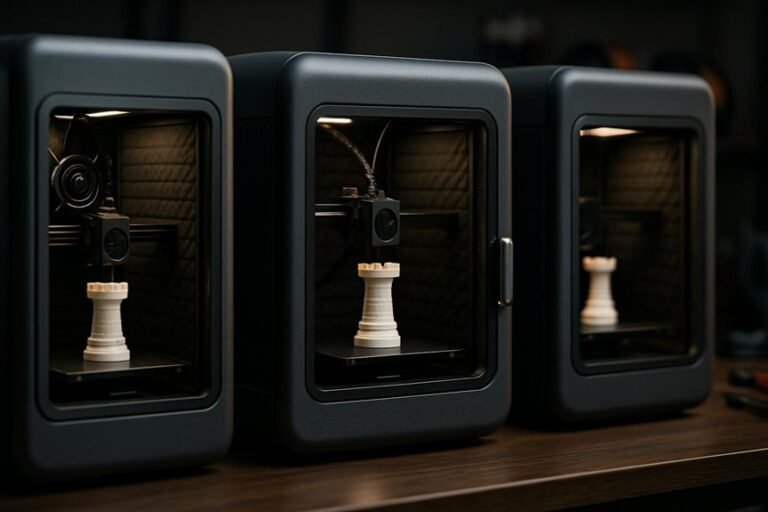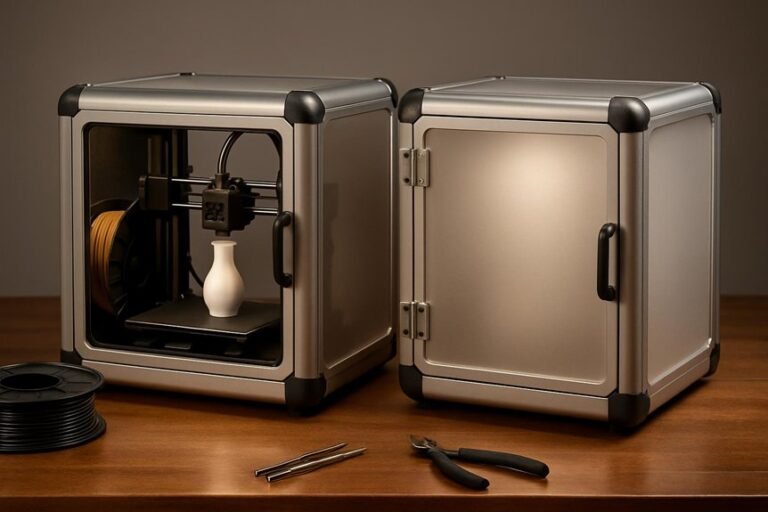
If you want to keep prints warm without spending much, a good enclosure makes a big difference. You’ll get steadier temperatures, fewer warps, and less dust on prints, all with simple, budget-friendly options. I’ll walk you through four solid enclosures—each fits common printers and keeps heat where it’s needed—so you can pick one that suits your setup and budget. Ready to see which might work best for your printer?
3D Printer Enclosure with Ventilation Kit & LED Lighting (400 x 480 x 600mm)
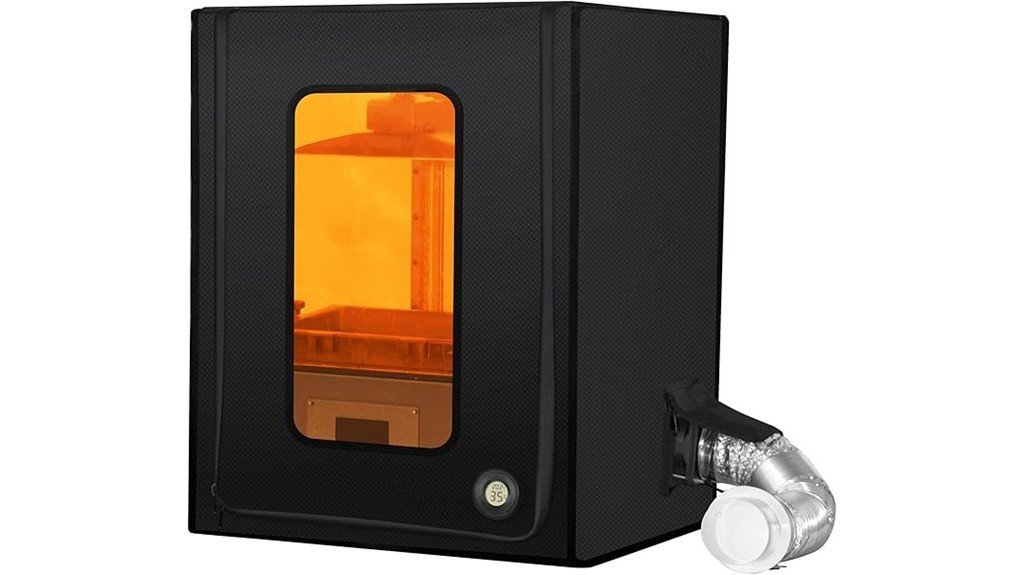
If you’re working with a small resin printer and want a low-cost way to cut fumes, control temperature, and keep prints consistent, this 3D Printer Enclosure with Ventilation Kit & LED Lighting is a smart pick. You’ll fit printers like ANYCUBIC Photon Mono or Elegoo Mars inside its 400×480×600mm frame, and the 180 CFM exhaust refreshes the air ten times a minute to cut resin odors. The insulated 1680D fabric raises internal temps by 5–10°C, helping resin flow and reducing failed prints. Assembly’s as simple as a camping tent, and included LED lighting and a dark window keep things visible without curing resin.
Best For: Small resin printer users (ANYCUBIC Photon Mono, Elegoo Mars, Phrozen Sonic Mini, etc.) who want an affordable way to reduce fumes, stabilize temperature, and protect prints in home, office, or classroom settings.
Pros:
- 180 CFM exhaust refreshes air ~10×/min and airtight seals (zippers, EVA gaskets, screw ports) effectively reduce resin fumes and odors.
- 1680D insulated fabric raises internal temperature 5–10°C for improved resin fluidity and more consistent prints.
- Complete, easy-to-assemble kit (fan, duct, backdraft valve, stainless shelf, LED light, dark viewing window) for quick setup and safe visibility.
Cons:
- Size limited to 400×480×600mm, so larger resin or many-batch printers won’t fit.
- Exhaust system may require routing and noise/venting considerations depending on room layout.
- Not a substitute for full-build ventilation or professional air filtration for heavy or continuous commercial use.
YOOPAI 3D Printer Enclosure Dustproof Tent Protective Cover for Creality Ender 3 Series and Other Printers
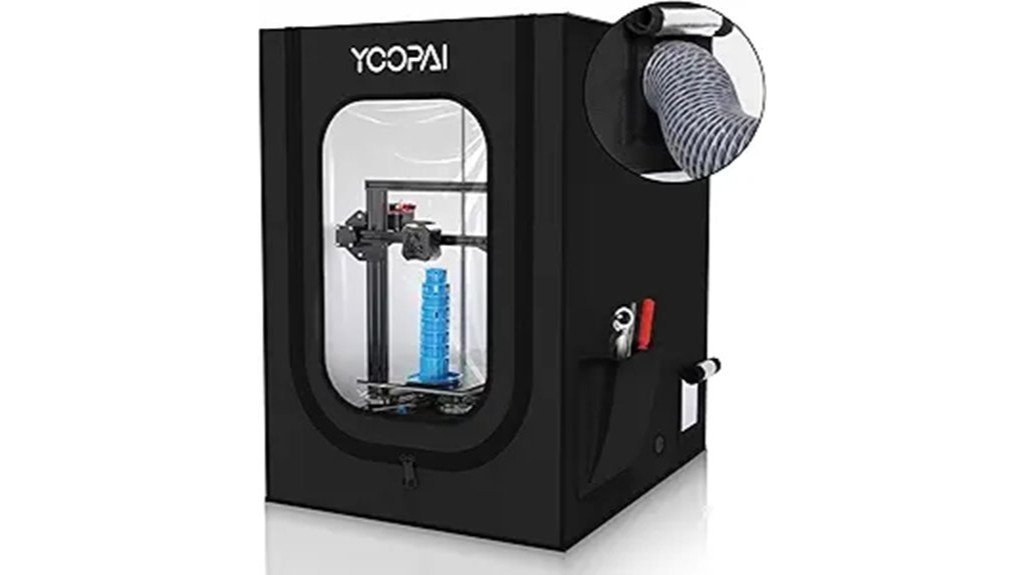
For makers on a tight budget who still want better print consistency, the YOOPAI 3D Printer Enclosure gives you a simple, dustproof tent that tames temperature swings and cuts down on noise while fitting neatly over popular machines like the Creality Ender 3 series and many Anycubic/Elegoo models. You’ll get a lightweight cover, fiberglass rods, and fast assembly—about five minutes if you follow the trick of pre-checking rod ends. It holds heat, keeps dust out, and dampens printer noise, though the instructions can frustrate and rod splinters demand care. It fits most Ender 3 variants, offers 180-day support, and won’t break the bank.
Best For: budget-conscious 3D printing hobbyists using Creality Ender 3 series or similar Anycubic/Elegoo machines who want improved temperature stability, dust protection, and reduced noise.
Pros:
- Lightweight, quick-to-assemble tent that stabilizes chamber temperature for more consistent prints.
- Dustproof design with openings for filament and fan exhaust improves print quality and odor control.
- Broad compatibility with Ender 3 variants, easy disassembly for relocation, and 180-day support.
Cons:
- Instructions can be unclear, and fiberglass rod assembly may be fiddly.
- Fiberglass rods can splinter if handled improperly, requiring care and possible protective gear.
- Requires a surface depth of about 30 inches, which may not fit smaller workspaces.
Creality Ender 3D Printer Enclosure Protective Cover (Fireproof, Dustproof, Constant Temperature)
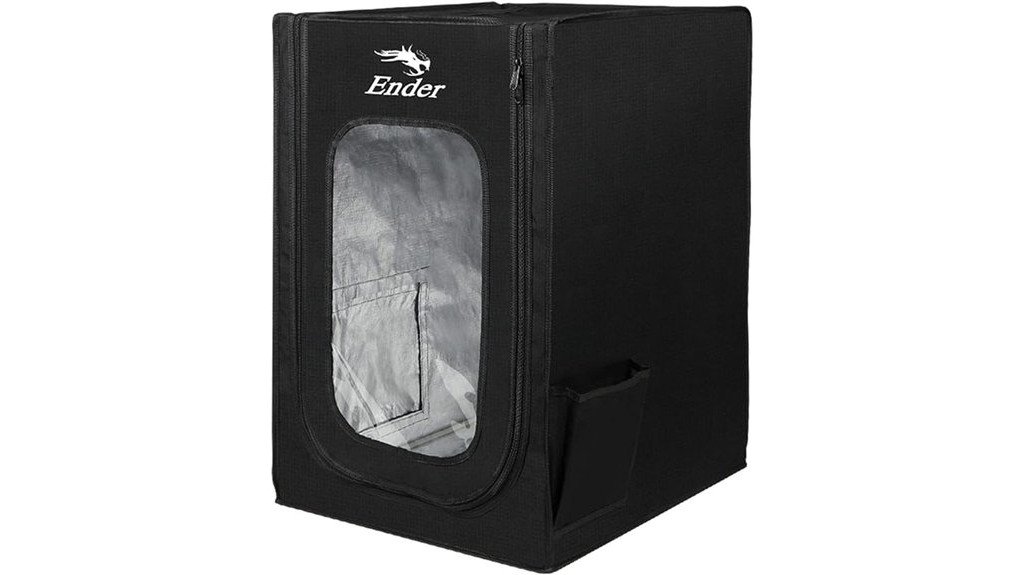
You’ll appreciate the Creality Ender 3D Printer Enclosure if you want a simple, affordable way to get more consistent prints without buying a full metal cabinet; it’s aimed at hobbyists and beginners who run Ender-series machines (and a few similar printers) and want better temperature control, dust protection, and basic fire resistance. It fits Ender 3 variants and some other popular models, measures 18.9×23.6×28.3 inches, and weighs just 3.5 pounds. Installation’s quick, panels let you watch prints, and flame-retardant materials plus aluminum film and glass-fiber supports raise safety. Users report smoother prints, less warping, and quieter operation.
Best For: Hobbyists and beginners using Ender-series or similar desktop printers who want an affordable, easy-to-install enclosure to improve temperature stability, reduce warping, and add dust and basic fire protection.
Pros:
- Improves print consistency and bed adhesion by maintaining a more constant internal temperature.
- Lightweight, quick to assemble, and compatible with many Ender 3 variants and similar models.
- Flame-retardant and dustproof construction with clear panels for easy monitoring and reduced noise/odor.
Cons:
- Limited internal space may not fit larger or heavily modified printers and accessories.
- Lacks built-in lighting and some advanced features (users sometimes add their own).
- Not a full metal fireproof cabinet — provides basic fire resistance but not industrial-grade protection.
Resin 3D Printer Vented Enclosure Tent Cover (Compatible with Creality, Anycubic, Elegoo)
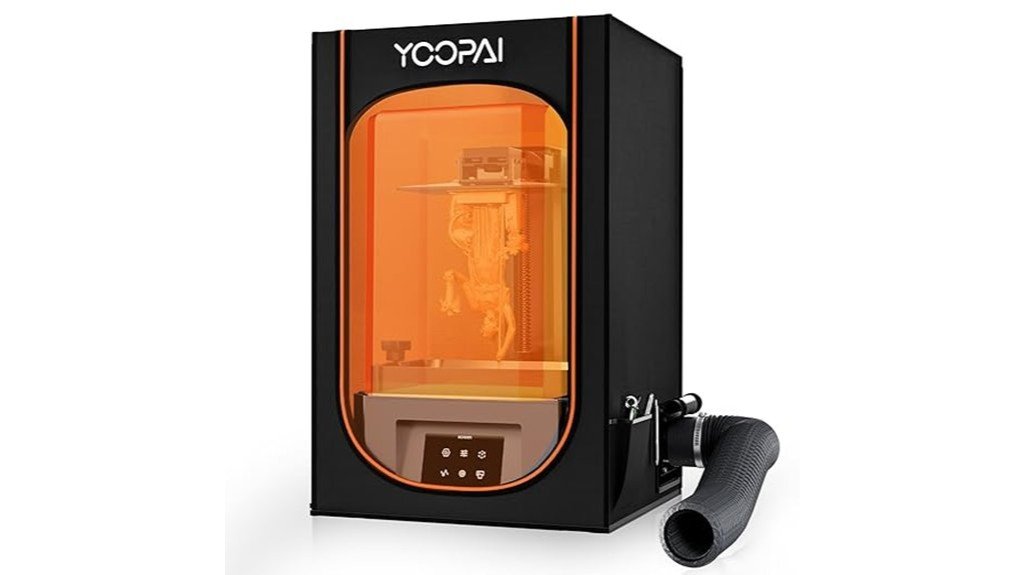
Hobbyists who want cleaner air and steadier resin prints will like this vented PVC tent cover, since it combines a carbon filter and exhaust fan to cut down on fumes while keeping temperature more stable for finer detail. You’ll appreciate the clear window for watching prints without lifting the lid, and the six-sided PVC shell keeps dust and splashes away. It fits Photon Mono, Saturn, Mars, Halot and similar printers under 28×18×17 inches. Assembly can be fiddly—manual labeling sometimes mismatches—but most users find it worth the effort. Some swap the fan for stronger airflow, yet odor control and warmth impress.
Best For: hobbyists and small-shop resin 3D printer users who want reduced fumes and more stable printing conditions for finer-detail prints.
Pros:
- Built-in carbon filter and exhaust fan reduce resin odors and help keep air cleaner.
- Six-sided PVC enclosure with clear window protects against dust and resin splashes while allowing observation without opening.
- Heat-insulating design stabilizes internal temperature, improving resin flow and print quality.
Cons:
- Assembly can be fiddly and instructions/labeling are sometimes unclear.
- Included fan may provide limited airflow; some users replace it for better fume extraction.
- Size limits use to printers smaller than 28×18×17 inches, excluding larger models.
Factors to Consider When Choosing Budget 3D Printer Enclosures
When you’re picking a budget 3D printer enclosure, you’ll want to think about fume and odor control as well as how well it keeps temperatures steady for tricky filaments. Check the size and compatibility so your printer and any accessories fit, and decide on ventilation options that balance airflow with safety. Also look at the enclosure material and fire-safety features so you’re protected without overspending.
Fume and Odor Control
Because many filaments and resins can give off strong smells and potentially harmful vapors, controlling fumes in a budget 3D printer enclosure is more than just a comfort issue — it’s a safety one. You’ll want an enclosure with exhaust fans that refresh the air several times per minute so vapors don’t build up. Look for airtight zippers, EVA seal gaskets, and screw-secured ports to stop fumes from leaking into your room. Built-in carbon filters are handy; they absorb odors and make the workspace much nicer. Exhaust ducts and backdraft valves help direct harmful gases outside instead of letting them linger. Finally, plan on regular maintenance—clean or replace filters and check seals—so your air quality stays safe in homes, classrooms, or offices.
Temperature Stability
Temperature control matters a lot for getting reliable prints, so you’ll want an enclosure that keeps the interior steady rather than letting temperatures swing wildly. You’ll notice fewer warped corners and better first-layer adhesion when the enclosure holds heat; that consistency is especially helpful with high-temperature filaments that need steady warmth to flow and bond well. Look for models using high-density insulation — they can raise and maintain interior temps by about 5–10°C, which often makes the difference between a scrap print and a keeper. Good heat retention also cuts down failed prints, saving you time and material. If you print in a cold room, choose an enclosure designed to trap warmth so your results stay predictable and quality improves.
Size and Compatibility
Keeping a steady interior temperature helps your prints, but you also need an enclosure that actually fits your machine and workspace. Measure your printer first — enclosures commonly range from about 29.5×25.6×21.6 inches down to smaller 18.9×15.7×23.6 inch options — and leave room for filament spools, tools, or a control box. Check model compatibility: some enclosures target specific brands or printers under 10.1 inches, and others list fit for Creality Ender 3 series. Consider weight too; lighter units around 3.5–7.5 pounds are easier to move and set up. Finally, look for adjustable or multiple exhaust ports so the enclosure adapts to different printer layouts and accessory needs without awkward mods.
Ventilation Options
Good ventilation can make a big difference for your prints and your health, so you’ll want to weigh a few practical features before buying an enclosure. Effective ventilation cuts harmful fumes and odors from materials; some enclosures even refresh the air up to ten times per minute, which is reassuring when you run long prints. Look for built-in carbon filters or exhaust fans to absorb resin smells and keep the room pleasant. Dual exhaust ports give you flexible hose routing so you can fit different room layouts and boost circulation. Airtight seals and secure ports help contain fumes so they don’t escape into your workspace. Plus, a proper ventilation system can steady internal temperature, improving print consistency and reducing filament issues.
Material and Fire Safety
You’ve already looked at ventilation, which helps keep fumes and odors under control, but what your enclosure is made of matters just as much for safety. Choose fireproof, flame-retardant materials when you can; some budget enclosures even pass flame-resistance tests, which is reassuring for long prints. Insulating panels help hold a steady temperature and reduce fire risk with high-temp filaments, while sturdy supports like aluminum film or fiberglass rods keep the frame rigid and cut vibration that harms print quality. Look for designs that combine non-flammable surfaces with effective airflow paths so heat and fumes don’t build up. Finally, aim for a dustproof seal — dust can trap heat and cause problems — and always verify claimed safety features before buying.
Noise and Dust Reduction
A good enclosure does more than keep prints warm — it also cuts down on distracting noise and harmful dust so your printer fits into a home or workshop without taking over. You’ll want models using high-density panels or added sound-dampening materials, because they really lower operational noise and make long prints less annoying. Look for airtight seals and dustproof designs to keep particles from landing on layers and ruining precision; those features also protect motors and electronics, extending your printer’s life. Some budget enclosures include specialized sound-absorbing foam or layered walls that combine noise control with dust protection. When shopping, imagine your workspace during a print: a quieter, cleaner environment helps you focus and reduces cleanup, making printing more pleasant and reliable overall.
Ease of Assembly
Noise and dust control matters, but if an enclosure takes half a day to build you might never finish setting it up — so ease of assembly should get plenty of attention when you shop. You’ll want a model that goes up fast; some enclosures snap together in about five minutes, while others need more detailed work and time. Look for clear instructions, labeled parts, and intuitive designs that reduce confusion and spare your patience. Robust construction matters too, since sturdy panels and secure fittings cut down on vibrations during assembly and later printing. If you move printers sometimes, consider enclosures that disassemble quickly without tools. Pick one that balances speed and stability so you can start printing sooner and stress less.
Portability and Storage
Think about portability and storage like packing for a weekend trip: you want something light, compact, and quick to fold up when you’re done. When choosing a budget 3D printer enclosure, check weight and dimensions first — lighter models are easier to carry and stash. Prefer designs that assemble and disassemble quickly; I once moved a printer between rooms because the frame popped apart in minutes. Foldable or collapsible enclosures save closet space and make seasonal storage painless. Integrated carrying handles or compact footprints help if you transport the unit often. Also think about required setup area: some enclosures need a large surface and won’t fit tight workbenches. Balance ease of transport with how much room you actually have at home or in your workshop.
FAQ
Can Enclosures Reduce Print Odors and VOCS Effectively?
1. Can enclosures effectively reduce odors from printing?
Yes, enclosures can help reduce odors when combined with proper filtration and ventilation systems.
2. What types of filters should be used in enclosures?
Activated carbon and HEPA filters are recommended for effectively capturing odors and volatile organic compounds (VOCs).
3. Is it enough to just enclose the printing area?
No, simply enclosing the area without proper ventilation will not significantly reduce volatile emissions.
4. What is the role of ventilation in reducing VOCs?
Ventilation helps to expel contaminated air and bring in fresh air, which is essential for minimizing VOC concentrations.
5. Can outdoor venting enhance the effectiveness of enclosures?
Yes, venting to the outdoors can greatly improve the effectiveness of an enclosure by removing pollutants from the indoor environment.
6. How does activated carbon work in filtration?
Activated carbon absorbs odors and VOCs through a process called adsorption, trapping harmful substances in its porous structure.
7. Are HEPA filters necessary in all enclosures?
While not always mandatory, HEPA filters enhance air quality by capturing fine particulate matter, making them a valuable addition to enclosures.
8. Will increased heat within the enclosure reduce VOCs?
Enclosing heat alone is not effective in reducing VOCs; it must be paired with filtration and ventilation for meaningful results.
9. How often should filters be replaced in an enclosure?
Filters should be replaced regularly, depending on usage and manufacturer recommendations, to maintain optimal performance.
10. What are the potential consequences of not using filtration in enclosures?
Without filtration, harmful VOCs and odors may accumulate, leading to poor indoor air quality and potential health risks.
Will Enclosures Interfere With Filament Spooling or Auto-Bed Leveling?
1. Do enclosures affect filament spooling?
No, enclosures typically do not interfere with filament spooling as long as the filament is routed correctly.
2. What should I ensure for proper filament path in an enclosure?
Make sure the filament path is unobstructed and allows for smooth movement to prevent tangling or resistance.
3. Can I use an enclosure with auto-bed leveling?
Yes, enclosures generally do not hinder auto-bed leveling if sensor areas remain accessible.
4. How can I maintain spool clearance in an enclosure?
Ensure that there is sufficient space around the filament spool to prevent it from touching the enclosure walls or other components.
5. What is the importance of stable bed-leveling sensor mounts?
Stable mounts for bed-leveling sensors are crucial to maintain accurate leveling and prevent misalignment during printing.
6. Should I consider the placement of my enclosure?
Yes, the placement of the enclosure can impact both filament spooling and auto-bed leveling, so choose a location that allows easy access and movement.
7. Can I use flexible filament in an enclosure?
Yes, you can use flexible filament in an enclosure; just ensure the filament path is properly designed to accommodate its movement.
8. What happens if the filament gets snagged in the enclosure?
If the filament gets snagged, it may cause printing issues such as under-extrusion or failed prints, so it’s important to avoid any obstructions.
9. How do I keep the enclosure temperature stable for filament?
Maintain a consistent temperature within the enclosure to ensure optimal filament performance, especially for materials sensitive to temperature changes.
10. Is it necessary to modify my printer for an enclosure?
While not always necessary, some modifications may be beneficial to ensure smooth operation of filament spooling and auto-bed leveling within the enclosure.
Are These Enclosures Compatible With Dual-Extruder Printers?
FAQs on Enclosure Compatibility with Dual-Extruder Printers
1. Do budget enclosures fit dual-extruder printers?
Yes, many budget enclosures are compatible with dual-extruder printers, but it’s essential to verify the dimensions first.
2. What should I check regarding internal space?
Ensure that the internal space of the enclosure can accommodate the dual-extruder setup, allowing enough room for both hotends and print volume.
3. How important is cable routing?
Proper cable routing is crucial to avoid interference with the printer’s moving parts and to maintain a tidy setup within the enclosure.
4. Is hotend clearance a concern?
Yes, you need to confirm that the hotends have sufficient clearance within the enclosure to operate without obstruction.
5. What ventilation options should I consider?
Adequate ventilation is vital to prevent overheating and to manage fumes, especially when using materials that may emit odors.
6. How can temperature control affect printing?
Maintaining a stable temperature within the enclosure can prevent issues like oozing and filament mixing during the printing process.
7. Are there specific enclosures designed for dual-extruder printers?
While many enclosures can work, some are specifically designed with dual-extruder setups in mind, providing tailored features for better performance.
8. What materials should I avoid for enclosures?
Avoid materials that can warp or melt at higher temperatures, as they may compromise the integrity and safety of the enclosure.
9. Can I modify an existing enclosure for dual-extruder use?
Yes, modifications can be made to existing enclosures, but ensure any changes do not impede airflow or access to the printer.
10. Is it necessary to have a heated enclosure for dual-extruder printing?
A heated enclosure can enhance print quality by reducing warping and layer adhesion issues, making it a worthwhile investment for dual-extruder setups.
Can I Run Enclosures Unattended Overnight Safely?
1. Is it safe to run enclosures unattended overnight?
Yes, it can be safe if you implement necessary precautions to minimize risks associated with unattended operation.
2. What ventilation measures should I take?
Ensure there is proper ventilation to prevent overheating and maintain air quality within the enclosure.
3. How can I ensure fire safety?
Avoid placing flammable materials near the enclosure and consider using smoke detectors to alert you to any potential fires.
4. What power stability precautions should I observe?
Guarantee stable power supply to avoid disruptions. Using surge protectors can help safeguard against power surges.
5. How can I monitor the enclosure overnight?
Utilize cameras to keep an eye on the enclosure’s operations remotely, allowing you to respond to any issues promptly.
6. What routine maintenance should I perform beforehand?
Conduct thorough inspections and maintenance of the enclosure and its components to ensure everything is functioning correctly before leaving it unattended.
7. Are there specific conditions that make unattended operation unsafe?
Yes, if you cannot provide adequate ventilation, power stability, or monitoring, it’s best not to leave the enclosure unsupervised.
8. What types of enclosures can be left unattended?
Enclosures that have appropriate safety measures in place, such as adequate ventilation and monitoring systems, can be left unattended.
9. What should I do if I discover an issue while monitoring?
If you see any unusual activity or issues through your monitoring system, address them immediately to prevent potential hazards.
10. Can I leave the enclosure unattended if I’m not home?
It is generally not advisable to leave enclosures unattended if you are not able to monitor them or respond to emergencies.
Do Enclosures Affect Printer Warranty or Service Access?
FAQ 1: Do enclosures void printer warranties?
Yes, enclosing or modifying your printer in ways that the manufacturer considers improper can void the warranty. Always review your warranty terms before making any changes.
FAQ 2: What types of modifications can affect my warranty?
Any alterations that restrict access for maintenance or involve permanent changes to the printer’s design may affect the warranty. This includes custom enclosures that prevent proper operation.
FAQ 3: How can I determine if my modifications are safe?
Check the manufacturer’s guidelines regarding modifications and enclosures before proceeding. If you’re unsure, consult customer support for clarification.
FAQ 4: What happens if my warranty is voided?
If your warranty is voided, you may be responsible for all repair costs and service access. This could lead to more expensive maintenance in the long run.
FAQ 5: Are there specific warranty terms I should look for?
Yes, look for sections in the warranty that discuss modifications, maintenance access, and enclosures. These will provide clear guidelines on what is allowed.
FAQ 6: Can I still get service if I modify my printer?
You may still receive service, but it could come at a cost, and the service may not cover issues related to your modifications. Always confirm service options with the manufacturer.
FAQ 7: Is it possible to get an enclosure that won’t void my warranty?
Some manufacturers may offer approved enclosures that are designed to work with their printers without voiding the warranty. Check with the manufacturer for recommendations.
FAQ 8: How can I contact the manufacturer for warranty questions?
Most manufacturers have customer support lines, email support, or online chat options. Reach out to them directly for specific inquiries about your warranty.
FAQ 9: Can I revert my printer to its original state if I modify it?
In some cases, yes, but it depends on the modifications made. Reverting changes might help in some situations, but it’s best to consult the manufacturer.
FAQ 10: Are there risks associated with DIY enclosures?
DIY enclosures can lead to overheating or accessibility issues, which may not only void your warranty but also damage the printer. Always evaluate the potential risks before proceeding.
Final Thoughts
I’ve encountered a range of budget-friendly enclosures that effectively maintain warmth for your prints while minimizing warping, all without straining your finances. Choose your enclosure based on printer size, ventilation requirements, and whether you want added features like integrated lighting or fire-resistant materials. If you’re using a small resin printer, there are excellent compact options that fit seamlessly into your setup. For larger FDM machines, consider investing in a tent or a solid cover that offers robust protection. Make the right choice, and you’ll experience more consistent prints, reduced dust exposure, and an overall smoother printing process—so take the leap and upgrade wisely.